





WillyB
Members
-
Joined
-
Last visited
-
Hi there! I have the latest version installed (1.1.4) and I've noticed that all the files I've imported via the "Consume" folder, still exist in that folder but proceeded with a dot making them invisible. Is that normal? How do I get rid of them ? Thanks!
-
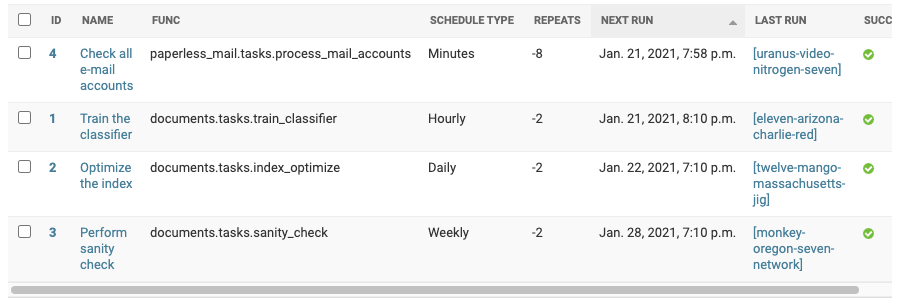
I re-installed paperless-ng and redis. I no longer get the Traceback error and it imports emails just fine now... As for the names, I am not sure, all the completed task show a similar name formula instead of a date/time:
-
Just installed this on a brand new UnRAID to replace Evernote! Thanks for the community app setup! My mail import did not work so I erased the Mail account in settings and re-added it. Since doing that the task fails with: ERROR Failed [enemy-ceiling-delta-wyoming] - [Errno -2] Name or service not known : Traceback (most recent call last): File "/usr/local/lib/python3.7/site-packages/django_q/cluster.py", line 436, in worker res = f(*task["args"], **task["kwargs"]) Any idea what's wrong ? Everything else is working.
