




Skip to content
View in the app

A better way to browse. Learn more.

Unraid

A full-screen app on your home screen with push notifications, badges and more.

To install this app on iOS and iPadOS
  1. Tap the Share icon in Safari
  2. Scroll the menu and tap Add to Home Screen.
  3. Tap Add in the top-right corner.
To install this app on Android
  1. Tap the 3-dot menu (⋮) in the top-right corner of the browser.
  2. Tap Add to Home screen or Install app.
  3. Confirm by tapping Install.

Arno142038

Members
  • Joined

  • Last visited

  1. Arno142038 joined the community
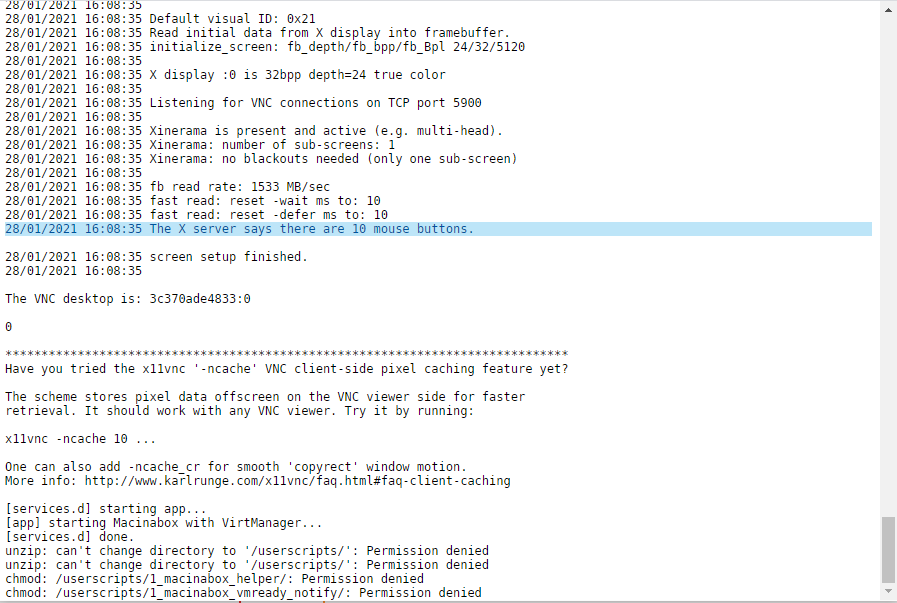
  2. After install macinabox ,I met this problem .It seems like some sort of permission problem. Hope you can give me some guide to work it out. "[services.d] starting app... [app] starting Macinabox with VirtManager... [services.d] done. unzip: can't change directory to '/userscripts/': Permission denied unzip: can't change directory to '/userscripts/': Permission denied chmod: /userscripts/1_macinabox_helper/: Permission denied chmod: /userscripts/1_macinabox_vmready_notify/: Permission denied" And I have to say it is so weird that I devote 3 days but still in van. I have tried reinstall ,changing hardware and reinstall unraid system. I HOPE SOMEONE CAN HELP!
Account

Navigation

Search

Search

Configure browser push notifications

Chrome (Android)
  1. Tap the lock icon next to the address bar.
  2. Tap Permissions → Notifications.
  3. Adjust your preference.
Chrome (Desktop)
  1. Click the padlock icon in the address bar.
  2. Select Site settings.
  3. Find Notifications and adjust your preference.