





marcusfan
Members
-
Joined
-
Last visited
Everything posted by marcusfan
-
Might have solved this. I think it is the power connector.
-
I'm pretty consistently having issues with my Unraid array. This time 1 disk failed (disk6) so I replaced it. Then while rebuilding another one failed (disk10). Now when trying to rebuild I get disk errors on yet another disk (disk12). unraid1-diagnostics-20221223-2205.zip
-
should I be rebuilding disk10 next or should I be copying the lost and found data somewhere?
-
Assuming at this point I should do a normal drive replacement? stop the array put in a new drive for disk10 turn it back on
-
Looks like most of it is showing up! unraid1-diagnostics-20220902-1846.zip
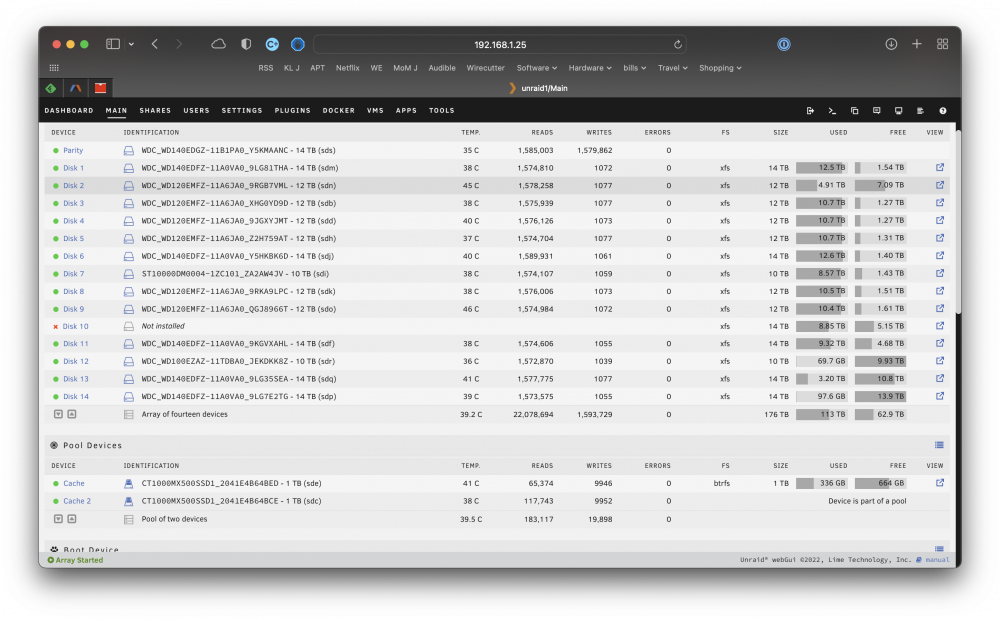 Too long to screenshot all of it. here is the first screen which it paused at for a few seconds. then the final screen.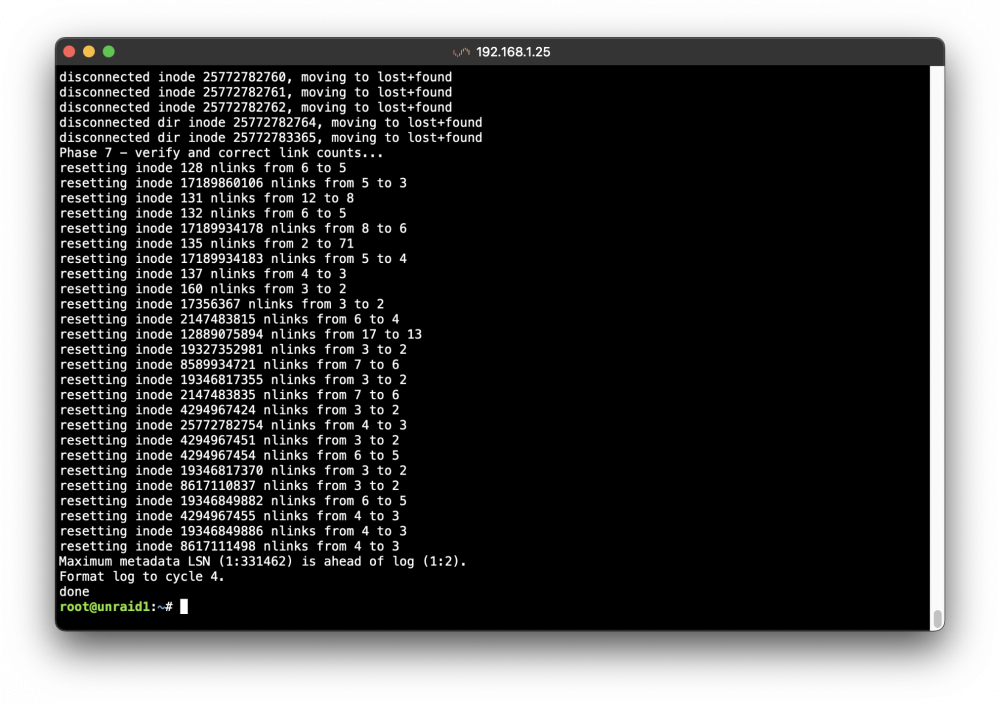
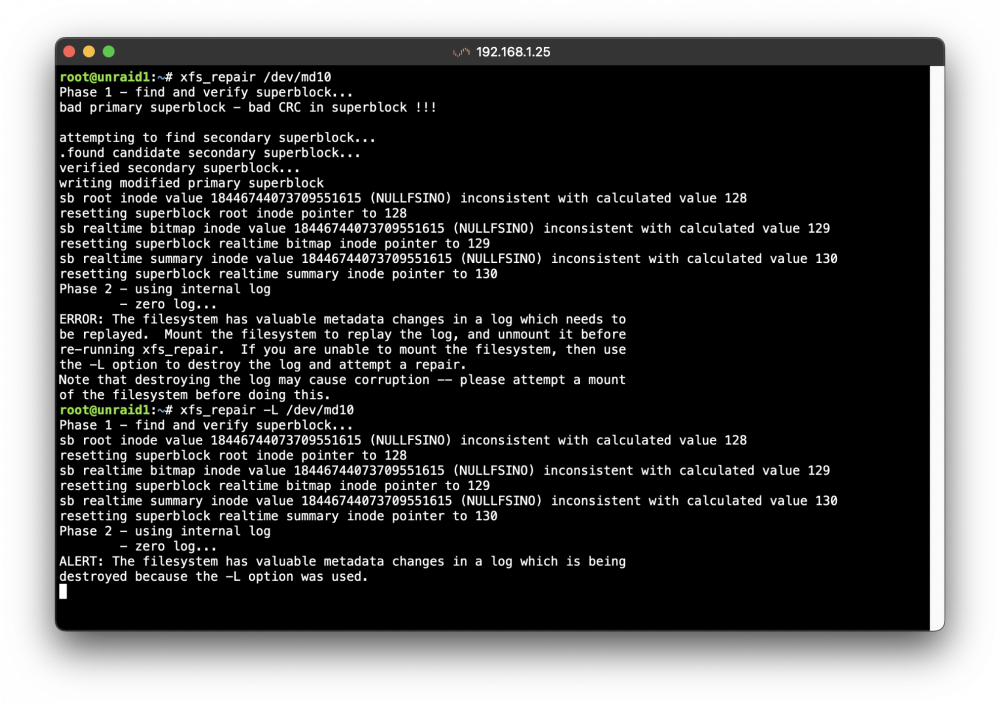 Done. unraid1-diagnostics-20220902-1654.zip
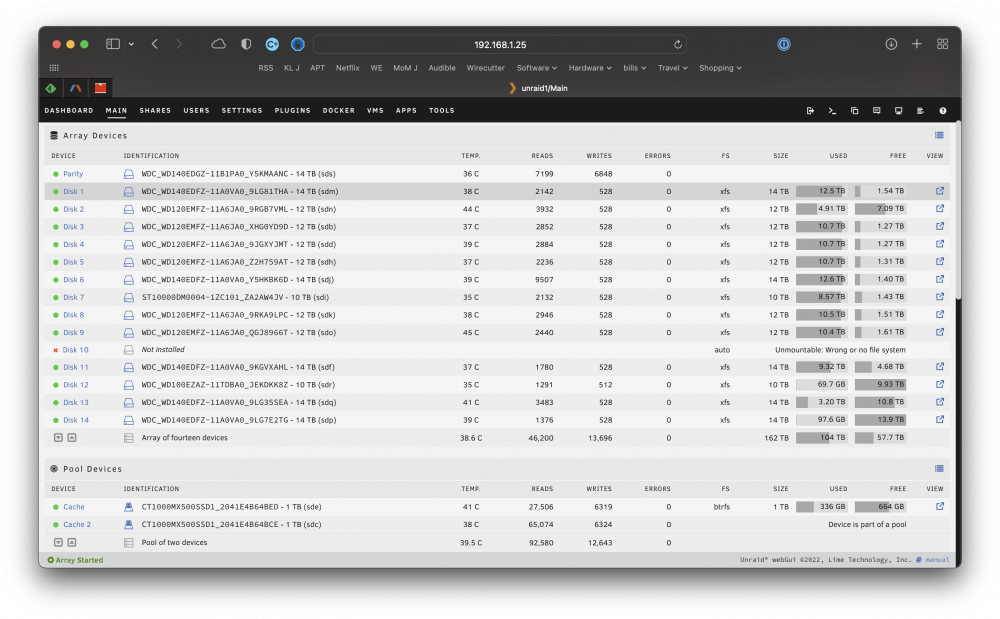 New diagnostics. unraid1-diagnostics-20220902-1636.zipBoth were 14tbCorrect.The unassigned devices are the original drives. No data has been written since then.Yes No it was not cleared. It was removed before the format of drive 10 I was hoping! but thought unlikely.I thought so. Here is the current setup. I remove the new 16 tb drives unraid1:Main.pdfSort of. When drive #10 failed it seemed unlikely to be the drive and most likely the cable so I pre cleared the same drive and replaced the cable. It was in the middle rebuilding when the parity drive failed.When I put in a new Disk #10 is said it was not usable because it was in the wrong format. I had assumed that in order to use it and have the system rebuild the data the new drive had to be formatted. Sad.I did format #10 when it said it could not use it since it was in the wrong format. Disk #12,14 are expected to be empty. Screenshot is what is was right before replacing the 2 drives.
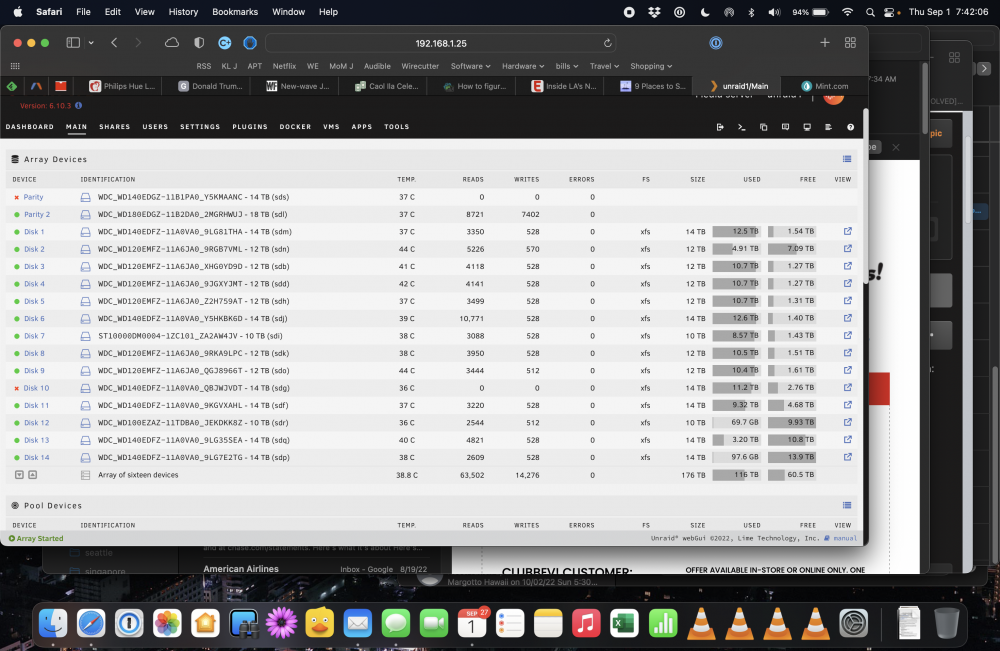 No it did not. 2 drives yes, dual parity.Diagnostics. unraid1-diagnostics-20220902-1523.zipI did a pre-clear then added the drive back to the array.Still have all drives.Using 6.10.3


