





Yoda
Members
-
Joined
-
Last visited
-
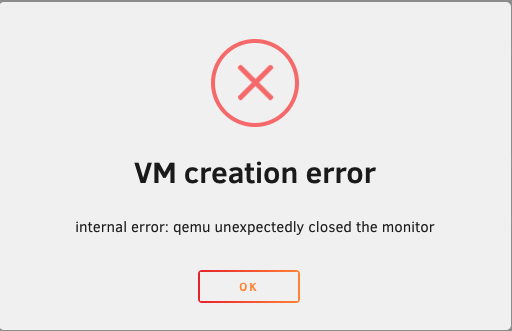
I did update my server to 6.12.4 today 3rd time. The problem I am facing is I am unable to click Start VM/Docker on web ui. Adding diagnosis for reference. yoda-diagnostics-20231031-1222.zip
-
-
-smp 4,sockets=1,dies=1,cores=2,threads=2 \ -uuid 0cfb6fcd-b66d-0bd6-9e71-c4081c6a6a62 \ -display none \ -no-user-config \ -nodefaults \ -chardev socket,id=charmonitor,fd=32,server,nowait \ -mon chardev=charmonitor,id=monitor,mode=control \ -rtc base=localtime \ -no-hpet \ -no-shutdown \ -boot strict=on \ -device ich9-usb-ehci1,id=usb,bus=pci.0,addr=0x7.0x7 \ -device ich9-usb-uhci1,masterbus=usb.0,firstport=0,bus=pci.0,multifunction=on,addr=0x7 \ -device ich9-usb-uhci2,masterbus=usb.0,firstport=2,bus=pci.0,addr=0x7.0x1 \ -device ich9-usb-uhci3,masterbus=usb.0,firstport=4,bus=pci.0,addr=0x7.0x2 \ -device virtio-serial-pci,id=virtio-serial0,bus=pci.0,addr=0x3 \ -blockdev '{"driver":"file","filename":"/mnt/user/domains/Mavericks/vdisk1.img","node-name":"libvirt-3-storage","cache":{"direct":false,"no-flush":false},"auto-read-only":true,"discard":"unmap"}' \ -blockdev '{"node-name":"libvirt-3-format","read-only":false,"cache":{"direct":false,"no-flush":false},"driver":"raw","file":"libvirt-3-storage"}' \ -device virtio-blk-pci,bus=pci.0,addr=0x4,drive=libvirt-3-format,id=virtio-disk2,bootindex=1,write-cache=on \ -blockdev '{"driver":"file","filename":"/mnt/user/isos/Windows iso 10/Win10_20H2_v2_English_x64.iso","node-name":"libvirt-2-storage","auto-read-only":true,"discard":"unmap"}' \ -blockdev '{"node-name":"libvirt-2-format","read-only":true,"driver":"raw","file":"libvirt-2-storage"}' \ -device ide-cd,bus=ide.0,unit=0,drive=libvirt-2-format,id=ide0-0-0,bootindex=2 \ -blockdev '{"driver":"file","filename":"/mnt/user/isos/virtio-win-0.1.190-1.iso","node-name":"libvirt-1-storage","auto-read-only":true,"discard":"unmap"}' \ -blockdev '{"node-name":"libvirt-1-format","read-only":true,"driver":"raw","file":"libvirt-1-storage"}' \ -device ide-cd,bus=ide.0,unit=1,drive=libvirt-1-format,id=ide0-0-1 \ -netdev tap,fd=34,id=hostnet0 \ -device virtio-net,netdev=hostnet0,id=net0,mac=52:54:00:91:0f:c2,bus=pci.0,addr=0x2 \ -chardev pty,id=charserial0 \ -device isa-serial,chardev=charserial0,id=serial0 \ -chardev socket,id=charchannel0,fd=35,server,nowait \ -device virtserialport,bus=virtio-serial0.0,nr=1,chardev=charchannel0,id=channel0,name=org.qemu.guest_agent.0 \ -device vfio-pci,host=0000:07:00.0,id=hostdev0,bus=pci.0,addr=0x5 \ -device vfio-pci,host=0000:07:00.1,id=hostdev1,bus=pci.0,addr=0x6 \ -device usb-host,hostbus=1,hostaddr=4,id=hostdev2,bus=usb.0,port=1 \ -device usb-host,hostbus=1,hostaddr=6,id=hostdev3,bus=usb.0,port=2 \ -sandbox on,obsolete=deny,elevateprivileges=deny,spawn=deny,resourcecontrol=deny \ -msg timestamp=on 2022-03-03 18:38:41.896+0000: Domain id=16 is tainted: high-privileges 2022-03-03 18:38:41.896+0000: Domain id=16 is tainted: host-cpu char device redirected to /dev/pts/0 (label charserial0) <?xml version='1.0' encoding='UTF-8'?> <domain type='kvm'> <name>Mavericks</name> <uuid>0cfb6fcd-b66d-0bd6-9e71-c4081c6a6a62</uuid> <metadata> <vmtemplate xmlns="unraid" name="Windows 10" icon="windows.png" os="windows10"/> </metadata> <memory unit='KiB'>13107200</memory> <currentMemory unit='KiB'>2097152</currentMemory> <memoryBacking> <nosharepages/> </memoryBacking> <vcpu placement='static'>4</vcpu> <cputune> <vcpupin vcpu='0' cpuset='3'/> <vcpupin vcpu='1' cpuset='9'/> <vcpupin vcpu='2' cpuset='5'/> <vcpupin vcpu='3' cpuset='11'/> </cputune> <os> <type arch='x86_64' machine='pc-i440fx-5.1'>hvm</type> <loader readonly='yes' type='pflash'>/usr/share/qemu/ovmf-x64/OVMF_CODE-pure-efi.fd</loader> <nvram>/etc/libvirt/qemu/nvram/0cfb6fcd-b66d-0bd6-9e71-c4081c6a6a62_VARS-pure-efi.fd</nvram> </os> <features> <acpi/> <apic/> <hyperv> <relaxed state='on'/> <vapic state='on'/> <spinlocks state='on' retries='8191'/> <vendor_id state='on' value='none'/> </hyperv> </features> <cpu mode='host-passthrough' check='none' migratable='on'> <topology sockets='1' dies='1' cores='2' threads='2'/> <cache mode='passthrough'/> <feature policy='require' name='topoext'/> </cpu> <clock offset='localtime'> <timer name='hypervclock' present='yes'/> <timer name='hpet' present='no'/> </clock> <on_poweroff>destroy</on_poweroff> <on_reboot>restart</on_reboot> <on_crash>restart</on_crash> <devices> <emulator>/usr/local/sbin/qemu</emulator> <disk type='file' device='disk'> <driver name='qemu' type='raw' cache='writeback'/> <source file='/mnt/user/domains/Mavericks/vdisk1.img'/> <target dev='hdc' bus='virtio'/> <boot order='1'/> <address type='pci' domain='0x0000' bus='0x00' slot='0x04' function='0x0'/> </disk> <disk type='file' device='cdrom'> <driver name='qemu' type='raw'/> <source file='/mnt/user/isos/Windows iso 10/Win10_20H2_v2_English_x64.iso'/> <target dev='hda' bus='ide'/> <readonly/> <boot order='2'/> <address type='drive' controller='0' bus='0' target='0' unit='0'/> </disk> <disk type='file' device='cdrom'> <driver name='qemu' type='raw'/> <source file='/mnt/user/isos/virtio-win-0.1.190-1.iso'/> <target dev='hdb' bus='ide'/> <readonly/> <address type='drive' controller='0' bus='0' target='0' unit='1'/> </disk> <controller type='usb' index='0' model='ich9-ehci1'> <address type='pci' domain='0x0000' bus='0x00' slot='0x07' function='0x7'/> </controller> <controller type='usb' index='0' model='ich9-uhci1'> <master startport='0'/> <address type='pci' domain='0x0000' bus='0x00' slot='0x07' function='0x0' multifunction='on'/> </controller> <controller type='usb' index='0' model='ich9-uhci2'> <master startport='2'/> <address type='pci' domain='0x0000' bus='0x00' slot='0x07' function='0x1'/> </controller> <controller type='usb' index='0' model='ich9-uhci3'> <master startport='4'/> <address type='pci' domain='0x0000' bus='0x00' slot='0x07' function='0x2'/> </controller> <controller type='pci' index='0' model='pci-root'/> <controller type='ide' index='0'> <address type='pci' domain='0x0000' bus='0x00' slot='0x01' function='0x1'/> </controller> <controller type='virtio-serial' index='0'> <address type='pci' domain='0x0000' bus='0x00' slot='0x03' function='0x0'/> </controller> <interface type='bridge'> <mac address='52:54:00:91:0f:c2'/> <source bridge='br0'/> <model type='virtio-net'/> <address type='pci' domain='0x0000' bus='0x00' slot='0x02' function='0x0'/> </interface> <serial type='pty'> <target type='isa-serial' port='0'> <model name='isa-serial'/> </target> </serial> <console type='pty'> <target type='serial' port='0'/> </console> <channel type='unix'> <target type='virtio' name='org.qemu.guest_agent.0'/> <address type='virtio-serial' controller='0' bus='0' port='1'/> </channel> <input type='mouse' bus='ps2'/> <input type='keyboard' bus='ps2'/> <hostdev mode='subsystem' type='pci' managed='yes'> <driver name='vfio'/> <source> <address domain='0x0000' bus='0x07' slot='0x00' function='0x0'/> </source> <address type='pci' domain='0x0000' bus='0x00' slot='0x05' function='0x0'/> </hostdev> <hostdev mode='subsystem' type='pci' managed='yes'> <driver name='vfio'/> <source> <address domain='0x0000' bus='0x07' slot='0x00' function='0x1'/> </source> <address type='pci' domain='0x0000' bus='0x00' slot='0x06' function='0x0'/> </hostdev> <hostdev mode='subsystem' type='usb' managed='no'> <source> <vendor id='0x03f0'/> <product id='0x1198'/> </source> <address type='usb' bus='0' port='1'/> </hostdev> <hostdev mode='subsystem' type='usb' managed='no'> <source> <vendor id='0x046d'/> <product id='0xc52b'/> </source> <address type='usb' bus='0' port='2'/> </hostdev> <memballoon model='none'/> </devices> </domain>
-
Hi, I know this might be duplicate. But I tried everything so far unable to find the solution. -nodefaults \ -chardev socket,id=charmonitor,fd=32,server,nowait \ -mon chardev=charmonitor,id=monitor,mode=control \ -rtc base=utc,driftfix=slew \ -global kvm-pit.lost_tick_policy=delay \ -no-hpet \ -no-shutdown \ -boot strict=on \ -device pcie-root-port,port=0x8,chassis=1,id=pci.1,bus=pcie.0,multifunction=on,addr=0x1 \ -device pcie-root-port,port=0x9,chassis=2,id=pci.2,bus=pcie.0,addr=0x1.0x1 \ -device pcie-root-port,port=0xa,chassis=3,id=pci.3,bus=pcie.0,addr=0x1.0x2 \ -device pcie-root-port,port=0xb,chassis=4,id=pci.4,bus=pcie.0,addr=0x1.0x3 \ -device pcie-root-port,port=0xc,chassis=5,id=pci.5,bus=pcie.0,addr=0x1.0x4 \ -device pcie-root-port,port=0xd,chassis=6,id=pci.6,bus=pcie.0,addr=0x1.0x5 \ -device ich9-usb-ehci1,id=usb,bus=pcie.0,addr=0x7.0x7 \ -device ich9-usb-uhci1,masterbus=usb.0,firstport=0,bus=pcie.0,multifunction=on,addr=0x7 \ -device ich9-usb-uhci2,masterbus=usb.0,firstport=2,bus=pcie.0,addr=0x7.0x1 \ -device ich9-usb-uhci3,masterbus=usb.0,firstport=4,bus=pcie.0,addr=0x7.0x2 \ -device virtio-serial-pci,id=virtio-serial0,bus=pci.2,addr=0x0 \ -blockdev '{"driver":"file","filename":"/mnt/user/domains/Veronica/vdisk1.img","node-name":"libvirt-2-storage","cache":{"direct":false,"no-flush":false},"auto-read-only":true,"discard":"unmap"}' \ -blockdev '{"node-name":"libvirt-2-format","read-only":false,"cache":{"direct":false,"no-flush":false},"driver":"raw","file":"libvirt-2-storage"}' \ -device virtio-blk-pci,bus=pci.3,addr=0x0,drive=libvirt-2-format,id=virtio-disk2,bootindex=1,write-cache=on \ -blockdev '{"driver":"file","filename":"/mnt/user/isos/Ubuntu/ubuntu-20.04.2.0-desktop-amd64.iso","node-name":"libvirt-1-storage","auto-read-only":true,"discard":"unmap"}' \ -blockdev '{"node-name":"libvirt-1-format","read-only":true,"driver":"raw","file":"libvirt-1-storage"}' \ -device ide-cd,bus=ide.0,drive=libvirt-1-format,id=sata0-0-0,bootindex=2 \ -netdev tap,fd=34,id=hostnet0 \ -device virtio-net,netdev=hostnet0,id=net0,mac=52:54:00:6d:ec:ee,bus=pci.1,addr=0x0 \ -chardev pty,id=charserial0 \ -device isa-serial,chardev=charserial0,id=serial0 \ -chardev socket,id=charchannel0,fd=35,server,nowait \ -device virtserialport,bus=virtio-serial0.0,nr=1,chardev=charchannel0,id=channel0,name=org.qemu.guest_agent.0 \ -device vfio-pci,host=0000:07:00.0,id=hostdev0,bus=pci.4,addr=0x0 \ -device vfio-pci,host=0000:07:00.1,id=hostdev1,bus=pci.5,addr=0x0 \ -device usb-host,hostbus=1,hostaddr=4,id=hostdev2,bus=usb.0,port=1 \ -device usb-host,hostbus=1,hostaddr=6,id=hostdev3,bus=usb.0,port=2 \ -sandbox on,obsolete=deny,elevateprivileges=deny,spawn=deny,resourcecontrol=deny \ -msg timestamp=on 2022-02-28 20:38:41.182+0000: Domain id=4 is tainted: high-privileges 2022-02-28 20:38:41.182+0000: Domain id=4 is tainted: host-cpu char device redirected to /dev/pts/0 (label charserial0) Uploaded diagnostics yoda-diagnostics-20220228-1541
-
I am in the process of Setting up Unraid Lab so I will play with Swag here.
-
@Siroguh I have this working as Reverse Proxy using NginX proxy Manager. I did not try with Swag. I recently updated my Swag settings with NginX proxy manager (Easy to manager IMO). Below is my config file of NPM. mine is hosted on 8087. # ------------------------------------------------------------ # accounts.ABC.com # ------------------------------------------------------------ server { set $forward_scheme http; set $server "<IP>"; set $port 8087; listen 8080; listen [::]:8080; listen 4443 ssl http2; listen [::]:4443; server_name accounts.ABC.com; # Let's Encrypt SSL include conf.d/include/letsencrypt-acme-challenge.conf; include conf.d/include/ssl-ciphers.conf; ssl_certificate /etc/letsencrypt/live/npm-11/fullchain.pem; ssl_certificate_key /etc/letsencrypt/live/npm-11/privkey.pem; # HSTS (ngx_http_headers_module is required) (31536000 seconds = 1 year) add_header Strict-Transport-Security "max-age=31536000; preload" always; access_log /config/log/proxy_host-8.log proxy; location / { # Force SSL include conf.d/include/force-ssl.conf; # HSTS (ngx_http_headers_module is required) (31536000 seconds = 1 year) add_header Strict-Transport-Security "max-age=31536000; preload" always; # Proxy! include conf.d/include/proxy.conf; } # Custom include /data/nginx/custom/server_proxy[.]conf; }
-
@404fox Akaunting docker isnt supporting Other than mysql at the moment. And I need to open pull request to make changes. Please refer https://github.com/akaunting/akaunting/blob/master/app/Console/Commands/Install.php
-
Let me try it with postgras. @404fox I will update template today.
-
Creating this Topic/Channel to Support Akaunting Docker Container. AkauntingTM is a free, open source and online accounting software designed for small businesses and freelancers. It is built with modern technologies such as Laravel, VueJS, Bootstrap 4, RESTful API etc. Thanks to its modular structure, Akaunting provides an awesome App Store for users and developers. Home - The house of Akaunting Forum - Ask for support Documentation - Learn how to use and develop App Store - Extend your Akaunting Akaunting uses Laravel, the best existing PHP framework, as the foundation framework and Module package for Apps.
