Skip to content
View in the app

A better way to browse. Learn more.

Unraid

A full-screen app on your home screen with push notifications, badges and more.

To install this app on iOS and iPadOS
  1. Tap the Share icon in Safari
  2. Scroll the menu and tap Add to Home Screen.
  3. Tap Add in the top-right corner.
To install this app on Android
  1. Tap the 3-dot menu (⋮) in the top-right corner of the browser.
  2. Tap Add to Home screen or Install app.
  3. Confirm by tapping Install.

Zendikar

Members
  • Joined

  • Last visited

  1. Zendikar changed their profile photo
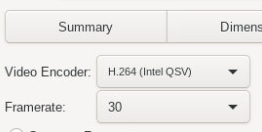
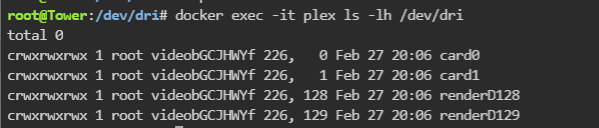
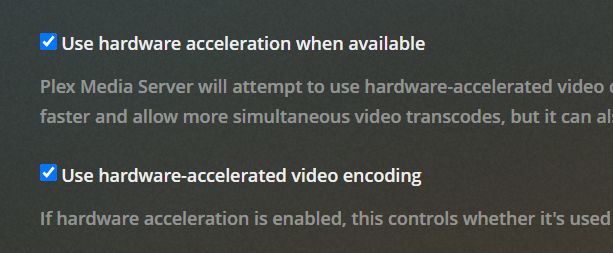
  2. Gah; I can't get mine working! I can see the listing in /dev/dri -> ls, did a modprobe i915, added the /dev/dri to devices in the settings. When I used "docker exec -it plex ls -lh /dev/dri" in the console, it returns both my iGPU as well as my PCIE GPU: Still, it doesn't work off the iGPU and instead continues to software transcode. I made sure to as well establish the transcoding is enabled in Plex. For context, I'm using the ASRock C236 WSI paired with the i7-7700K, with my 3060ti thrown into the PCIe slot. I assume that the iGPU does exist and is usable, since I went ahead and installed Handbrake and added the /dev/dri to its devices. It does show it as an option in the Video Encoder:
Account

Navigation

Search

Search

Configure browser push notifications

Chrome (Android)
  1. Tap the lock icon next to the address bar.
  2. Tap Permissions → Notifications.
  3. Adjust your preference.
Chrome (Desktop)
  1. Click the padlock icon in the address bar.
  2. Select Site settings.
  3. Find Notifications and adjust your preference.