Drackeo
Members
-
Joined
-
Last visited
-
UPDATE: --SOLVED-- Apparently transcoding is broken in the latest release I was using (1.28.2.6151). Updating my repository line to "lscr.io/linuxserver/plex:version-1.28.0.5999-97678ded3” forced the docker container to use a non busted version (1.28.0.5999).
-
I know I'm beating a dead horse but I've searched both here and the unRAID forums and can't find anything that works for me so my turn. I had this working at one point and it just randomly stopped working. Since I direct play everything in my apartment I haven't noticed any issues but a few of my remote users who do need to transcode things have been complaining lately. I think it's because everything is transcoding directly on the CPU and not using the integrated GPU/QuickSync. I do think I have everything set up correctly but nothing I do seems to get it working again. Can anyone take a peak at the below and let me know what I'm doing wrong/can try? All images are uploaded HERE on Imgur since there are several. But here is a summary: The behavior is whenever someone plays a movie my CPU utilization spikes to like 50 or 60% while the GPU plugin shows 0 activity. Plex also doesn't indicate its hw transcoding just that it's transcoding. Network bandwidth is also all over the place even if playing in my apartment. I do see /dev/dri when I cd to it and I do see the card0 and renderD128 folders when I use LS. I also have the Intel GPU TOP plugin installed. My container extra parameters are this: "--device=/dev/dri --mount type=tmpfs,destination=/tmp,tmpfs-size=20000000000 --no-healthcheck". Any help is appreciated! Thanks
-
Disabled jumbo frames that everything back to a 1500 MTU and it still didn't work. But for some reason I set everything back to the way it was above and now I can access my server again.... Not sure why and kina annoying. I'll do more testing later tonight to see if I can't replicate the behavior. Thanks for the help and ideas of things to try!!
-
Desktop: Unraid: UDMP: Network Switch (usw aggregation):
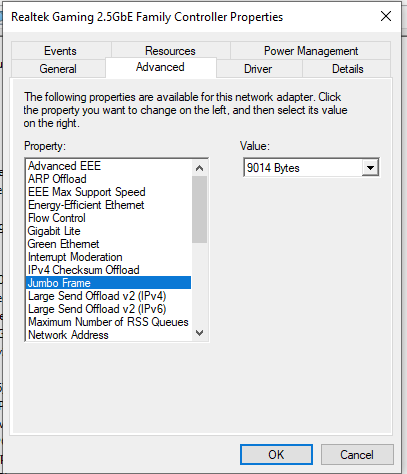
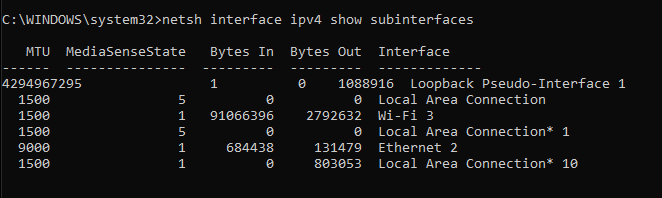
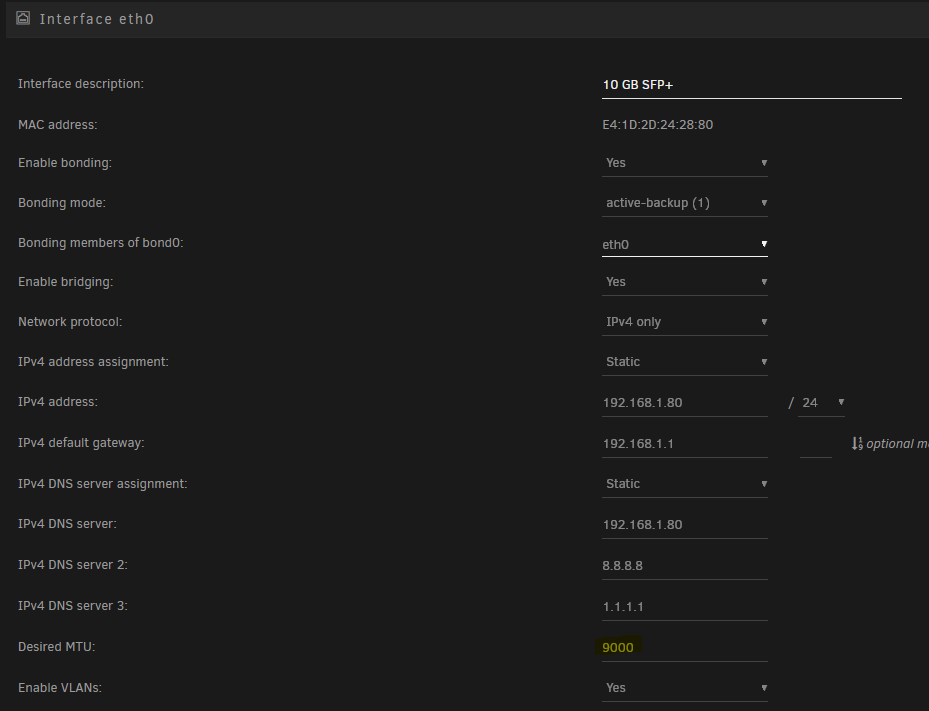
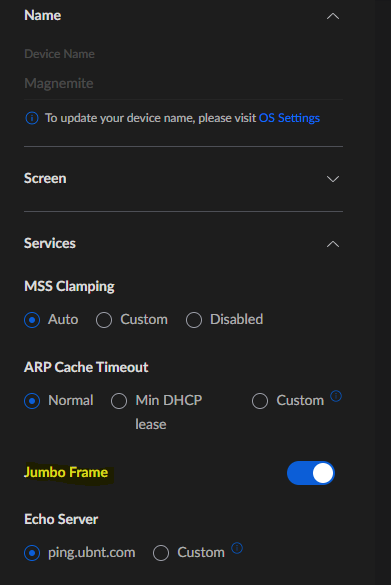
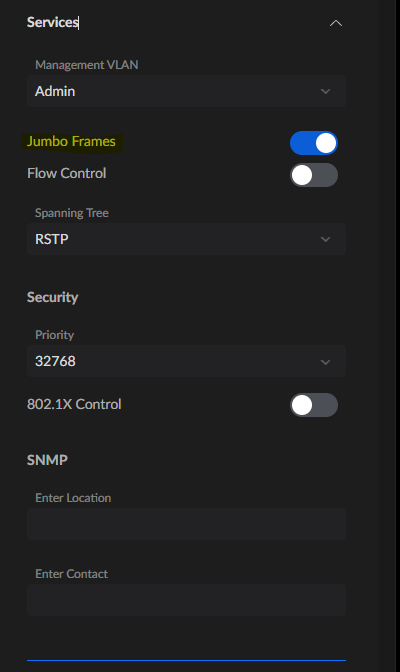
-
So that was the route of troubleshooting that I dove down as soon as I realized wifi was working. I have a static IP set on my desktop first thing I did was remove that and set it back to DHCP (on both my udmp and desktop). I even changed what switch I had it connected to, forced it to forget the device, ect. No dice. I uninstalled and reinstalled different versions of the lan driver. No dice. I didn't try changing the static IP but if forcing it back to use DHCP (confirmed it had a different IP address) I figured that wouldn't change anything. How can I check if my IP is locked out?
-
So I'm running a full Unifi Dream Machine Pro. Gave everything a full restart yesterday and it didn't make a difference.
-
So an update. I uninstalled my network drivers and then reinstalled only my WiFi drivers and was able to connect to the server no issues from my desktop that's been giving me issues. As soon as I reinstalled my LAN driver and tried connecting with that I get the same behavior Ive been describing where the GUI just loads infinitely without ever connecting.
-
Yep
-
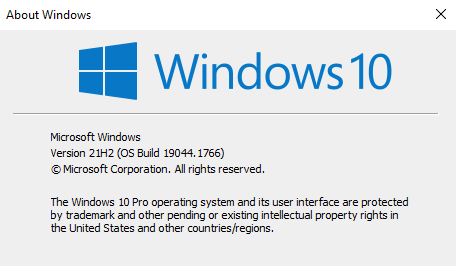
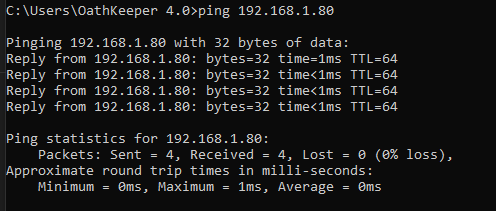
Running windows 10 21H2. Created a second user and identical behavior. Able to ping the server but not able to access the web gui. Additionally I'm able to access my Home Assistant VM thats hosted on the server.
-
So the only antivirus on my computer is windows defender. Disabling every aspect of it doesnt make any difference.
-
Yep exactly the same behavior if I'm using private browser. Tested both with Firefox and Chrome....
-
I rebooted my unRAID server yesterday and since the reboot, I'm completely unable to connect to the web GUI from my main desktop. I am however able to connect to it using anything on wifi (phone, laptop, tablet) as well as from my wife's desktop. The only place it's not working is my desktop. When I try loading it either via http(s)://towername or http(s)://ip-address:port (8088 for http and 4443 for https) from any browser it just loads indefinitely without ever erroring. Additionally, I'm able to ping the IP from my desktop and get a response back without any issue. I can also run IPERF and get my full 2.5g connection to the server. I'm also able to see and access all of my files from my desktop just fine via the SMB shares. Just the web GUI will not load for me. If anyone has any ideas that would be amazing! Thank you in advance
-
Thanks for the help and confirmation!!
-
So theres nothing to worry about and I can continue with my sync dispite the 4k errors?? Rerun it once completed to make sure theres 0 errors after.
-
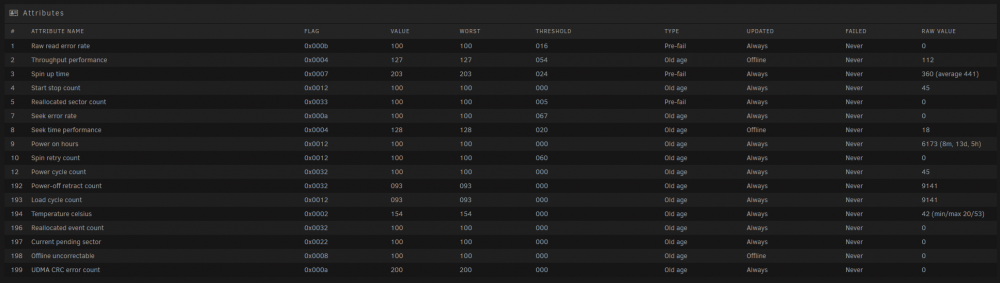
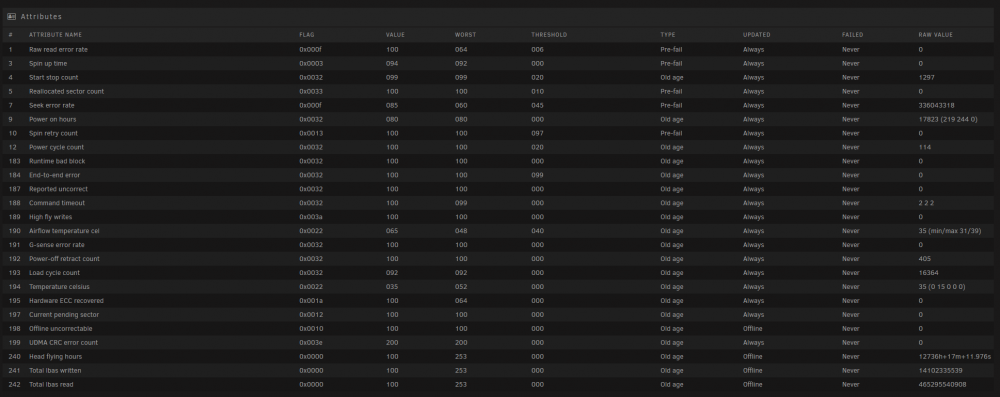
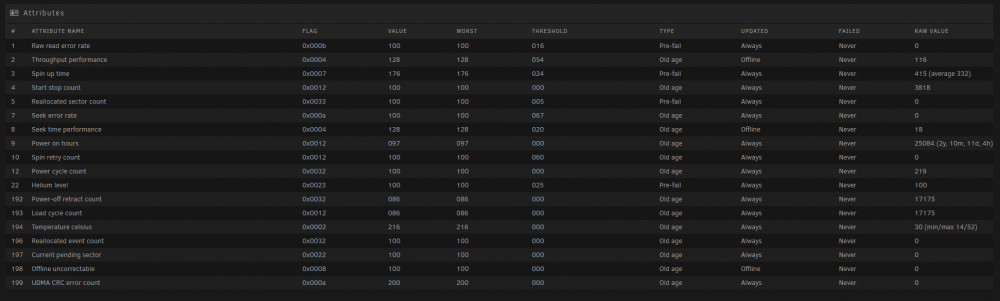
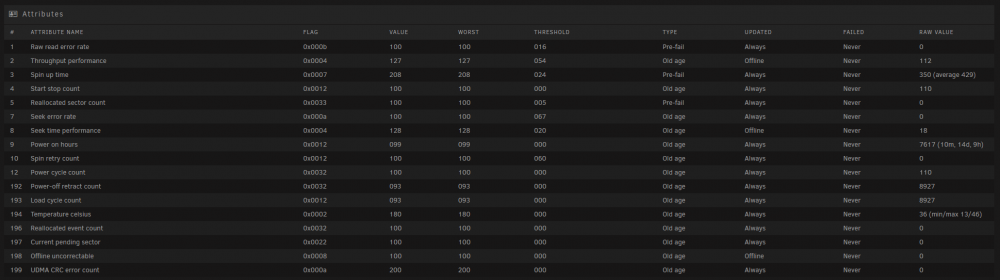
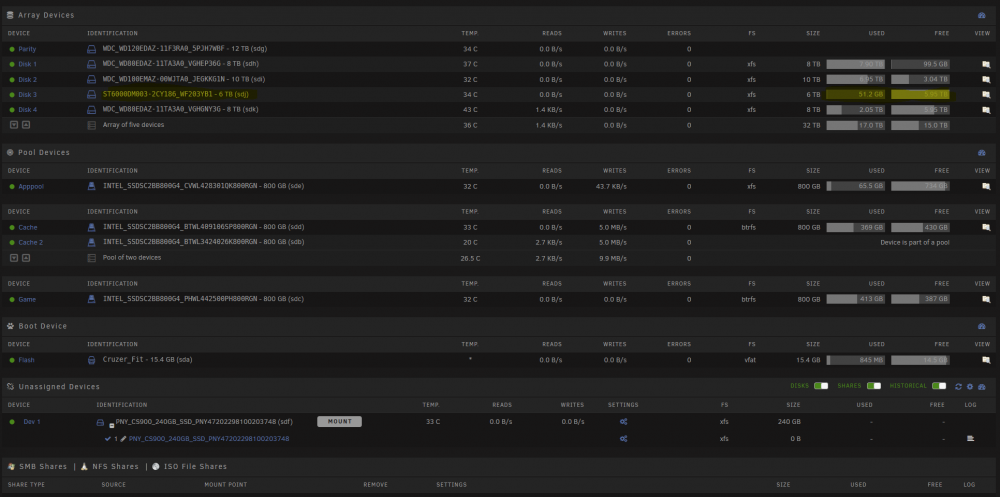
Finally able to upload my server diags so those are posted below now! Right after posting this I notices something else really weird, all of my drives under the smart data are showing old age and or pre-fail regardless of age. Several are less then a year old and are showing the same as drives that are 3 or 4 years old. Ive ordered a replacement sff8087 to SATA cable for my 9211-8i as ive read that can cause some of this weirdness. EDIT: Also last night I ran an extended health check on all 5 drives and they all passed. So I have 0 idea of whats going on here... Array: Parity: Disk1: Disk2: Disk3: Disk4: togetic-diagnostics-20220102-1827.zip