





JDdoesIT
Members
-
Joined
-
Last visited
-
Somehow my UPS faulted during a power outage, and after I got the host back online I cannot get the container to start. The logs are below.
-
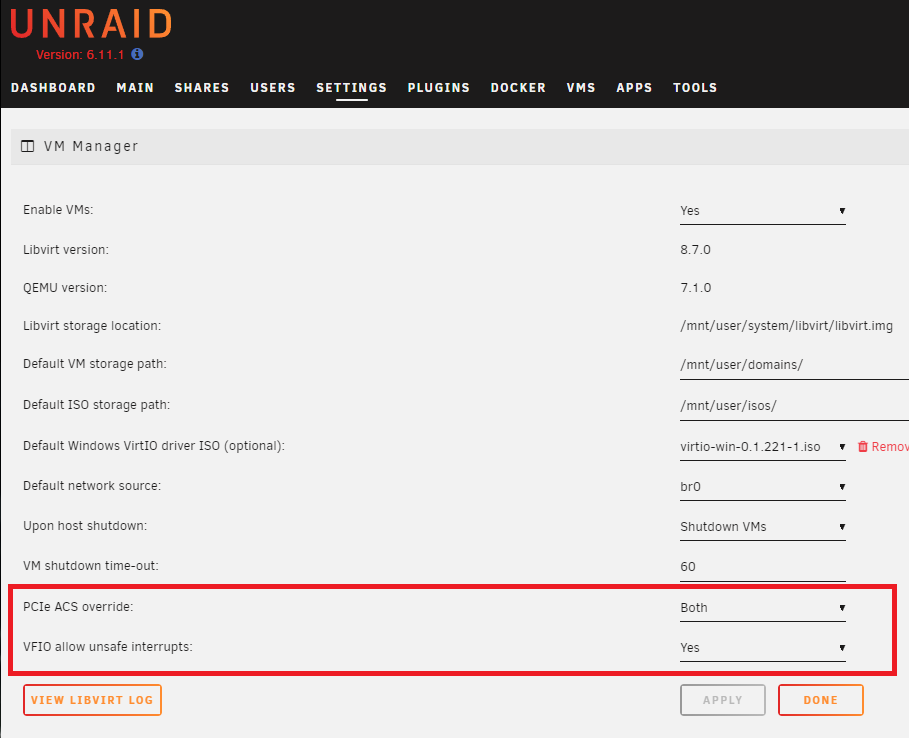
To add insult to injury... After I learned what the solution was I see that these have been added to the VM manager interface, but I just could not locate the updated information as all the older and outdated posts were pinned and added to first. I hope my days of suffering though my ignorance helps someone.
-
I was able to find the answer to my issue:
-
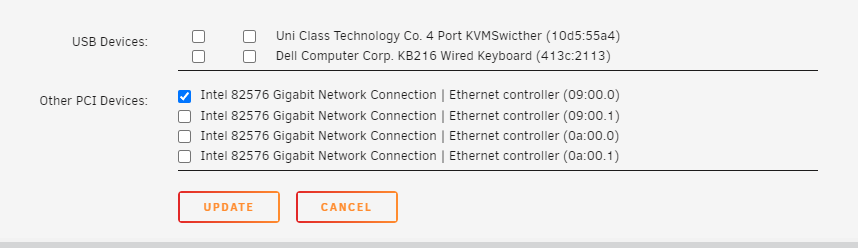
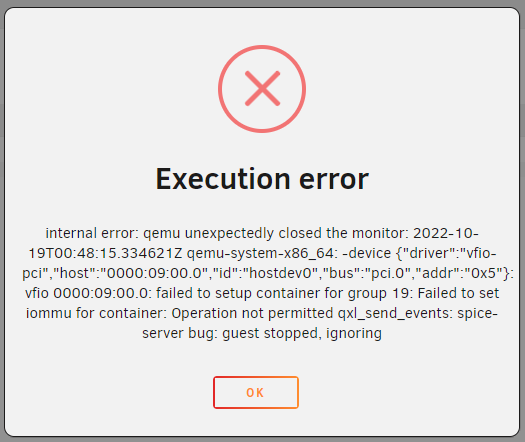
I cannot get my new Win10Pro VM to launch with the NIC that I am tryin to pass through on a new clean install of Unraid 6.11.1. There is another user that had the same error as me. Here is the link to that comment. And I am seeing some other users posting negative experiences with Intel Cards and Unraid. Is this a known issue or has the community sworn off Intel cards?

-
I see that @reubenjack never made another post in the other form as requested, but I am having the EXACT same issue, and I have an Intel card. @ljm42 I am about to post my issues there.

