oddj0b
Members
-
Joined
-
Last visited
-
Hi I recently had an issue with an apparently healthy drive in my array getting an error on the error on the filesystem and now not being able to mount. I tried running xfs_repair but this did not resolve the issue. I plan to get a new WD Elements USB drive and use a data recovery tool to try to extract as much data as I can. I then intend to shuck it and add the new drive to the array with the copied data, but I had a few questions on this process: 1) Preparing new drive Obviously I will need to format it in xfs as the other in the array, but I wanted to get guidance on how to do this? I want to avoid a scenario where I have backed up all my data to the drive, but then there are issues with partition/formatting that my prevent me from doing so. Could this be done in Windows with drive still in the original WD Elements USB enclosure? Could you let me know what specific commands / how I should partition the drive? Should I pre-clear it prior to using it for restored data? 2) Folder structure Presumably I will need to put the recovered data in the same folder and file structure as the original. I am not familiar with the data recovery software - will it typically put recovered files in the same folder structure for me? Is there any way of determining what files are missing? Or getting a list of all files that were there previously? 3) Recovery software I am planning to go with EaseUS Data Recovery on a Windows machine, but I have also been recommended UFS Explorer. Which would be best for this use case and are there any consideration in deciding between them? I am happy to pay a one-off fee if it means I get my data back 4) Adding the drive & parity How do I add a drive containing data and prevent unraid from rebuilding over it? Do I need to add to the old slot of the failed drive? Sorry for the long post and number of questions. Appreciate your support.
-
Thanks. Was I not supposed to rebuild on top of the original disk then? So if understand, I now need to: 1: Grab a new drive and format as xfs (same filesystem as my array) 2: Use a recovery tool to and copy as many files as possible to the new drive How do I then add this drive back into the array while avoiding a rebuild? Could you please explain this process to avoid any further issues down the line? Best, G
-
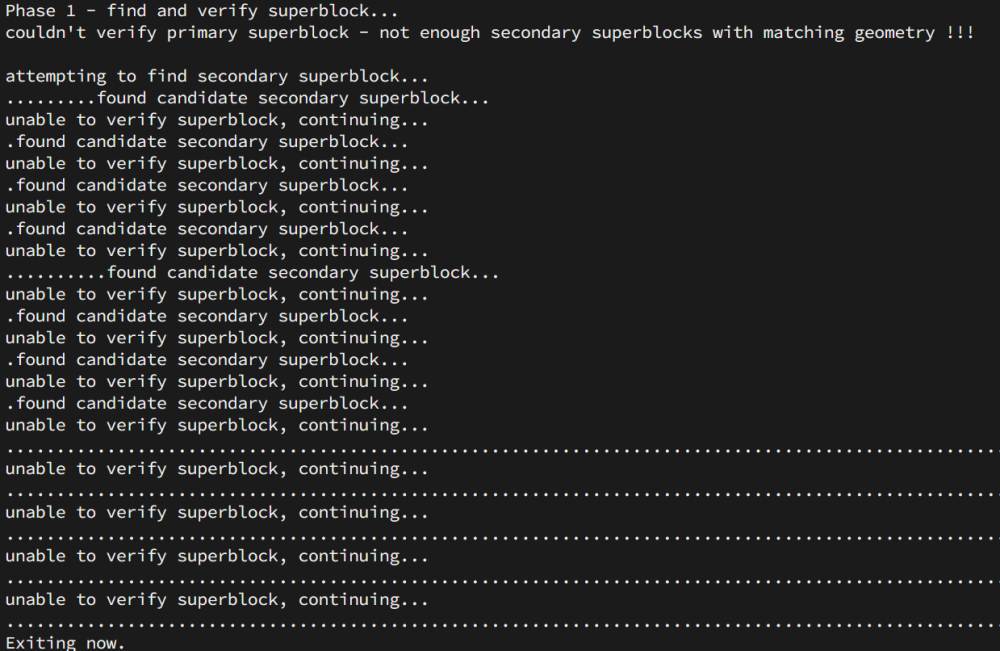
Hi again The xfs_repair finished running, took about 24 hours. Below is a screenshot of the output: I tried starting the Array but I still receive the same 'unmountable: Unsupported or no file system' error message. Is there anything else I could try? Many thanks!
-
thanks. I'll run it and provide an update once done.
-
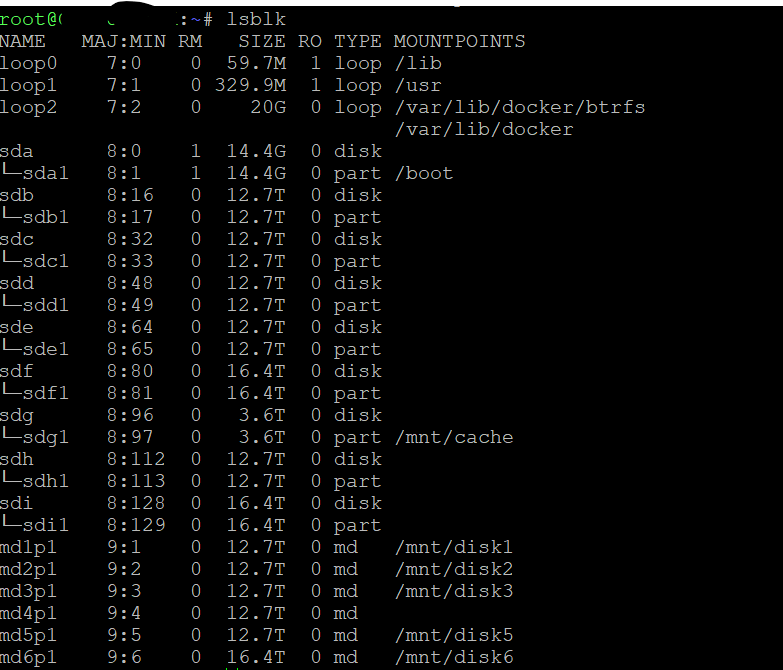
Thanks. From the GUI or should I run xfs_repair -v /dev/md4p1?
-
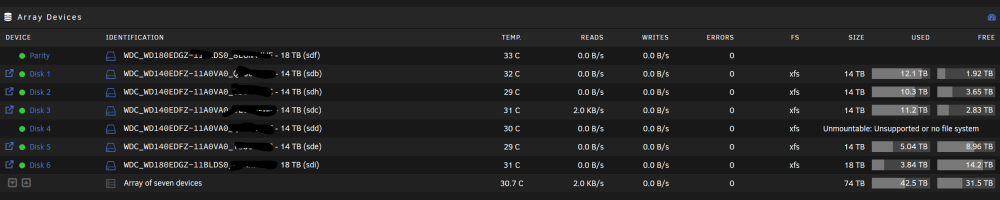
Hi, I received an error message a couple of days ago that one of my Array disks was in an error state. There are no SMART errors on the disk so I proceeded to do a rebuild (removed disk from Array, added it back and allowed it to rebuild, as per this guide: https://docs.unraid.net/unraid-os/manual/storage-management/#rebuilding-a-drive-onto-itself) The rebuild has just finished, but now the disk is showing 'unmountable: Unsupported or no file system': I am not too sure on how to proceed now and I wouldn't to request your support. The guide I am looking at (https://docs.unraid.net/unraid-os/manual/storage-management/#drive-shows-as-unmountable) suggests I should not do an xfs_repair on the disk as this will invalidate the parity, but other posts in the support forum suggest this is what I need to do. How should I repair the disk? Much appreciated! Thanks in advance. diagnostics-20230928-1228.zip