





Original_Vecna
Members
-
Joined
-
Last visited
Everything posted by Original_Vecna
-
Well, I managed to get the share created by going to user share, Cache Yes, pointing it to the new pool hard drive, and saying to exclude disk 1 array. Now I can see it on my pc, but zoneminder still won't recognize it. /shrug Zoneminder Software kinda seems to be not so good.
-
Ok, so I stopped the array, and have added the drive as a pool. I can see it in Main, and it is labeled Recording. Says it is mounted to /mnt/recording when I check in a terminal window, /mnt/recording is there. However if I go into Zoneminder, it doesn't recognize it, and neither does if I go to a windows computer and check \\ip of server\. All my other shares show up, but recording doesn't, which I'm assuming is the reason Zoneminder doesn't see it. I can't create a user share off of this drive, as it still isn't showing up in the disks list when I try and create one.
-
Thanks guys. I think my main issue was I needed the array stopped to do any meaningful work. I've found all the settings you guys specified. Definitely a learning experience.
-
Yeah I have no idea. I was able to get advanced view on, and these settings still don't show up. Found another post that suggested going to settings of the undefined device and enabling automount, passed through, and share. I've done that, going back in, automount is not staying enabled. I can access the share via windows machine, even writing to it without a login. Zoneminder still wont see it though. This is ridiculous.
-
Where do I find this setting?
-
That's the problem, I can't make a share on this drive. So, I'd say that it is not participating in user shares, since I dont have a share setup on the drive.
-
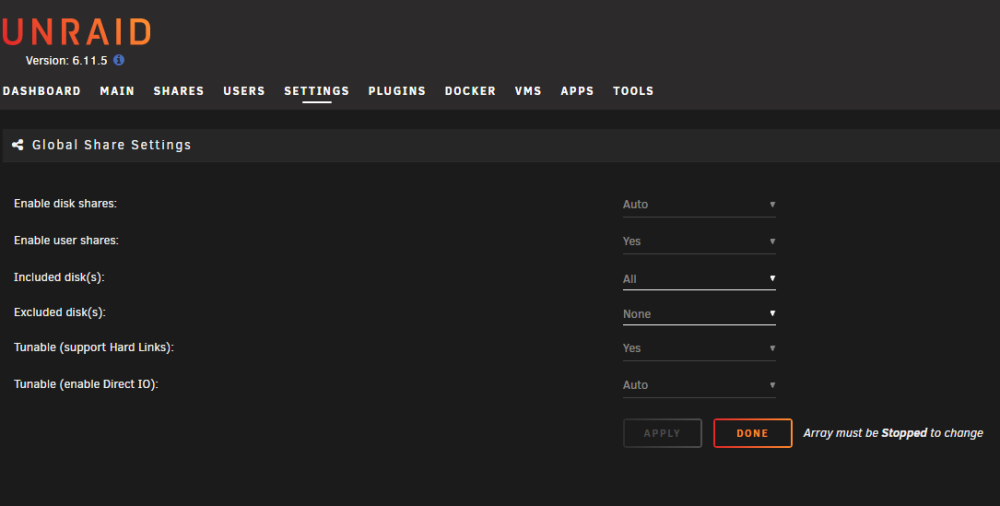
Seems like I do?
-
I don't have those bottom options.
-
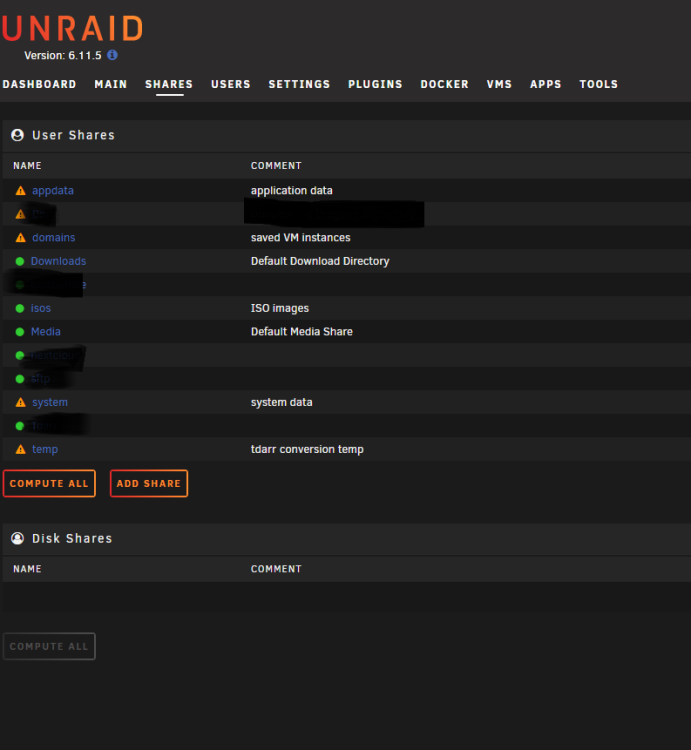
Yeah I tried that, but the only disk option it gives me is DISK 1, which is my array.
-
Just added a 1TB SSD for recording home security video via ZoneMinder. How do I use it? I've formatted it as BTRFS, mounted it, and it's location is /mnt/disks/212307B02. I've gone into ZoneMinder to add a data source, but it doesn't read the availability of the drive. I want this drive to be on its own, not in the array or cache, and just serve as a standalone drive for event recordings. What am I missing?
-
How do I get help for this? This CLEARLY is a software issue, and no one is supporting this issue. I've paid money for this software, and it's not doing what I bought it for.

