Skip to content
View in the app

A better way to browse. Learn more.

Unraid

A full-screen app on your home screen with push notifications, badges and more.

To install this app on iOS and iPadOS
  1. Tap the Share icon in Safari
  2. Scroll the menu and tap Add to Home Screen.
  3. Tap Add in the top-right corner.
To install this app on Android
  1. Tap the 3-dot menu (⋮) in the top-right corner of the browser.
  2. Tap Add to Home screen or Install app.
  3. Confirm by tapping Install.

BleuStriker

Members
  • Joined

  • Last visited

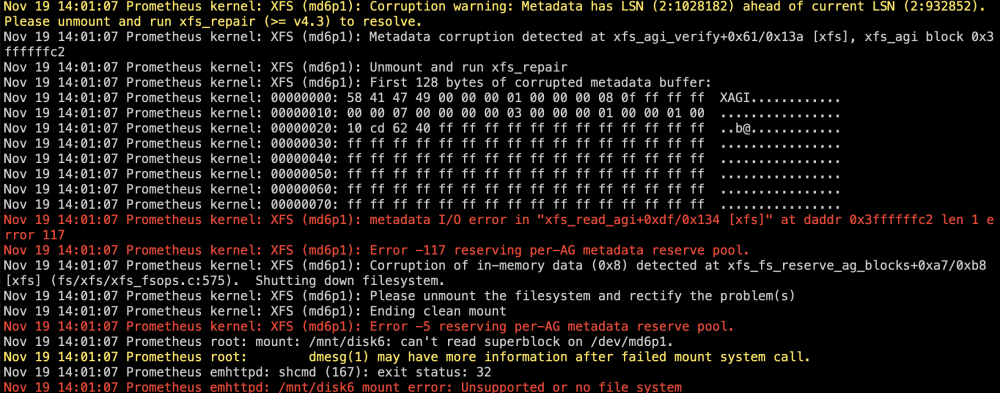
  1. This is what I see when I run xfs_repair in the GUI And this is the error I get on disk 6 when I start the array
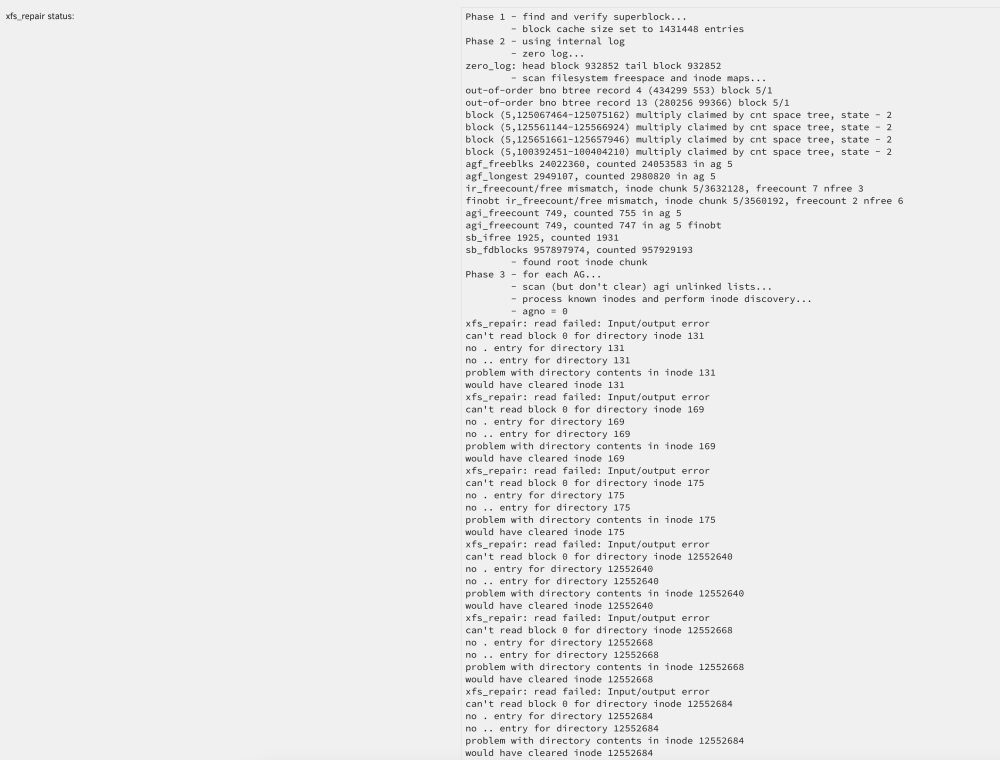
  2. I was running a parity check and got a lot of errors, so i aborted the parity check, ran a memtest, and rebooted. After reboot, disk 6 was unmountable and the logs show corruption on disk 6. I tried running xfs_repair and got a superblock failure message, so was unable to continue. I've replaced the breakout cable and reseated the sata power cables. Should I rebuild drive 6 or are there other troubleshooting steps I can take? Any help would be appreciated. prometheus-diagnostics-20231119-1309.zip

Account

Navigation

Search

Search

Configure browser push notifications

Chrome (Android)
  1. Tap the lock icon next to the address bar.
  2. Tap Permissions → Notifications.
  3. Adjust your preference.
Chrome (Desktop)
  1. Click the padlock icon in the address bar.
  2. Select Site settings.
  3. Find Notifications and adjust your preference.