rodeg
Members
-
Joined
-
Last visited
-
ok everything is ok! thank you very very much for your help!
-
ok so nothing more to do. i'll try thanks and i'll update this post.
-
yes if i try to select one of the voices, it will again return to the countdown but nothing happens
-
after upgrade it won't start. i can see it stops at startup selection
-
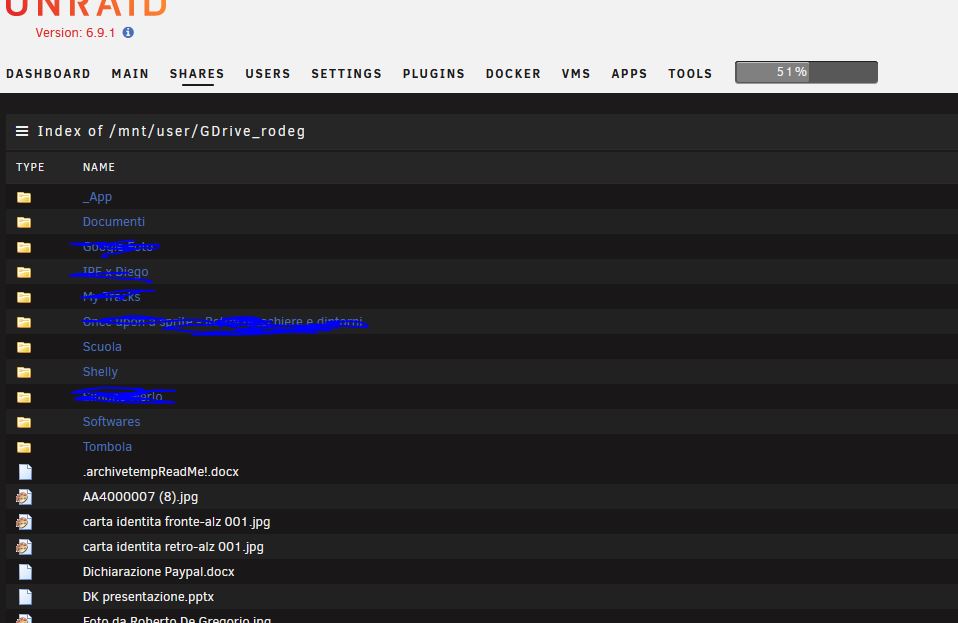
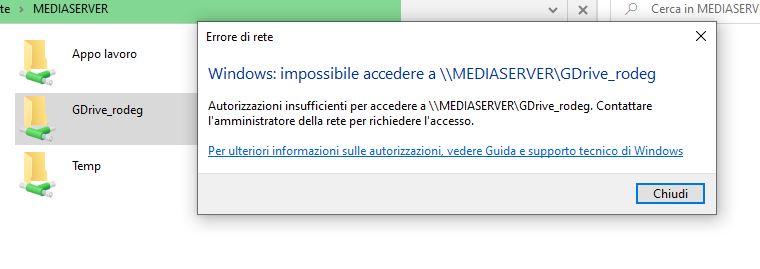
Hi everyone and sorry for my, probably, dumb question: installed plugin and mapped a folder to reach gdrive folders (prefer to avoid sync on 2 ways because i'm using it on various pc). Evertything seems to be fine because on unraid i can see content of my gdrive but, when i try to reach it using W10, system gave me an error telling i don't have authorization to enter the folder. Where i'm in wrong? Thanks for your help! [GDrive_rodeg] type = drive client_id = xxxxxxxxxxxxxxxxxxxx.apps.googleusercontent.com client_secret = xxxxxxxxxxxxxxxxx scope = drive token = {"access_token":"xxxxxxxxxxxxxxxxxxxxxxxxxx","token_type":"Bearer","refresh_token":"1//xxxx","expiry":"2021-03-29T10:47:02.890763241+02:00"}