gxlwrc
Members
-
Joined
-
Last visited
-
解决了,我删掉了docker folder这个插件 就好了~~
-
这个插件,我已经卸载了~~
-
请予以帮助,谢谢
-
确实如此,在安全模式下,是可以看到autostart按钮的~但是返回正常模式还是无法显示~应该进行什么操作才能修复呢?
-
确实如此,在安全模式下,是可以看到autostart按钮的~但是返回正常模式还是无法显示~应该进行什么操作才能修复呢?
-
docker的webui界面上的AutoStart按钮不见了,没注意什么时候不见得,这也太怪了

-
I gave up~I really can't find a solution
-
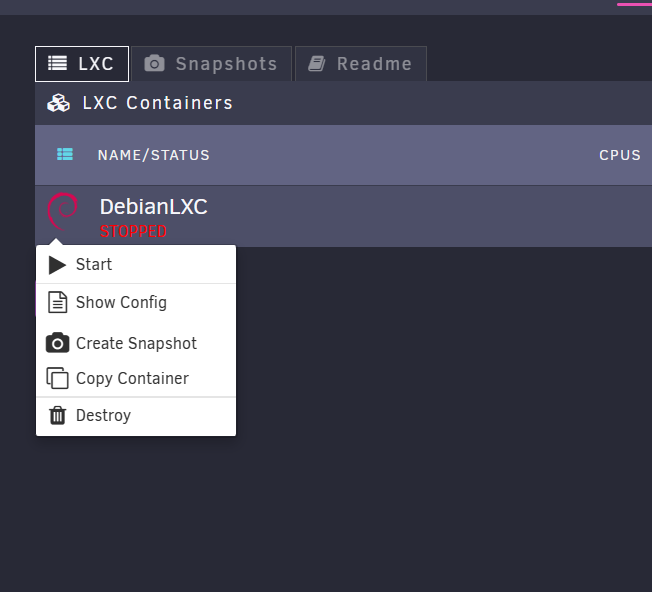
Yes, I deleted everything~and then re-build LXC, and re-downloaded all kinds of containers, including Debian and Centos, which can't run. I noticed that when I click start in the browser world to try to run the established container, the browser page will flash quickly for several times~I don't know whether the browser will affect this
-
tower-diagnostics-20230125-2140.zip
-
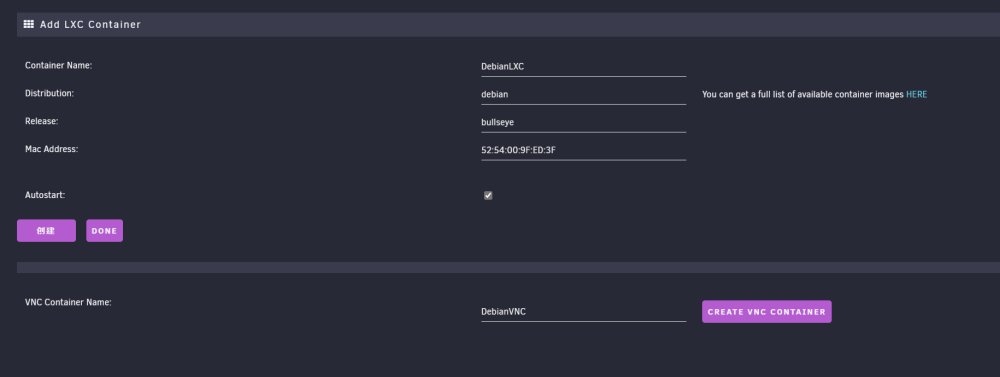
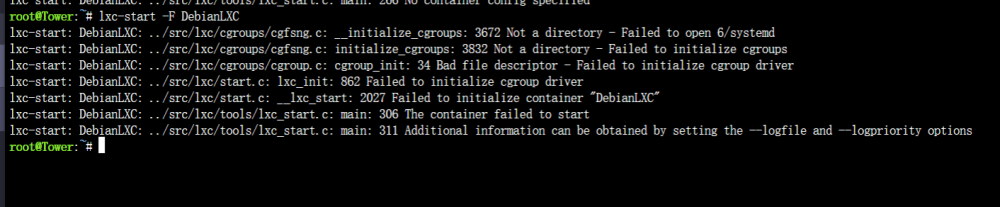
Both methods have been tried. After enabling cgroup 2 and deleting the software packages you mentioned, it still doesn't work~I don't know what to doI have tried many times. LXC can only work normally after the unraid is restartedtower-diagnostics-20230125-0450.zipMy version is 6.11.5,I'm afraid I really didn't notice that cgroup 2 must be enabled for some distributions on Unraid