MrBurrito
Members
-
Joined
-
Last visited
-
Glad to see it wasn't just me that was a bit confused. Excellent. Thanks for the clarification and the example here. This makes a lot of sense and I was able to test and confirm this does indeed work for me.
-
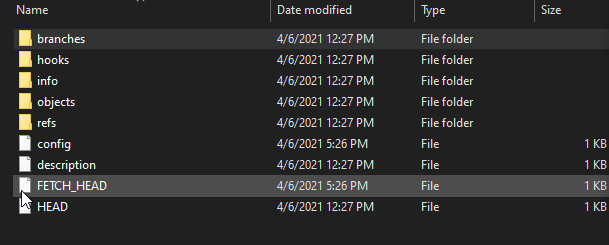
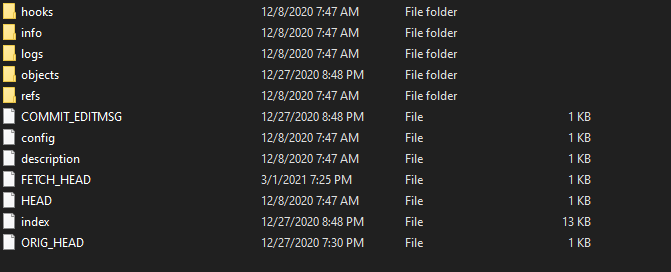
This looks excellent. I have been meaning to set up something similar myself recently and just stumbled across this app which looks like it will do exactly what I need! However, I am running into what appears to be an issue - the script ran through and indexed all of my repos, but it only seemed to download metadata - not the actual content of the repo. Is this intended? Or do I just have something configured incorrectly? I checked that my access token has the correct permissions and the container logs don't give any indication that anything went wrong. Here's a couple images showing what I see in the backup data... it looks quite similar to the .git folder of my downloaded repo.