





LukePOLO
Members
-
Joined
-
Last visited
-
i've forgotten to reply, but it was my CPU overheating!
-
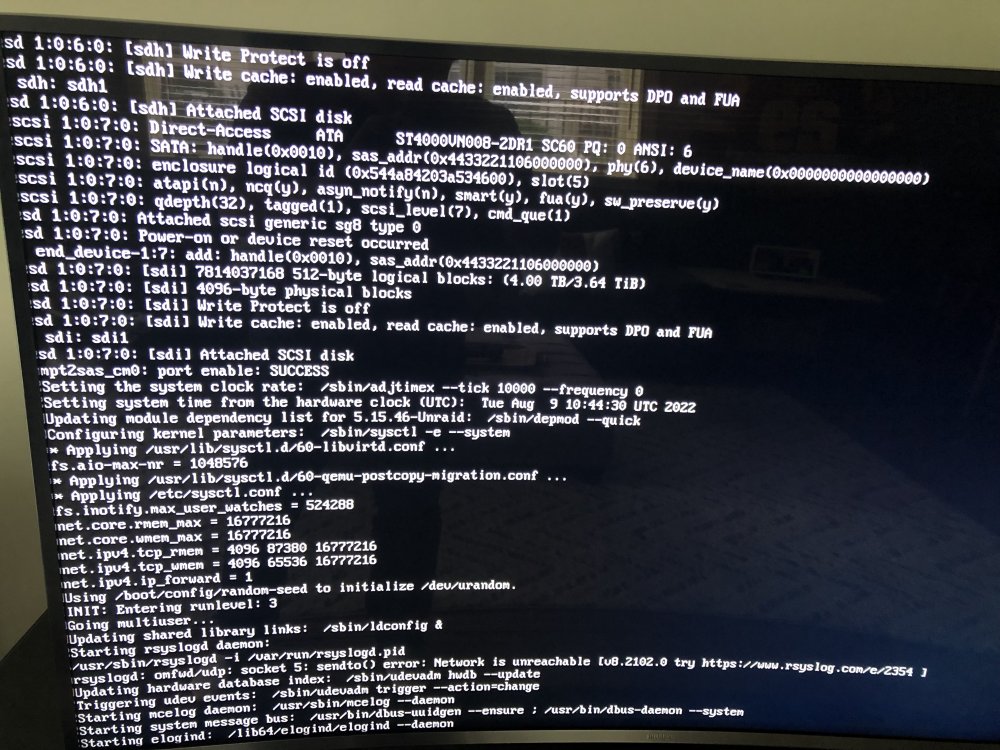
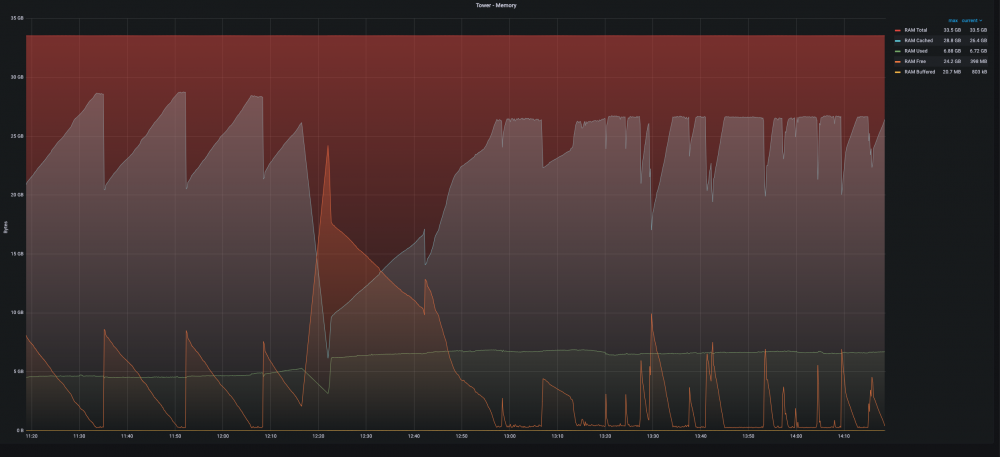
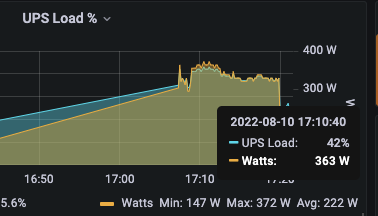
As the title states, unraid randomly becomes unresponsive either randomly or during transcoding. Although its been happening for a long time, i was able to go for up to 3 months without a crash (limited transcoding) and just dealt with it. Sometimes the system stays up for hours sometimes for minutes. The more intense transcoding I do (either through plex or unmanic) its more reliable to become unresponsive. Both plex and unmanic use `/tmp` to make sure memory doesn't get smashed. Troubleshooting: * memtest (pass) * switch to using /tmp to make sure it could only consume 1/2 of the total memory Hardware on the Way: * New Memory * New USB Drive * New Power Supply (350 w -> 500 w) Attached : * Diagnostics * Img of Last Crash (last-crash.jpg) : some odd shit in there * Remote SysLog for past 2 days (when i started todo constant transcoding) : last crash `Aug 9 12:21:2` ish * Memory Graph During Crash (Ram Usage.png) Any Help would be Greatly Appreciated! Update #1: Replaced PSU , from a 350 -> 500. I noticed that my UPS load was hovering around 360~ , but i have other things connected to it as well (some switches and other things) , so I always thought it was ok and I had some headroom. Will report back after a few hours of testing heavy transcoding. Update #2: It crashed. Waiting for memory now. tower-diagnostics-20220809-1411.zip unraid.log
-
Reporting same issue , glad to see it seems to be a bug
-
I am using the nginx reverse proxy and tried adding the advanced config ``` proxy_buffering off; proxy_buffer_size 16k; proxy_busy_buffers_size 24k; proxy_buffers 64 4k; proxy_request_buffering off; client_max_body_size 0; gzip off; ``` No go for me /.cry


