kray
Members
-
Joined
-
Last visited
-
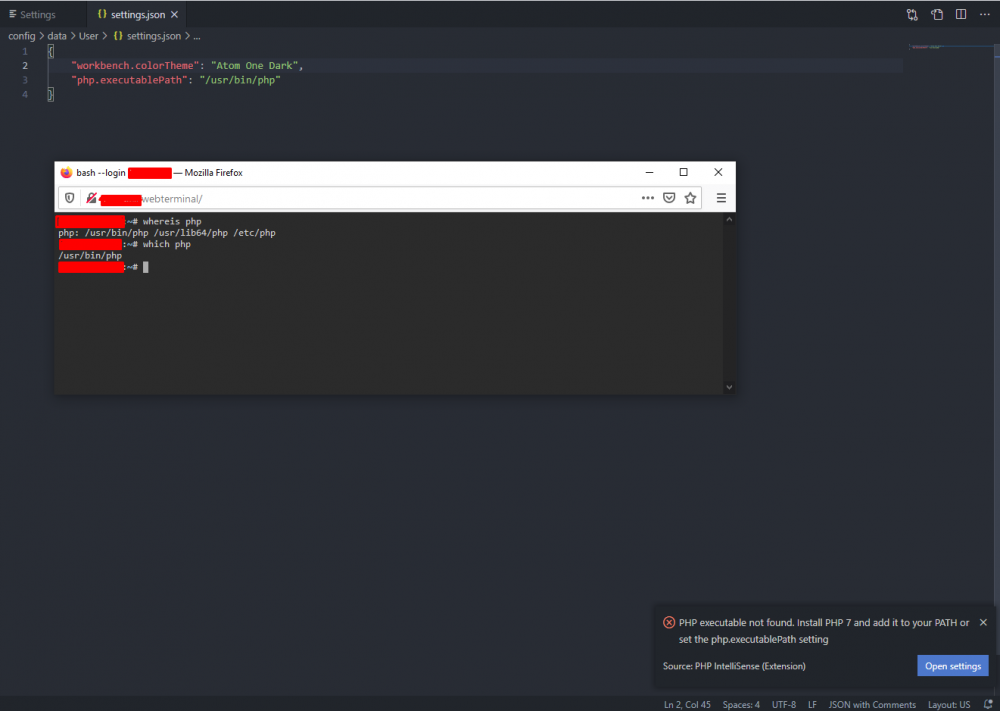
Set up the linuxserver.io code-server docker and loving how remote it has allowed me to be. However, there's a setting I relating to the intellisense setting for in php (which I code in) that I can't set properly and its been driving me nuts. The setting is php.executablePath. I believe I have the correct path set but for some reason it won't pick it up. To verify that I do have a php executable I went to the terminal and ran whereis and then which. It's spitting back the same executable path that I've put into my code server settings, so I can't figure out why i'm still getting errors. I ran < php -v > and I do have a php version installed, see below. Any help is appreciated. php -v result: PHP 7.4.15 (cli) (built: Feb 11 2021 09:48:37) ( NTS ) Copyright (c) The PHP Group Zend Engine v3.4.0, Copyright (c) Zend Technologies