ViperD21
Members
-
Joined
-
Last visited
-
I am getting the following error in my logs. emhttpd: error: share_luks_status, 6017: Operation not supported (95): getxattr: /mnt/user/DATA I see what @Squid posted: I have my zfs pool mounted at /WD_RED/DATA and created a ln -s to my directories under /mnt/users/DATA this way I can share "data" in my zfs pool with the SMB share utility in unraid. How do I fix this or go about sharing my zfs pool "data" with my network? Back to what @Squid said, am I able to just manually export smb from /WD_RED/ ? If so, how do I do that? Reason I used ln -s is because I followed the @SpaceInvaderOne video and he did that. I just re-watched the video and realized when he did the ln -s he put the files under /mnt/users/zpool/data. Is it because I missed the zpool? Thank you for your help!
-
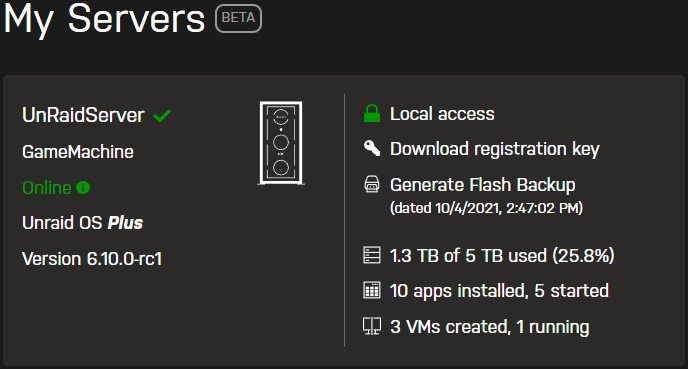
When I ping backup.unraid.net, it does resolve 54.70.72.154. However, the pings are 100% loss. Not sure if unraid's server just doesn't respond to ping requests. When I checked today when I got home from work. It had successfully uploaded. I didn't make any changes to my firewall since trying yesterday. Not sure why it didn't work yesterday and all of a sudden it worked today. Thanks for your suggestion!
-
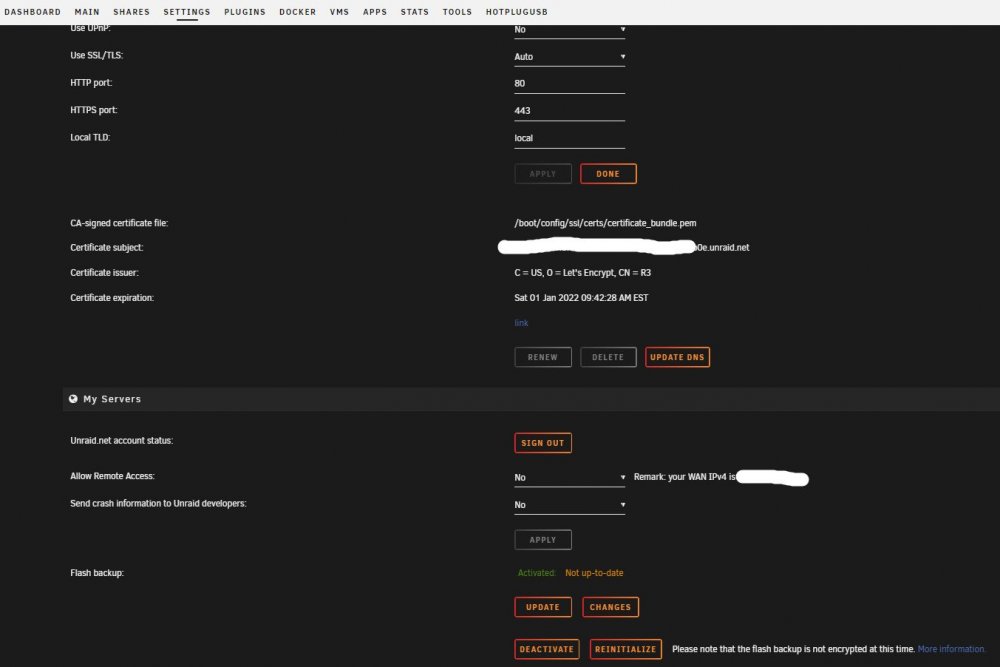
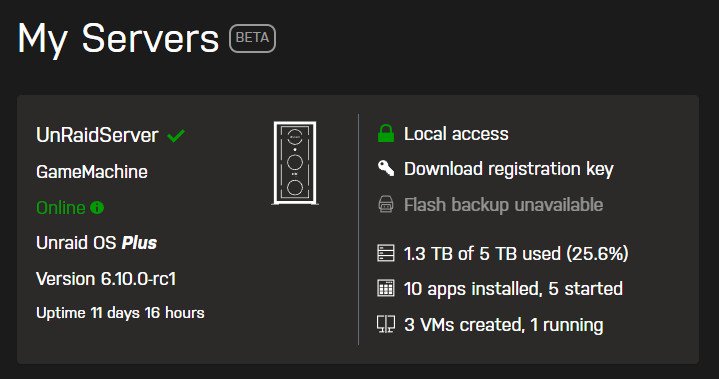
Hello, I watched Spaceinvader One video: "The My Servers Plugin - 4 Great Features 1 Great Plugin !" and followed the steps. However, I have the following issue: under the Settings/ManagementAccess tab it shows Flash Backup: Activated: Not up-to-date. See Screenshot: When I click Update: I get the spinning icon saying "loading" Then nothing happens. It just shows the above. When I go to My Servers Page. It says: "Flash backup unavailable" See Screenshot: How do I fix this? Thank you for the help!