NDAnderton
Members
-
Joined
-
Last visited
Everything posted by NDAnderton
-
I'm having some trouble reformatting the drive. I thought I needed to change the file system type with the array stopped and then restart but having stopped the array I can't change the file system type. I saw something about changing `cacheFsType` in `/config/disk.cfg` but I don't seem to have that key in mine, post was from a while ago though.
-
Brilliant, thanks so much for your help.
-
Ah Ok, that's great and then just do a standard format of the pool drive and copy it back?
-
Hi, sorry for the delay I had to look up how to run memtest. I created a stick last night and ran it over night, the result this morning was a pass. In terms of backing up and recreating, my pool is a single drive, am I able to btrfs restore, format and reuse or will I need to replace the entire drive?
-
Apologies, here they are. osiris-diagnostics-20231218-1430.zip
-
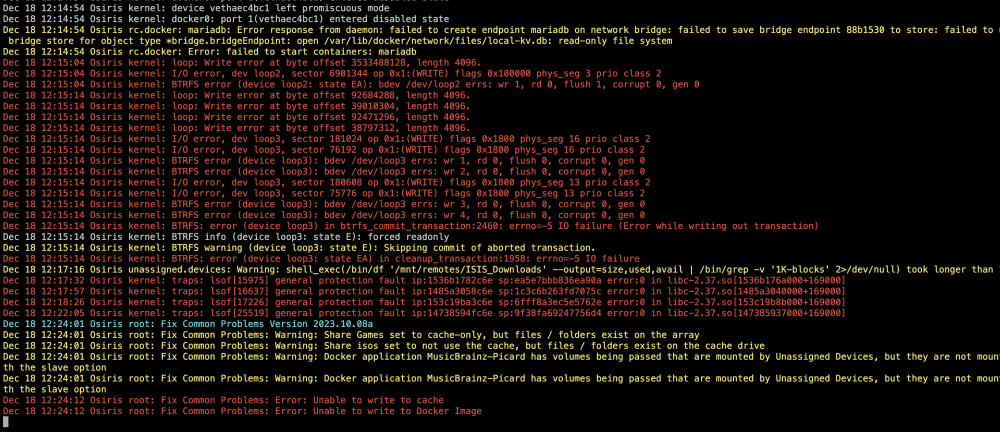
Hi, I'm having a bit of an issue with my cache SSD. Yesterday night my server went down unexpectedly, when I got it back up again I noticed warnings about BTRFS errors in the logs. After a bit of poking around on the net I came across the `btrfs dev stats /mnt/xxxx` command that tells me I have 4 corruption errors. However, when I try to start a scrub it aborts immediately and tells me there's no errors. I'm a bit lost now, any advice would be greatly appreciated.