maxz
Members
-
Joined
-
Last visited
-
Try to use redis. It is not that much work and helped at least with my setup a lot. 1. Install a redis docker and follow the configuration instructions for it (or watch a youtube video). 2. Amend your nextcloud config.php as shown here: https://docs.nextcloud.com/server/latest/admin_manual/configuration_server/caching_configuration.html Try other things, here a random reddit thread:
-
Thanks JorgeB! I was missing the export before starting the array. The zpool show now up! I can not access my data anymore, because the mountpoint changed. i have to figure out how to configure this that it works like before.
-
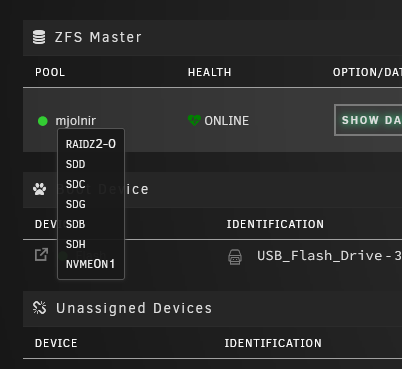
Hello There, I recently upgraded my Unraid system from 6.11.5 to 6.12.3 and now I'm encountering issues with my pre-existing ZFS pool. I followed the steps posted here: Next assign all the devices to the new pool. Upon array Start the pool should be recognized, though certain zpool topologies may not be recognized (please report). I tried to make a new pool with my zfs devices in several different ways, i tried "filesystem auto" and "filesystem zfs" in different configurations. Unraid tells in every tried configuration: "Unmountable: Unsupported or no file system" After I got my hearbeat back to normal I tried to import the ZFS pool using the command "zfs import ...". Now the zpool shows up in the ZFS Master Plugin and i can access my data, but all discs are "unassigned devices". I have a raidz2 with 5 hdd and a sdd as a cache disc. I do not think that is how zfs in 6.12 is supposed to work. So maybe this is one of the currently not recognized topologies? Any insights or suggestions would be greatly appreciated. Thank you! Kind regards Max vault-diagnostics-20230805-0945.zip