





Ainsley
Members
-
Joined
-
Last visited
-
I've recently changed Graphics card to a RX580. I've seen the below post with the same error but I've had no luck. I've completely removed the VM, reboot and have the same error. Any ideas?
-
@ghost82worked like a charm, thank you very much.
-
Thanks @ghost82 I’ll give that a go! is there anyway to force the same addresses if they do change?
-
Thanks for your replies @ghost82 and @SimonF Im still a little confused about how this XML should look (first comment). everytime I try to edit it, it doesn’t work. woukd you be able to point me in the right direction on how it should look? sorry about the formatting but it’s above! <hostdev mode='subsystem' type='usb' managed='no'> <source> <vendor id='0x046d'/> <product id='0xc52b'/> <address bus='1' device='4'/> </source> <address type='usb' bus='0' port='3'/> </hostdev> <hostdev mode='subsystem' type='usb' managed='no'> <source> <vendor id='0x046d'/> <product id='0xc52b'/> <address bus='1' device='6'/> </source> <address type='usb' bus='0' port='4'/> </hostdev >
-
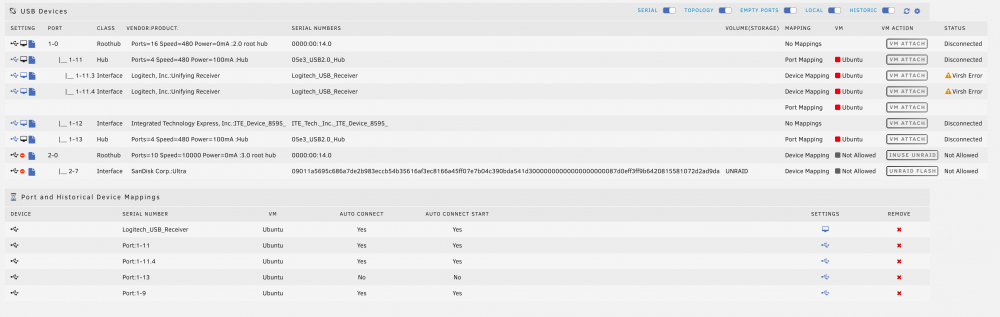
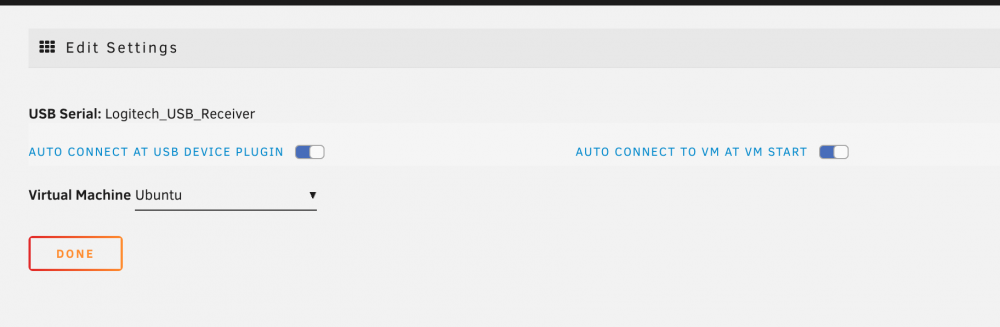
Hi @SimonF Thanks for your support. It seems the mouse works out of the box when booting the VM. But I have to go and manually disconnect the ports and attach them again so that I am able to use the keyboard. I guess it doesn't help with the serials being exactly the same as they are both by Logitech. Somtimes I get a virsh error when trying to attach. Would you be able to provide how I can add a port mapping? Not so sure what you mean there. I have attached update screenshots, diagnostics and system log. tower-diagnostics-20220115-1345.zip tower-syslog-20220115-1346.zip
-
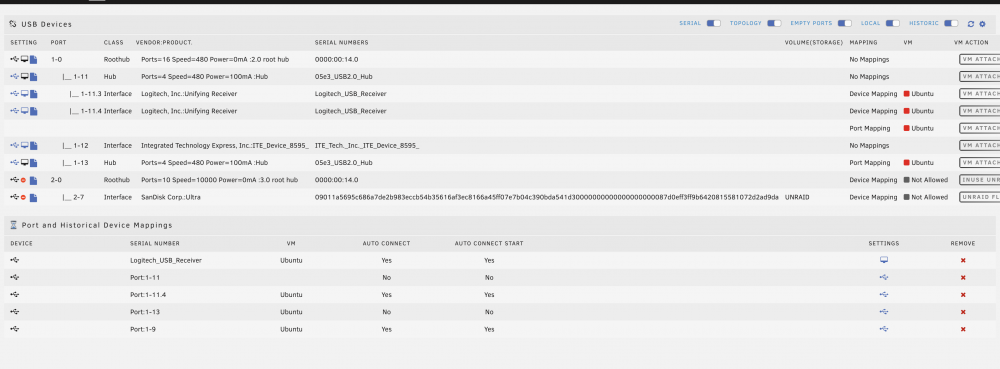
Hi @SimonF & @ghost82 Thanks for getting back to me so quickly. I have atatched diagnostics & screenshot below. Many thanks. tower-diagnostics-20220115-0942.zip
-
Hi, I'm trying to pass through my Logitech mouse and keyboard using two dongles but it can only pass through one at a time. I have tried using the USB Plugin manager but have founnd it's not very stable, and have to continue to disconnect and reconnect on boot. I have also had look here on the forums,but can't seem to get the XML right. <hostdev mode='subsystem' type='usb' managed='no'> <source> <vendor id='0x046d'/> <product id='0xc52b'/> </source> <address type='usb' bus='0' port='3'/> </hostdev> <hostdev mode='subsystem' type='usb' managed='no'> <source> <vendor id='0x046d'/> <product id='0xc52b'/> </source> <address type='usb' bus='0' port='4'/> </hostdev> Here is the USB devices list: Bus 001 Device 001: ID 1d6b:0002 Linux Foundation 2.0 root hub Bus 001 Device 002: ID 05e3:0608 Genesys Logic, Inc. Hub Bus 001 Device 003: ID 048d:8297 Integrated Technology Express, Inc. ITE Device(8595) Bus 001 Device 004: ID 046d:c52b Logitech, Inc. Unifying Receiver Bus 001 Device 005: ID 05e3:0608 Genesys Logic, Inc. Hub Bus 001 Device 006: ID 046d:c52b Logitech, Inc. Unifying Receiver Bus 002 Device 001: ID 1d6b:0003 Linux Foundation 3.0 root hub Bus 002 Device 002: ID 0781:5581 SanDisk Corp. Ultra Thanks in advance.


