





TBKU
Members
-
Joined
-
Last visited
Everything posted by TBKU
-
I tried it previous with 0 4 * * 1 and it never ran. I've changed it to 30 9 * * 3 and it seems to have kicked off correctly at 9:30 - still running. I did change the name to all lowercase with no spaces, as suggested.
-
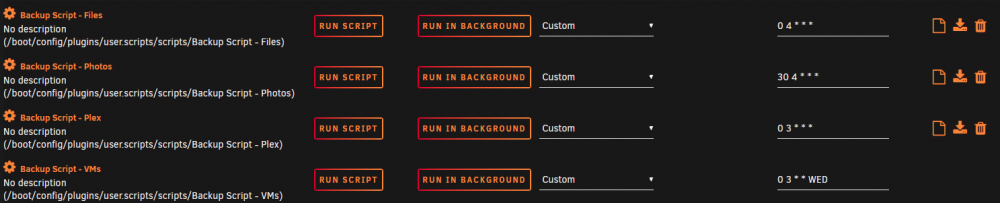
Okay, I'll try that. My other scripts have spaces and they are running on custom cron schedules just fine, though.
-
I'm having trouble running a script that backs up my VMs. For some reason, the log buttons are not available, and the script doesn't seem to run according to the CRON schedule I set in the GUI. I also tried using a number 1-7 instead of the three letter day name. I have other scripts running in the middle of the night for backing up shares that are working fine. My only though is that this script is significantly more complicated then the others, but I'm not sure why that would matter. If I run the script manually it works fine. Any ideas?


