





DeanA
Members
-
Joined
-
Last visited
Everything posted by DeanA
-
sorry if this is a really stupid question. How do I see if there is a process already running pls?
-
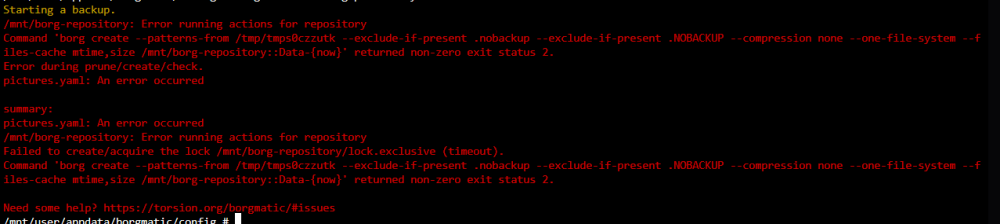
@sdub thanks for the response. I have multiple .yaml files that run to back up different data. I seem to be getting the same error. I have added it here just incase anyone can offer some advice on a best next step?

-
I have had Borgmatic running weekly backups for about a year thanks to all of the setup tips in this forum. Over the last couple of weeks I had noticed that my backups have stopped running regulary. When I checked in more detail, seems like this started back in Feb. Also, at about the same time, I have been unable to update Borgmatic version without using "force update". I am a real novice at this stuff, so any suggestions on how to trouble shoot would be most welcome. Thanks in advance.

