




Skip to content
View in the app

A better way to browse. Learn more.

Unraid

A full-screen app on your home screen with push notifications, badges and more.

To install this app on iOS and iPadOS
  1. Tap the Share icon in Safari
  2. Scroll the menu and tap Add to Home Screen.
  3. Tap Add in the top-right corner.
To install this app on Android
  1. Tap the 3-dot menu (⋮) in the top-right corner of the browser.
  2. Tap Add to Home screen or Install app.
  3. Confirm by tapping Install.

Shaun Baker

Members
  • Joined

  • Last visited

Everything posted by Shaun Baker

  1. All Im getting is bash: sudo: command not found
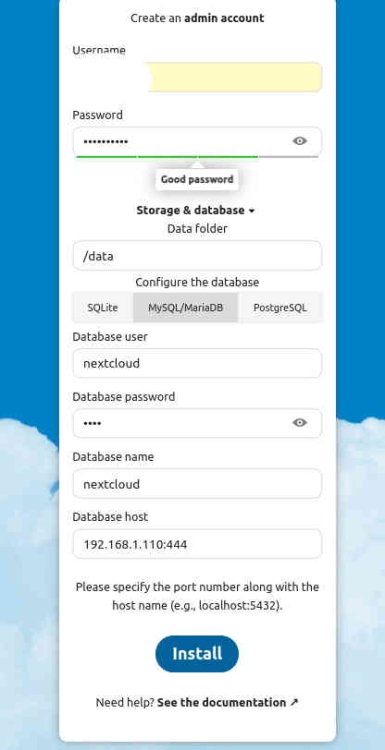
  2. im a little furter along now using 192.168.1.110:3306 with the following error Error while trying to create admin user: Failed to connect to the database: An exception occurred in the driver: SQLSTATE[HY000] [1045] Access denied for user 'nextcloud'@'172.17.0.1' (using password: YES) Create an admin account
  3. Newbie here: followed spaceinvaders recent tutorial to the letter. Mariadb runs and no errors in log, same for nextcloud. My problem is when setting up the admin account and database from the web interface i get an nginx 504 Gateway Time-out. Any help would be appreciated, my command line knowledge is poor so go easy THX
Account

Navigation

Search

Search

Configure browser push notifications

Chrome (Android)
  1. Tap the lock icon next to the address bar.
  2. Tap Permissions → Notifications.
  3. Adjust your preference.
Chrome (Desktop)
  1. Click the padlock icon in the address bar.
  2. Select Site settings.
  3. Find Notifications and adjust your preference.