AndrewMc
Members
-
Joined
-
Last visited
Everything posted by AndrewMc
-
Everything is also backed up on Google Cloud, and I'm keeping the original QNAP files on the external drives. So I'll have 3 backups when the parity drive is synced.
-
Yes, it makes a big difference. I did some tests with and without a cache drive. With and without a parity drive. With a cache drive, and raid sync stopped, I'm getting up to 103MB per second transfer. With a cache drive and the raid syncing, I'm getting up to 90-95MB per second. The CPU is at 100% syncing the drives, hence the drop in performance. It's only an Intel® Atom™ CPU D525 @ 1.80GHz 2-core, 4-threads, with a very small on-board cache. With no cache, 4 data drives and one parity drive, with syncing stopped, I'm getting about 60MB per second transfer. With no cache, 4 data drives and one parity drive, with syncing started, I'm getting about 30-35MB per second transfer. So the plan is to copy the data from my external source drives, then when finished, turn on the parity sync. I'll have a copy locally and a copy on the QNAP so I don't need to sync until it's all copied. The only thing now is that I have non-redundant data on my local drives. A faster CPU and better motherboard would be ideal but hey, this is what I have lying around and it's costing me nothing except $22 for 4GB or RAM. The QNAP has been flawless over the last 12 years so I'm pretty happy with the hardware. Oh, and Plex runs without issues too.
-
Hi and thanks for your comments. I was only getting throughput of 30MBs...pretty bad. Then I realised I had to change from 1504 MTU to Jumbo Frames at 9014 MTU. So, set the Network Interface Card on the PC to Jumbo Frames of 9014 MTU. Set the Network Interface Card on the QNAP to Jumbo Frames of 9014 MTU. Faster throughput than the native QNAP software. I'm seeing it bounce between 95-103Mbps. The QNAP only bounced between 92-95Mbps. Looking good so far!!
-
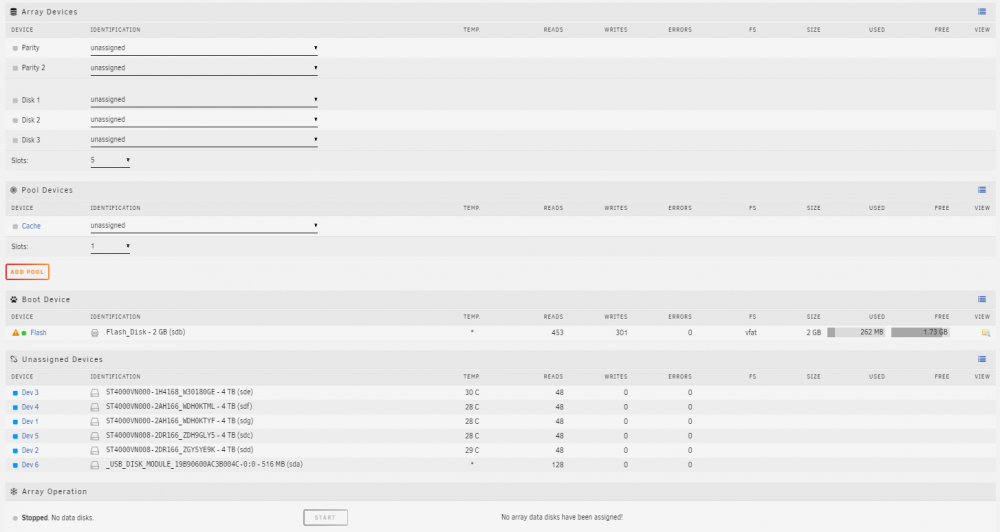
Hi, I'm moving all of the existing data off at the moment and at some point today will pre-clear the 5 current QNAP 4-TB Seagate Ironwolf drives and build the empty array. I'm not going with a cache drive, just 1 parity and 4 data drives. I'm guessing over my 1Gbps LAN which normally runs at around 94-100Mbytes per second that it will drop to around 30Mbytes per second. That's going to be fine for me. It's a storage device so I don't need a lot of speed. All I need is read speed for Plex, and that will be fast enough. I don't transcode on the fly. I just play the file directly on the Apple TV. I'm also thinking of installing a USB3 64GB thumb drive into the QNAP as a cache disk if the write speed it too slow....that's assuming it will write faster than 30Mbyte per second, and UNRAID can use that drive as a cache. We shall see.... The big thing that I want is the ability to add a 16TB drive in the future if required. Let's hope the BIOS recognises a drive that large. Theoretically it will since it's only a number that it reads from the SATA controller on the drive....but who knows. It's an experiment at this stage but the hardware is sitting there getting old, so is the operating system, even though the QNAP OS still works.
-
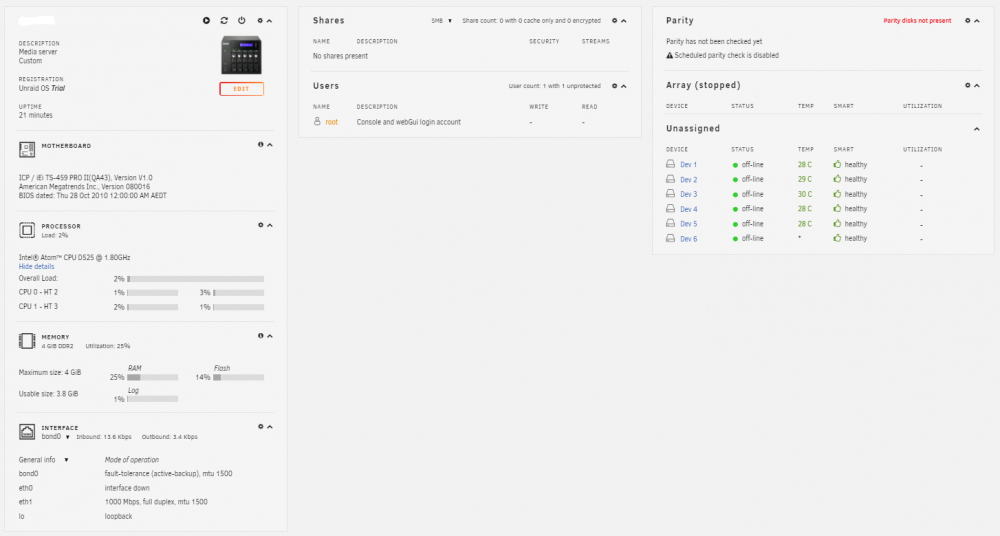
Hi everyone, I wanted to see if my 12-year old QNAP TS-559 PRO II would run UNRAID...and it does. QNAP no longer supports this hardware which is a real pity. It also has a limit of 15TB. So with UNRAID, I'll be able to use larger capacity, non-NAS specific drives. And, Plex upgrades on my Apple TV no longer work with the old version the Plex Server on my QNAP. So, time to try UNRAID. I just want to store my files and run the Plex server. Nothing more, except perhaps Google Cloud backup. I did remove the 1GB 204-pin DDR3 RAM that came with it and installed 2 x 2GB DDR3 SoDIMM RAM sticks into the QNAP however. (second hand and only $15 on eBay for the RAM) I have not pulled the 512MB USB DOM (QNAP boot drive) out of the system. I simply plugged in a 15-pin VGA cable to see what it was doing, plugged in a keyboard, plugged in the UNRAID USB, rebooted and pressed DEL to enter the BIOS. I then set up the BIOS to recognise the UNRAID USB drive and selected it to look like a Hard Drive. After rebooting, UNRAID unpacked itself and ran on the QNAP hardware. I decided not to assign the drives and build the raid at the moment as they still contain 'live' data. To get the QNAP back to normal I'll simply unplug the UNRAID USB and boot the QNAP. Time to move 10TB of data on the QNAP to an external drive, plug in the UNRAID USB, and copy the data back. Goodbye old QNAP!!