





captsmuckers
Members
-
Joined
-
Last visited
-
Turns out the issue came from my Sonarr docker. I ended up missing the sonarr port in my firewall reject rules and had left that port exposed to the internet. Someone was able to access my docker and delete the files in my library which is why only my TV Shows and Anime libraries were affected. I've since remediated this vulnerability in my network. Network security is real boys and girls.
-
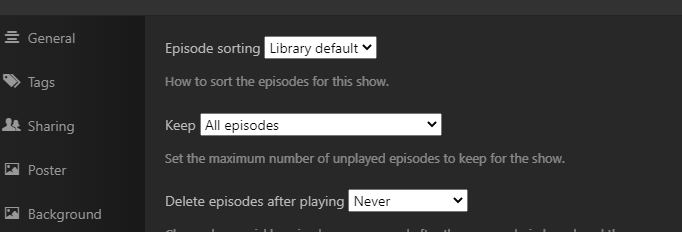
I see 'Allow media deletion' under the general library settings, but nothing that says delete after watching. The only place I see that option is on a per show basis for like the 3 shows that happen to remain in my library, but that setting is turned off. Not sure how that would have been enabled for all of my shows overnight.
-
I logged in to my server this morning to see that like 50TB of my data had been wiped, but I'm not seeing anything that can point to the reason for it. I have multiple shares for Plex (Movies, TV, Anime, etc) and other shares for personal files, pictures, and other backed up items with the Plex shares taking up the majority of the drive space. My entire TV and Anime libraries are empty, but as far as I can tell the rest of my libraries are fine. I'm not sure what happened so I'm hoping I can get some help in figuring out my data loss. When I first logged in to Unraid I saw notifications that several drives had returned to normal utilization levels or something similar. They faded quickly so I only briefly saw the messages and that's when I noticed the empty drives, as all but 2 of my drives were sitting at 90% capacity last night and now they vary between 7% and 50%. I checked syslog, but all I see is what appears to be normal docker log info from last night and then my login this morning. I noticed the issue this morning before work so I downloaded the logs and shut everything down until I got home. The server started back up just fine tonight, but the data was still missing. The server's only external connections would have been Plex and through Unraid's My Server Dashboard over SSL. SSH to the server itself is disabled and my Plex password isn't shared with anything else and I have MFA enabled for it. I use Google's password manager so all my my logins have different strong generated passwords. I used to have ports forwarded for game servers like Valheim, but none of that is currently in use. My router is a Ubiquiti Security Gateway with a separate password and MFA to access. The only thing that didn't have MFA enabled was my Unraid account password, but that was separate from my server login password. I point this all out to say that while a network breach is always possible, I felt that I'd taken enough steps to make it unlikely. Since the only affected shares were Plex related I assumed the issue might have been there, but I checked the Plex logs and was unable to see anything unusual until the log itself was spammed with messages like: "SLOW QUERY: It took 230.000000 ms to retrieve 85 items" These entries where then followed by library updates due to missing items. I did notice sporadic messages in the syslog that looked like this: "nginx: 2023/03/13 17:59:36 [crit] 4414#4414: *21964705 SSL_do_handshake() failed (SSL: error:141CF06C:SSL routines:tls_parse_ctos_key_share:bad key share) while SSL handshaking, client: 87.236.176.167, server: 0.0.0.0:443" I assumed these were failed connections and nothing to be too concerned about although I could be wrong. I don't really care much about the lost data as it's all media that I can re-rip or redownload as needed, which while tedious, isn't important. What I'd like to identify is a way to get a better view of what might have happened through some other logs or any other possible means so that whatever may have caused this data loss (either some kind of bug or network breach) isn't repeated. I've since changed every password that was associated to my server (Unraid, server login, Plex, etc), disabled the server's remote access through the My Servers Dashboard, and rejected all HTTP/S traffic to the server IP from my firewall. I've attached the diagnostics zip file, syslog zip file, and Plex logs in case anyone sees something I didn't. TL;DR: Are there any other logs besides the syslog and Plex logs I can look at to see what might have happened to my server? tower-diagnostics-20230314-1220.zip tower-syslog-20230314-1919.zip Plex Logs.zip
