






ShivFPS
Members
-
Joined
-
Last visited
-
This is awesome, thanks
-
ShivFPS changed their profile photo
-
Ah I see. with all these fiascos happening often I'm this close to building a custom router with wireguard for reasons like these since I can't seem to find any RPi's within reasonable cost around me
-
I have the same issue and "Remote tunneled access" did not help either were you able to find a solution or is this just a bug in unraid/wireguard
-
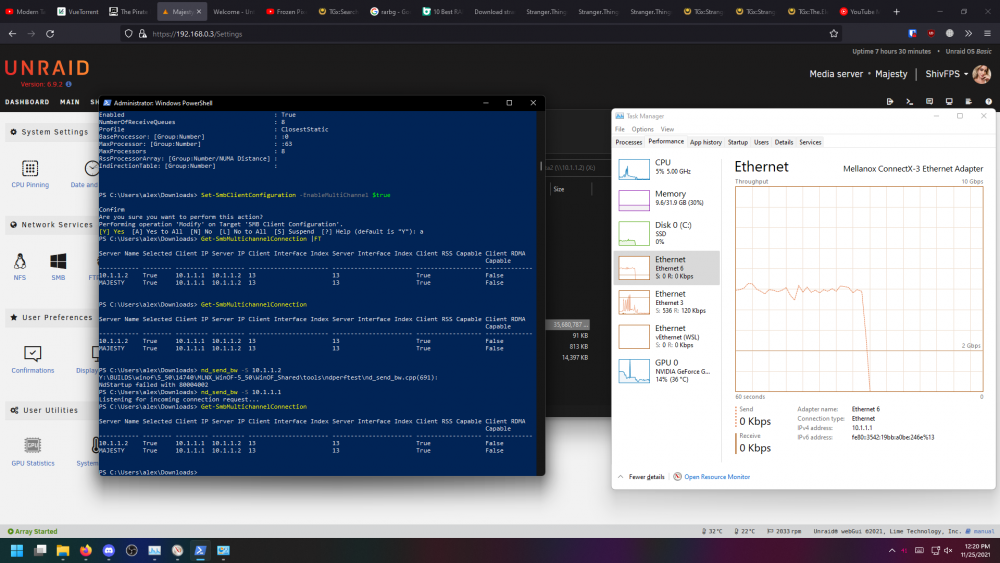
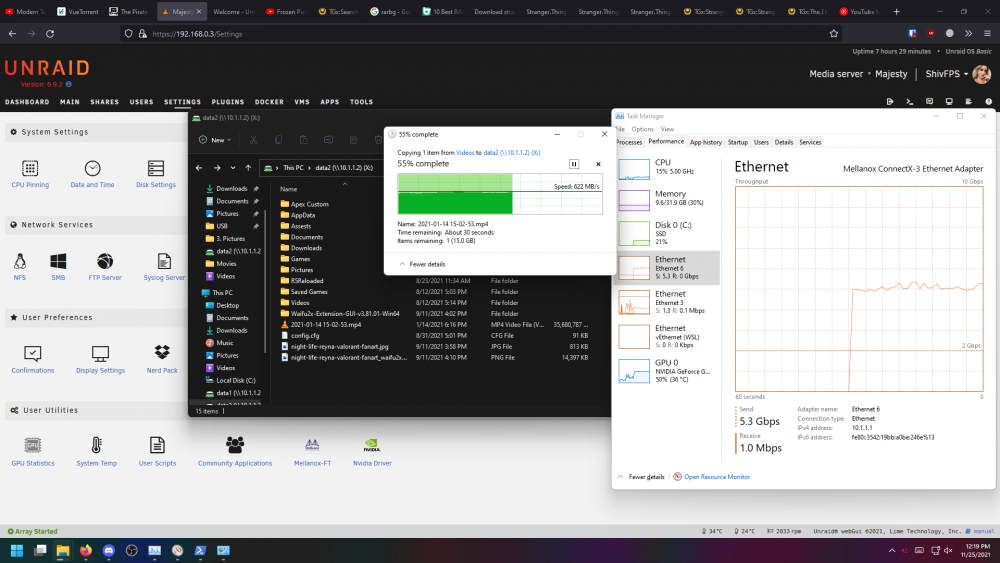
Hi, I followed all the steps from this guide and some other research and was able to get RSS capable show up on my windows client but the RDMA it self is not working also unable to saturate the speeds due to this It should not show the network usage in task manager if RDMA is working, right?
-
so far seems to work thanks
-
as stated whenever I enable eth1(10G) i lose internet to unraid unable to ping google servers tried changing dns servers(on unraid) to my router/main pc/google/cloudflair nothing seems to work but when i disable my eth1(10G) and run just on eth0(1G) everything works as normal and when i disable i mean change IPv4 address assignment from "static" to "None" Thanks in advance majesty-diagnostics-20210707-1404.zip




