





tawehruhle
Members
-
Joined
-
Last visited
-
Thanks @JorgeB I think you are right. It is my network at home. Thanks for helping me investigate this. I reset my WiFi channels and managed switches. Things have been stable for the last few days. I suspect the issue was with my WiFi channel I reference. Happy holidays 😁
-
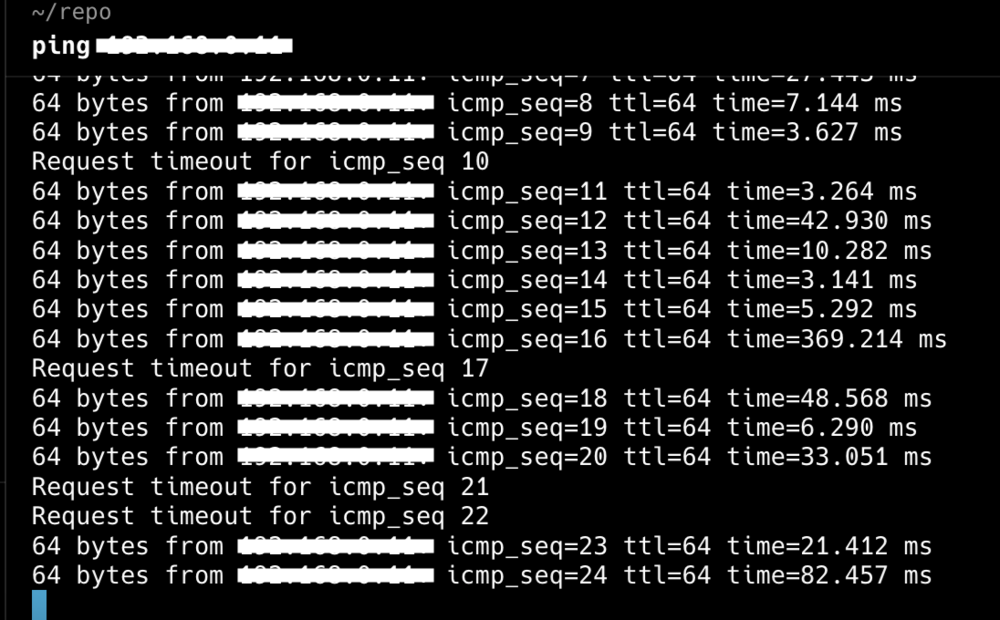
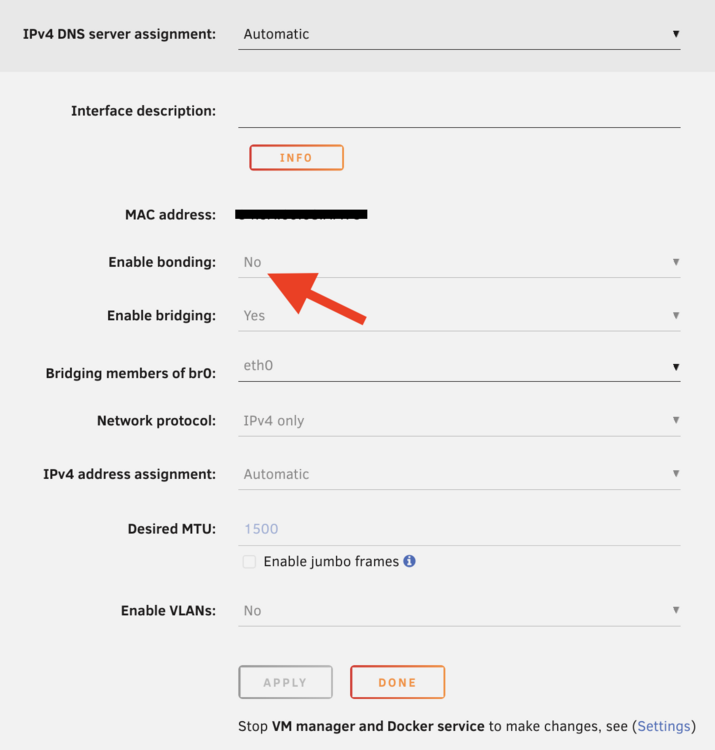
Hi @JorgeB Please find attached: the diagnostic data from dataserver. screenshot of intermittent ping drops screenshot of network settings with bonding off I disabled bonding on the server and it was good for a few days and now the connection has started dropping in and out like before. Please let me know if you see the same errors, or new errors. Next I plan to apply the static IP from within Uraid directly and see if the problem goes away. Thanks dataserver-diagnostics-20251218-0856.zip
-
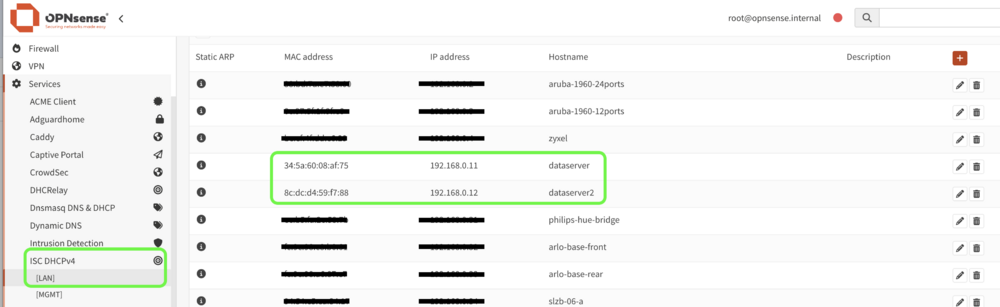
Thanks @JorgeB . I will try the below seperately and see if the problem occurs after each change: disable bonding on dataserver2 and dataserver remove static DHCP ARP MAC Address IP mapping for dataserver2 and dataserver (see attached) and set static IP in unraid directly. I use opnsense as my firewall and router. I will aim to upload diagnostic after running the change #1 above for a day and you can see. if the bond0 issue goes away as well as the DHCP issue. Thanks for all the investigation sp far.
-
Yes both servers had the same issue like what happened originally. Do you see anything wierd in the diagnostic data? If not, I will spin up a trail unraid server and see if it faces the same problem. If it does, then highly likely not an unraid problem but networking. I will then have to look at everything infront of unraid (my firewall, router, managed switches, etc) That will be painful.
-
Hi @JorgeB Please find attached the diagnostics for dataserver and dataserver2. I noticed the issue started again this morning. Any help identifying the root cause would be very much appreciated. I can't keep restarting the server to resolve the issue. Thanks. dataserver-diagnostics-20251210-0846.zip dataserver2-diagnostics-20251210-0846.zip
-
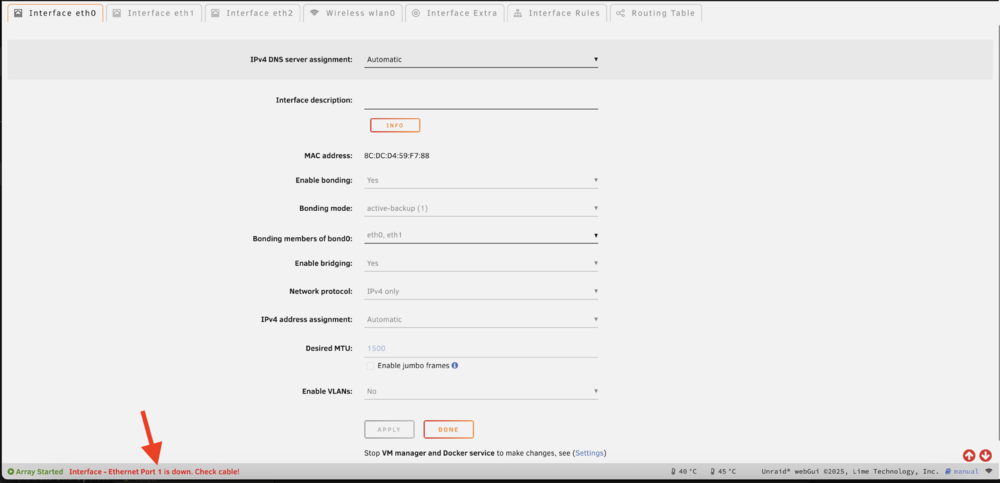
Thanks @JorgeB . I checked the network setting on dataserver2(screenshot attached): it's the same as its been for the last few years I have a PCIE 10Gbps dual port SFP LAN card I am using only one of the 2 ports, there is no cable in the second port I have IPv4 DNS server assignment set to Automatic as I use the mac address on my router to set my static IPs. however, I noticed the red message at the bottom of the screenshot attached. I do not remember unraid displaying an error for having a unplugged port in a active-backup bond mode. Could that be the reason for the issue on this server. Meaning ports in the bond must be connected? I also rebooted dataserveras you requested: attached is the new diagnostics data the server appears to be stable and I can't replciate the issue yet Thanks for spending the time looking through this. dataserver-diagnostics-20251209-1754.zip
-
Hi Team, After recent upgrade to 7.2.2, the below problem started about 2-3 days ago: Unraid server will randomliny disconnect from the network for usually 1-30 seconds When its connected, it stays connected/reachable via the UI for about 1-20 secs. Though mostly 1-6 seconds. If I am luck it would work for a minute but rarely. Making getting the diagnostic a pain. This unraid sever with the issue is called dataserver I am able to verify access to the server by running a ping command. While ping is successful, I can ssh and view the web-ui. It has a 10Gbps RJ45 LAN I generated the attached diagnostics (did not restart the server) Additional info: I have a 2nd unraid server called dataserver2: it was also upgraded on the same day as dataserver. It is facing the same issue as above. This unraid server is using a 10Gbps PCIE SFP card (have not touched for years) I have now stopped the array and restarted the server. Prior to restarting the server: I had a look at the logs (/var/log/syslog) but cannot see anything out of the ordinary regarding network disconnection. I generated the attached diagnostics (before restarting the server) This is my backup server and used for backing up data and syncing (on schedule) between dataserver and dataserver2 with a SMB mount. My findings so far: Looks like one or all of the below might have solved my problemL On dataserver2 stopped the array restarted the server On dataserver: stopped the array restarted array (after dataserver2 was restarted) did not restart the server Any assistance on why this has started happening would be very much appreciated. Thanks dataserver-diagnostics-20251209-0912.zip dataserver2-diagnostics-20251209-0917.zip
-
Thanks alot @Michael_P for all the help.
-
You are a star @Michael_P. I suspect it is dirsyncpro. i added a bunch more folder to sync/back up recently. Can you suggest any other tool on unraid that I can use to schedule backups. I will do a google search as well. Thanks
-
Unfortunately I can't seem to figure which container. I have had 2 instance of this issues since my last reply. I am now turning off one container at a time (non essential ones first) for a week to see if the problem goes away
-
I do not but I will check tonight and let you know. Thanks for the pointer.
-
Hi all, I randomly get the error in the Fix Common Problems screen about "Out Of Memory errors detected on your server". I do not know why. When I read the details under the more information link,it asked that I raise a post under General section and upload my current Diagnostic data. Please see diagnostic attached. I would really appreciate, if anyone could: - help me pin point what is causing the out of memory error - guide me on how I can identify things like this in the future myself. That way I can gradually gradute out of the noob category :). Thanks in advance. dataserver-diagnostics-20240814-0756.zip
-
I have 16TB and it took about 6-8mins I think. Also if you look at the bootom of the page the appdata is excluded by default It fixed most thing but my docker containers using appdata still has problems I plan to try it on appdata (apparently not recommended) when I get home after a backupof apss ofcourse
-
I had a similar problem after upgrading from 6.9 to 6.11 and I solved it by going to > Tools > "Docker Safe New Perms" and running. Everything worked after that completed.



