






teod38
Members
-
Joined
-
Last visited
-
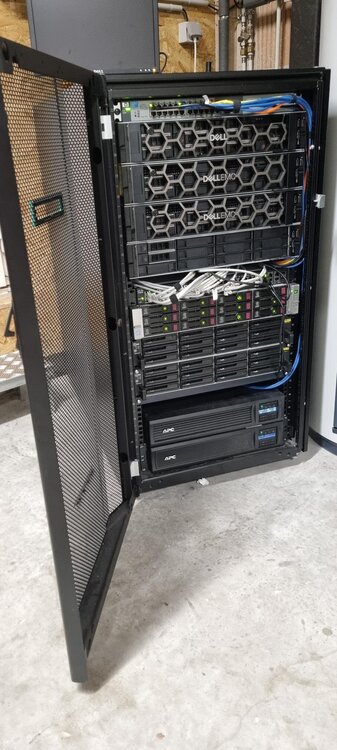
Bonjour à tous, Moi j'ai commencé UNRAID OS en 2015, j'ai 42 ans et vie en Alsace où je travaille dans un grand groupe internationale d’ingénierie (DSI). J'utilise cet hyperviseur a titre personnelle dans mon "Homelab" dans un usage Multimédia, Cloud et "pré-professionnelle" (cluster calculs scientifiques). Au travail, l'usage des lames UNRAID n'est qu'orienté que pour un usage HPC. Voici mon "Homelab" producteur de calories et générateur d'eau chaude sanitaire 🤣
.thumb.jpg.ebf1c66576088c9297d0076743f27dca.jpg)
-
Hello everyone, I have a small problem, sorry big actually.. When I want to copy files yesterday on my unraid share with my PC (Windows 10). the transfer starts but, the speed drops to 0mb and I lose my network connection... I can't see my equipment anymore... => The strangest thing, even my modem-router doesn't want to know anything anymore. it's a bit like a "network loop". Impossible to understand for me, help please snif?

.jpg.ab21023dd06819157e5bb439031462d7.jpg)
