cheeto7017
Members
-
Joined
-
Last visited
-
I started with version 6.9.2 and then tried 6.8.3. same result. I guess ill try the release candidate next. I saw this post below thinking this hardware would work. I
-
An update. I have switched to non ECC memory in both a single stick, two sticks and, three sticks of 4GB of RAM. I sill have the same result. Is there a way to look at logs and see what is going on?
-
cheeto7017 joined the community
-
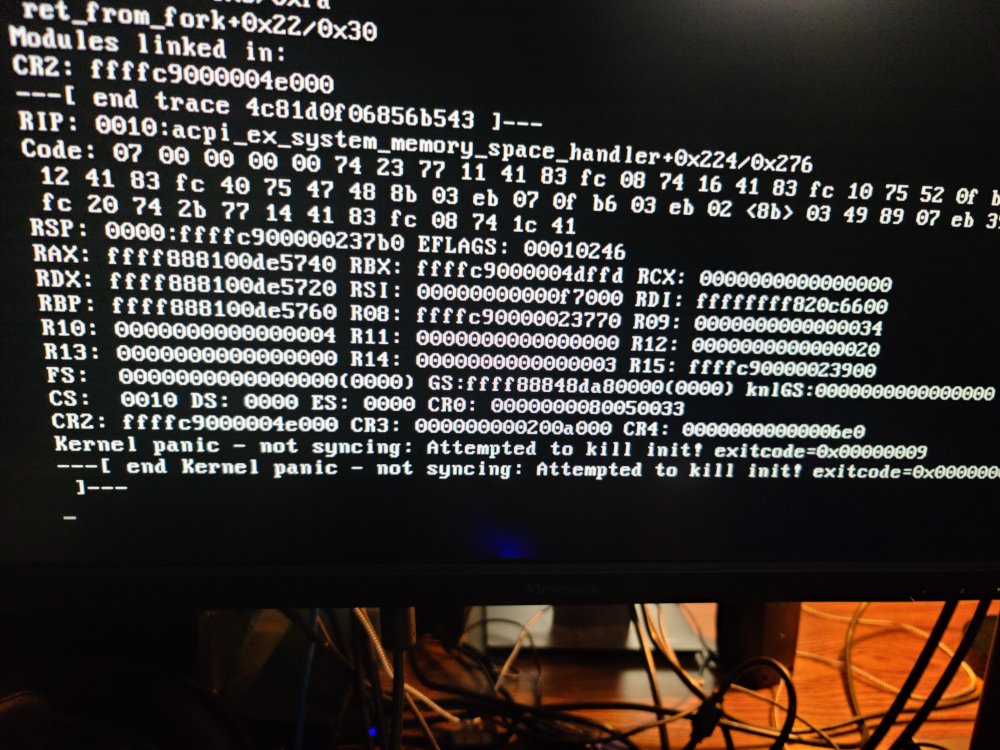
Hello, I am attempting to install unraid on a HP Z400 workstation. When booting the sequnce stops and states the following: Kernel panic - not syncing: Attempt to kill init! exitcode 0x00000009 ---[end Kernel panic - not syncing: Attempt to kill init! exitcode 0x00000009]--- The USB is newly created and will boot fine on other hardware. I have rearranged memory configurations and ran memtest64 and found no issues. The hardware will boot into windows 10 fine with no issues. Any suggestions?