





c_miceli
Members
-
Joined
-
Last visited
-
I tried doing it under extra parameters and as a device both with the same result I tried tvheadend and it does show up and has more channels show up in the scan(not all but im still a little unfamiliar with tvheadend) My best uneducated guess is that its not searching right in plex. Almost like its not using the right channel type. I put in an hdhomerun that picked up every channel Thanks
-
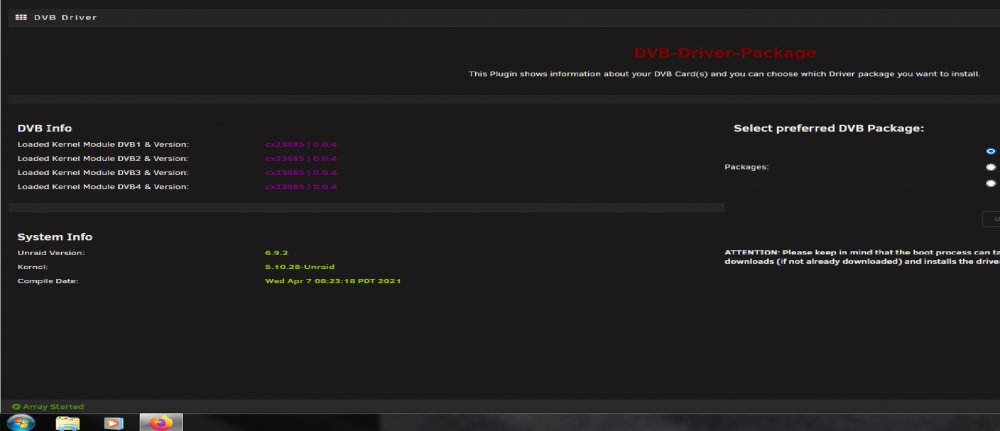
I am using the plexinc container. Yes The card does show up in the plugin page, it used to show up as lg and now it doesn't. I am using the LibreELEC package Thanks for the quick reply miceli-spare-diagnostics-20210728-0920.zip
-
c_miceli joined the community
-
@ich777 Having an issue with plex. I updated the unraid os and switched to your dvb plugin. Now plex is not finding all my channels. Im using the winquadhd tuner. Was working fine before. I tried to search through this thread but i didn't see anything about this issue. Thanks
