





uefcommand
Members
-
Joined
-
Last visited
-
Thank you, I don't have the power supply Idle control settings, but I did disable global C state and update to the newest BIOS that had an AGESA update for Eypc to 1.0.0.8. Its just weird this issue just started a few weeks ago and before that it was fantastic. I will monitor and if it happens again will enable syslog and post the results.
-
its weird it never happened before and I was up for months and months and just started. I do have an AMD Epyic CPU
-
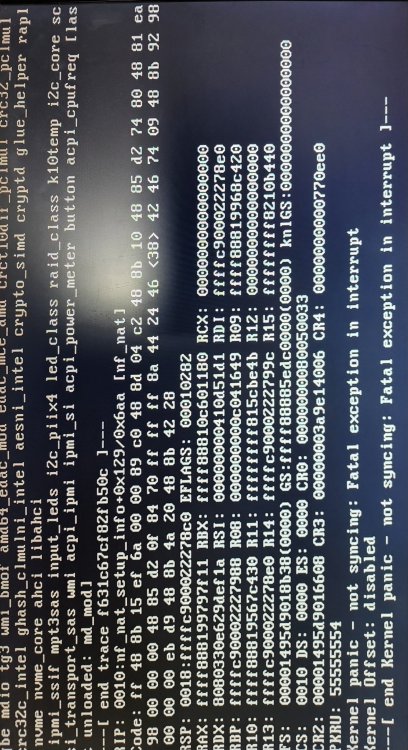
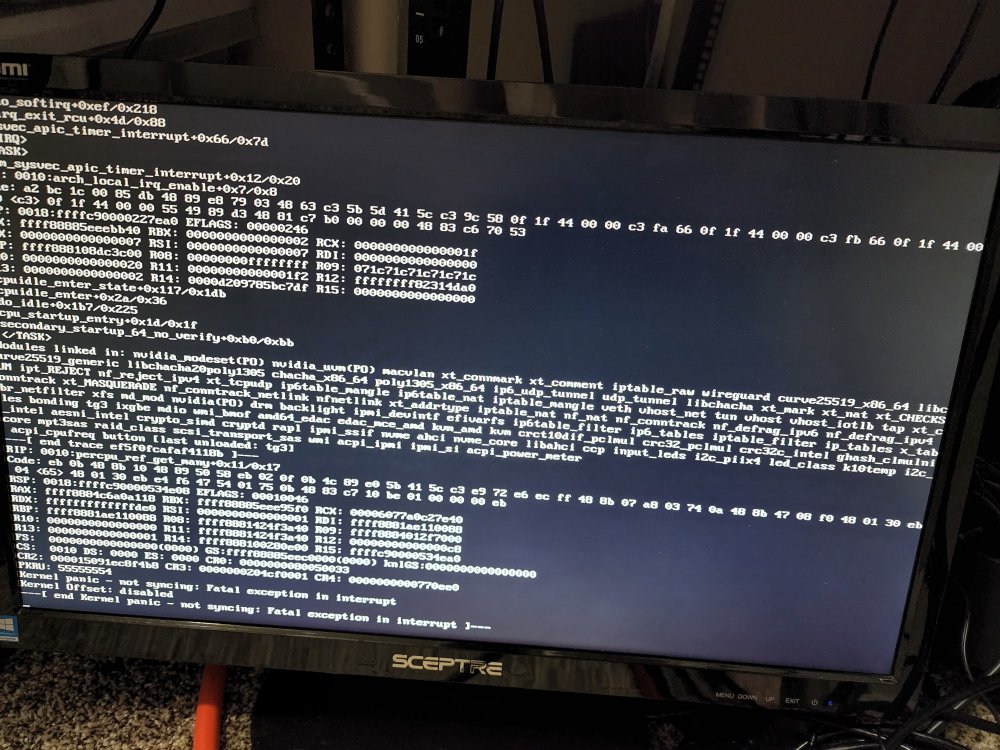
Greetings I need a bit of help, I have now woken up on two different days with my unraid server not responding and I turn on the monitor that is plugged into it and find it says Kernel Panic. I am attaching photos of both times. First time is with Unraid 6.9.2 and next time is with Unraid 6.10.3. Additionally I am using a Dell R7515 I have ran the hardware test built into the lifecycle controller 3 times and everything passes.
-
I just upgraded to 6.10.3 from 6.9.3 last night and am getting a temp warning for the pulling interval on my Samsung 980 Cache drive saying its at 84C it will go from 44C to 84C in 10 seconds and back again. I changed to pulling interval to 10 seconds to watch the behavior. I believe this is a bug I have also found many post on this forum and reddit about this as well. Any guidance would be appreciated. Thank you. diagnostics-20220622-0902.zip



