



Skip to content
View in the app

A better way to browse. Learn more.

Unraid

A full-screen app on your home screen with push notifications, badges and more.

To install this app on iOS and iPadOS
  1. Tap the Share icon in Safari
  2. Scroll the menu and tap Add to Home Screen.
  3. Tap Add in the top-right corner.
To install this app on Android
  1. Tap the 3-dot menu (⋮) in the top-right corner of the browser.
  2. Tap Add to Home screen or Install app.
  3. Confirm by tapping Install.

cowpaws

Members
  • Joined

  • Last visited

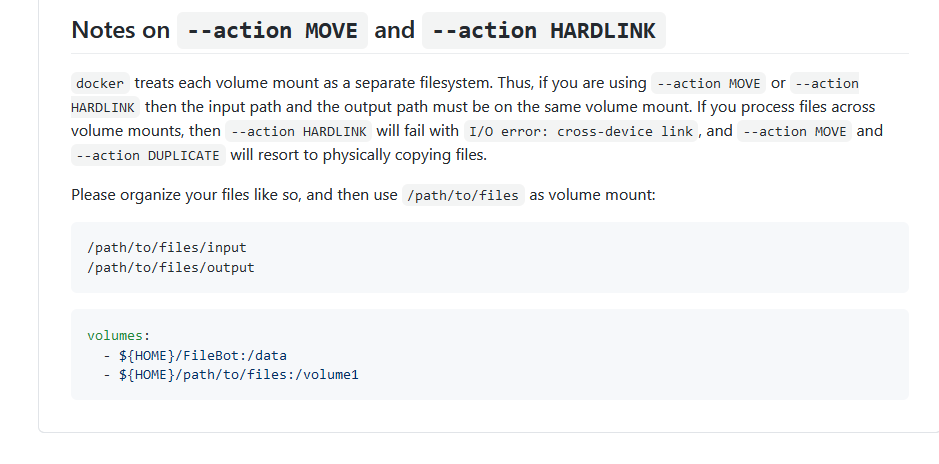
  1. I have a question about hardlinking on the AMC. Could someone point me to how I need to set up my input and output directories to allow for hardlinking? Currently I'm getting the "I/O cross link" error and it resorts to copying files over. My initial setup was: input -> /mnt/user/downloads/completed output -> /mnt/user/media But after I found this .... (from https://github.com/filebot/filebot-docker#notes-on---action-move-and---action-hardlink ) I switched to: input -> /mnt/user/media/downloads/completed output -> /mnt/user/media And I still get the same error, which looks like this: Could someone help me with the proper setup so as to allow AMC to hardlink? Thank you so much, from an ignorant noob.

Account

Navigation

Search

Search

Configure browser push notifications

Chrome (Android)
  1. Tap the lock icon next to the address bar.
  2. Tap Permissions → Notifications.
  3. Adjust your preference.
Chrome (Desktop)
  1. Click the padlock icon in the address bar.
  2. Select Site settings.
  3. Find Notifications and adjust your preference.