





CBS
Members
-
Joined
-
Last visited
Everything posted by CBS
-
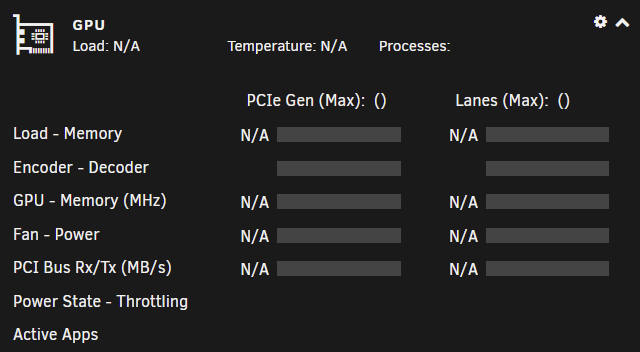
Hi, thanks for the quick reply. lspci does show the card (even if not visible in the plugin or for nvidia-smi): 09:00.0 VGA compatible controller: NVIDIA Corporation TU116 [GeForce GTX 1660 SUPER] (rev a1) 09:00.1 Audio device: NVIDIA Corporation TU116 High Definition Audio Controller (rev a1) 09:00.2 USB controller: NVIDIA Corporation TU116 USB 3.1 Host Controller (rev a1) 09:00.3 Serial bus controller [0c80]: NVIDIA Corporation TU116 USB Type-C UCSI Controller (rev a1) And doing 'modbprobe nvidia' had no effect, no change in the plugin displayed info.
-
Hi, I'm having a similar issue with the graphics card no longer being detected. This has happened to me one more time a few months ago and card was visible after a restart. No hardware changes were done inbetween these events and no major unraid version changes, only the plugin/driver updates. nvidia-smi output from unraid console or from a container (plex) now shows "No devices were found" In syslog (now and a few months ago) i can see this event: Aug 10 10:31:32 Tower kernel: NVRM: GPU 0000:09:00.0: GPU has fallen off the bus. Aug 10 10:31:32 Tower kernel: NVRM: A GPU crash dump has been created. If possible, please run Aug 10 10:31:32 Tower kernel: NVRM: nvidia-bug-report.sh as root to collect this data before Aug 10 10:31:32 Tower kernel: NVRM: the NVIDIA kernel module is unloaded. Attaching the diagnostics file. tower-diagnostics-20210810-1402.zip
