





talard
Members
-
Joined
-
Last visited
Everything posted by talard
-
I finnaly found the issue. I found the origine thanks to unraind tools>process section. Plex was blocked on transcoding task and I don't know why but even with /transcode folder mapping on array, it use docker image. I delete the video file and recreate docker image and everything is OK since then. Thanks Vr2lo and Hoopster for your comments.
-
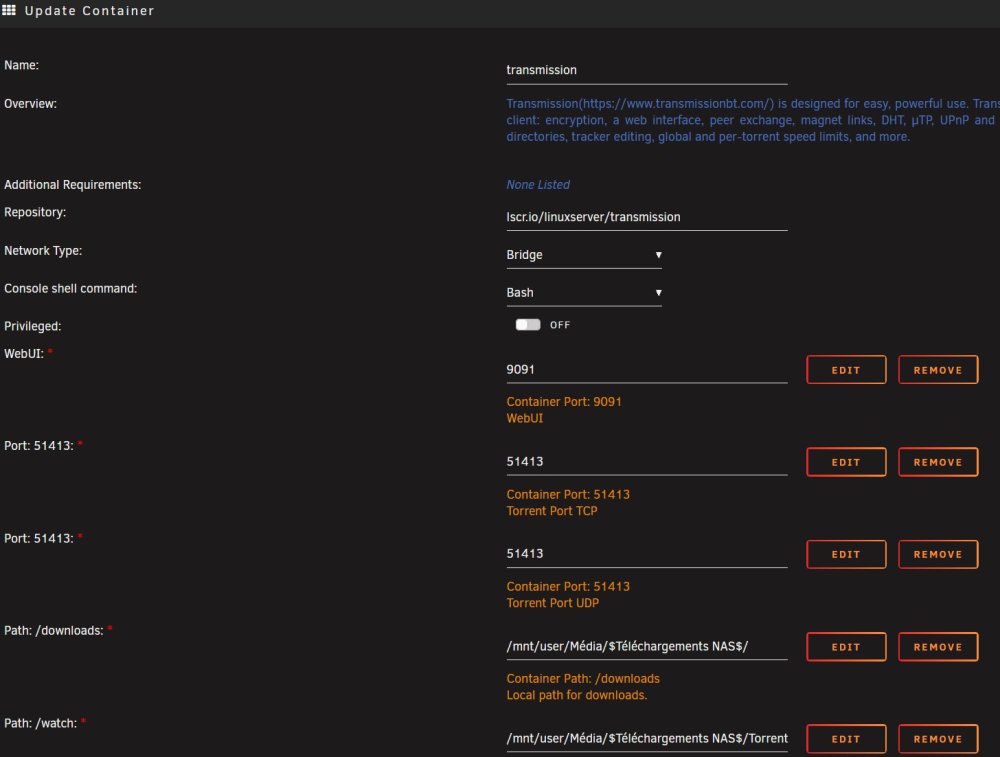
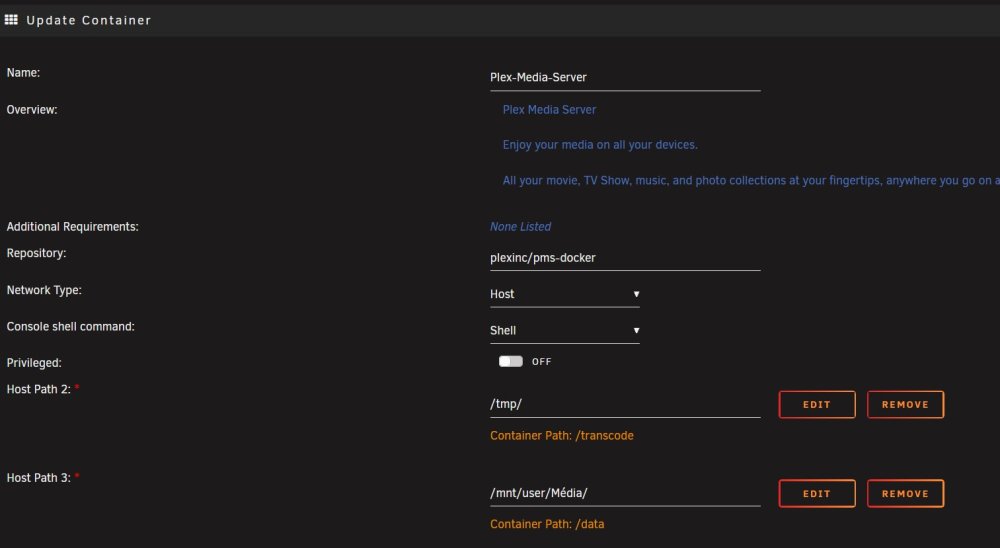
Hi, Thanks for your reply. Total agree but I do that because I couldn't debug instantly. As you can see I use both (transmission and plex). I don't change the configuration and all work fine for at least a year. You can see folders mapping in my 1rst post and everything is mapped to my storage (at least pre-configured template docker variables)
-
Until now since my last delete/creation of new docker file, everything is OK. It still 2% full. What is really wired is the 100% usage of the 100GB docker image but with container calculation their is only 30GB. Let's see what happen next.
-
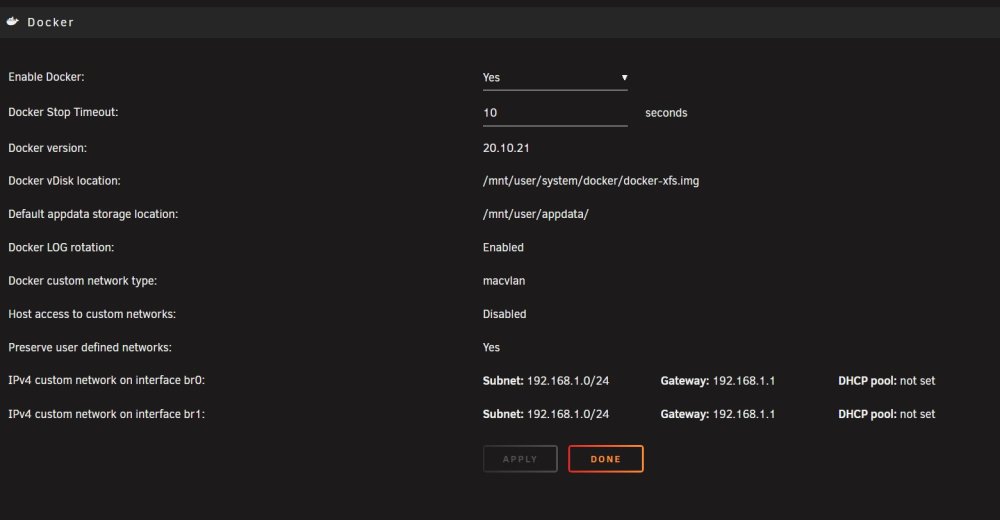
The image file size is 100GB. I had to delete then recreate the docker image because it ran to 100%. For now the image is 2% full and look stable but I don't know why, at some point it start to grow and getting full. I put logs limit argument in both container to see if it can help (--log-opt max-size=50m --log-opt max-file=1) but container calculation show that it's not logs that take all this space but something else with plex.
-
Hi there, I change the title of post because the out of memory error is gone. But I still have troubles with my docker image growing. I have onely Plex and Transmission docker. I put 100GB for the docker image and it's now at 95% full after 24hours runing. Here is some screens.


-
For now the situation looks stabilised. I delete /user/system/docker/ folder manually and change back docker settings to XFS image. I reinstall Plex docker only (for now) and it look to work fine. Lets see if everything keep going well
-
Hi there, I need your help, I can't get it worked by myself. Unraid v6.11.5 CPU : AMD 3700x RAM : 32Gb Cache : 1To All start with Docker service failed. I understaind fast that the image where growing annormaly. I try tro recreate docker.img once, the I map directly my cache hard drive and do a fresh install of my docker containers. I thought all where OK, but I meet this new Out of Memery error and I feel like docker image keep going to grow. Regarding to out of memory error, it shut down Docker and VM service. I try to clean plugins and VM in order to eliminate this. I try to put memory argument to my 2 docker containers ( with --memory=xG in docker container advanced settings) but I can still see my RAM growing. I find this command line to find what service take ram and how much but I don't know what to do next with rsync services : Finally I got this error that I did not understaind because I don't have Dynamix docker manager actually installed. I try to find it on app store in order to install/uninstall again the app but I can't find it. Warning: stream_socket_client(): unable to connect to unix:///var/run/docker.sock (No such file or directory) in /usr/local/emhttp/plugins/dynamix.docker.manager/include/DockerClient.php on line 712 Couldn't create socket: [2] No such file or directory Warning: Invalid argument supplied for foreach() in /usr/local/emhttp/plugins/dynamix.docker.manager/include/DockerClient.php on line 898 appdata Any help would be apreciated ! unraid-diagnostics-20230608-2108.zip
-
-
Hope 6.10.0-rc4 will be lauch soon ! Wired
-
Anybody plz ?
-
I use unraid as fileserver in a little company. Unraid 6.9.2 - diagnostics-20220320-1911.zip Everything work as expected except for few MacOS users that encounter errors : Somebody create a folder and drag and drop a file in it. The file is invisible. If he try to drag and drop a 2d time, he got an error Item already exist. What I tried : - Verification 'Enhanced macOS interoperability' is ON (found here) = ALREADY OK - Add veto rules to SMB extra configuration (found here) Somebody create a folder and try to drag and drop a file in it. He receives an 'error 43 - can't end the operation' or 'error 36 - can't end the operation, because some data can't be written or read' (sorry, it's a traduction) What I tried : - Disable cache on this share but no improvement (found here) - Run Docker Safe New Perm tool (found here) I think both things are linked but until now, I can't get it to work nicely for those few people. Any help would be appreciated


