





Bender Seb
Members
-
Joined
-
Last visited
Everything posted by Bender Seb
-
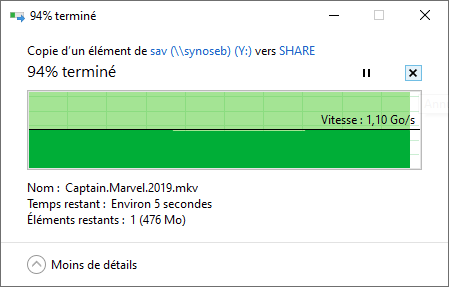
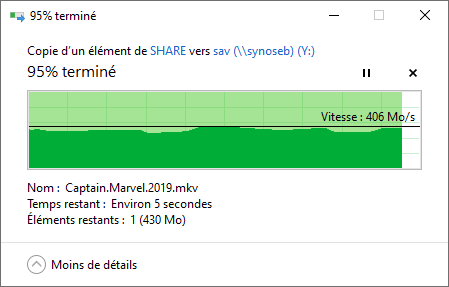
If i put MTU=9000 on both sides; it is better... SMB multichannel allowed full speed for transfert from unraid to PC, but in the other direction (PC to unraid) there is only one channel... so packet size matters i suppose... MTU=9000 here But my applications are not reachable from outside of my network behind my commercial router... iperf indicates full speed with 5 parallel streams but can't offer more 2 Gb/s with just one stream... So it is a network bottleneck...
-
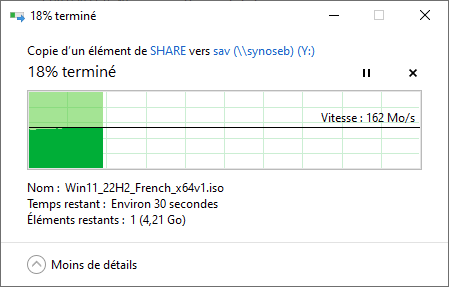
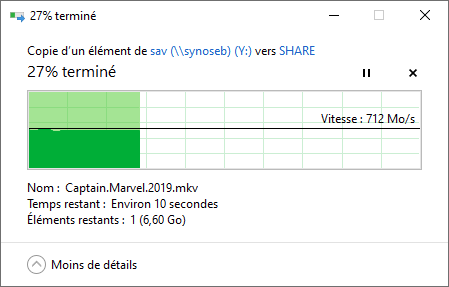
Hi, same problem here... stuck at 160MB/s when i copy from PC to Unraid cache SSD... From Unraid cache SSD to PC i have about 700MB/s stable... (with 10Gb ethernet tx401 tp link) My unraid build has 2 SSD 980 PRO 1TB in one pool cache raid 1 with encryption CPU is ryzen 9 5950X with 32BG RAM ECC I tried direct write to /mnt/cache but it is exactly the same ! sad...
-
Same issue here, but disabled LSO did not succeed... my nic (TP link TX-401) still have bottleneck at 1.5GB/s
-
same problem here
