Optico89
Members
-
Joined
-
Last visited
-
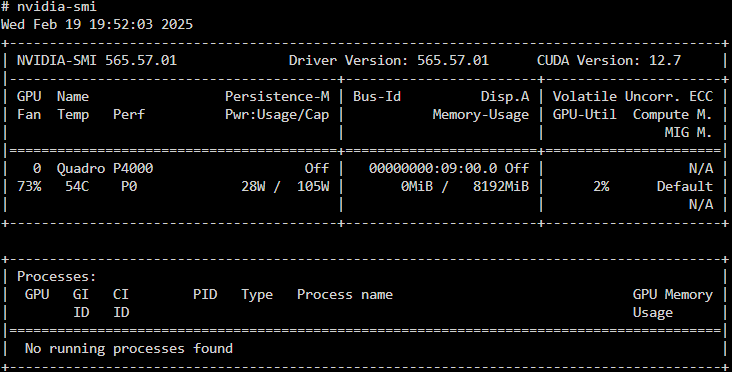
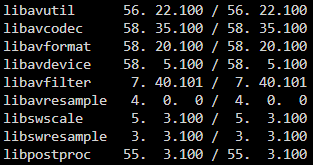
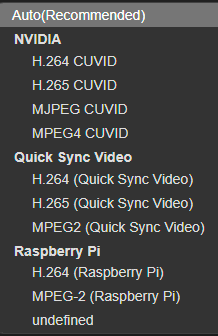
Evening - Trying to get Nvidia hw-acceleration running on the shinobi docker. After a lot of tinkering, I'm reaching out for help Goal: Update ffmpeg to the latest version Update the CUDA version from 12.7 to the latest. I believe Nvidia driver version 565.57.01 is the latest of this writing per the Nvidia Driver plugin GPU: Nvidia Quadro P4000 TLDR: If this is not what is needed to get Nvidia drivers working with Shinobi - What must I do to get it working? Details and references are below numbered 1 - 7. 1. When attempting to update FFMPEG - here's the terminal output 2. Inside Shinobi input settings, here's what I have available - it seems the container recognizes that the Nvidia drivers are available/accessible however when switching to an Nvidia decoder option, the camera feed crashes, will not recover due to the following error , and must be reset to Auto, essentially reverting to CPU I assume. This error is repeatable, with all options in the Video decoder listed below. 3. Accelerator is set to "Yes" 4. Acceleration Engine is set to "Auto" however the following options are available: (I've attempted all variations/combinations, no GPU related HW works) vdpau vaapi (VA-API) DRM Object Sharing 5. Video Decoder is set to "Auto(Recommended)", however, the available options are available: 6. While in the Shinobi docker terminal console, the ffmpeg -version command reports the following: ffmpeg version 4.1.6-1~deb10u1 Copyright (c) 2000-2020 the FFmpeg developers 7. When running the nvidia-smi command in the shinobi docker terminal console, this is what is reported:




-
Installed new AMD Ryzen 9 5900x 12/24 CPU. Running diagnostics to see if the problem is re-created. will update either way with results. Edit: Forgot to mention the logs look clean and clear with 0 errors at all.
-
All passes completed, everything passed with 0 errors... see below EDIT: Ordered a replacement CPU. Should arrive day after tomorrow. In researching mce errors it and decoding the above errors recorded, it looks to be all pointed at the CPU threads. Hopefully this is the fix and the mobo is just fine.
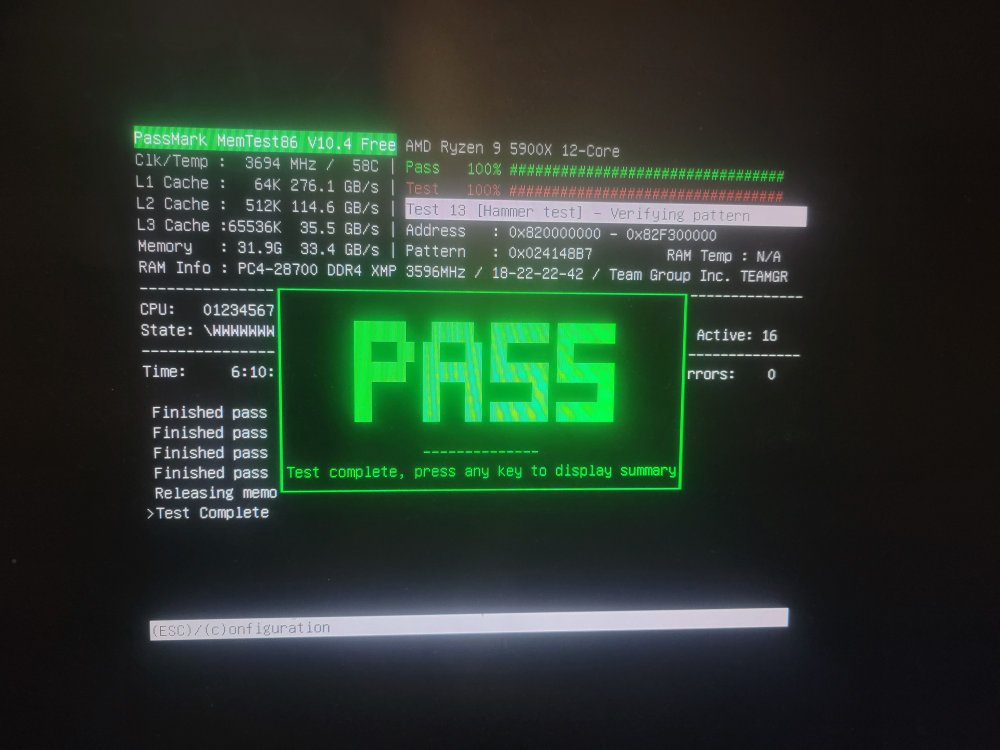
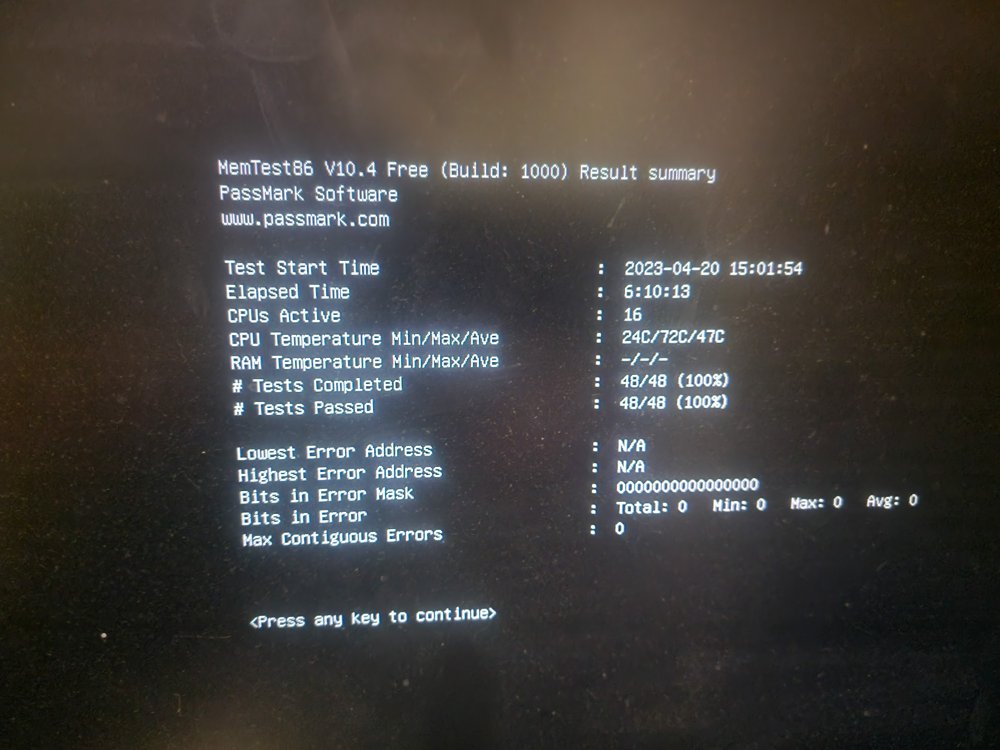
-
ok - I'll let it continue to run and finish all 4 passes then follow-up with the results. In the event there are no errors, is there software that can be used to diagnose / test the CPU similar to Memtest that I can prepare in advance to get that started given no errors are found on the ram?
-
pass #2 of 4 just completed - heres the results: no errors so far
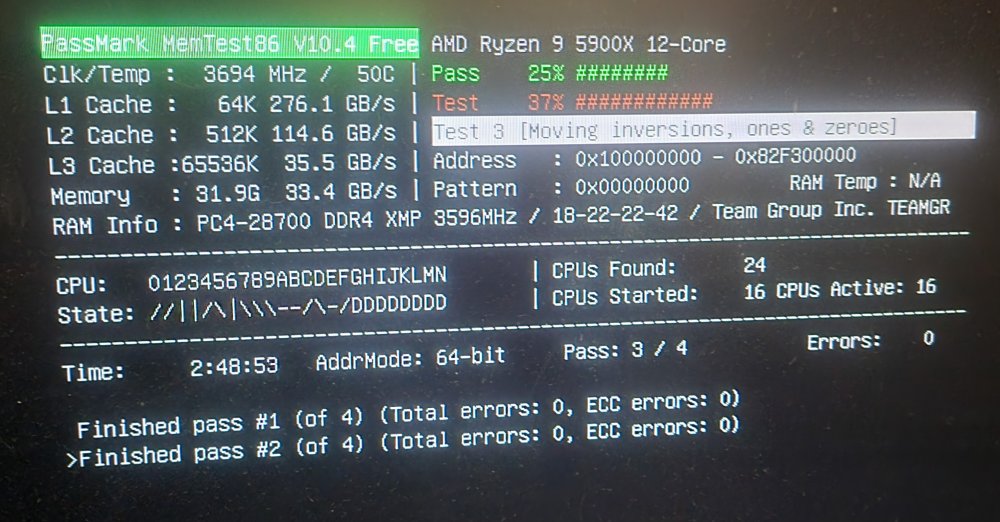
-
memtest from Passmark has been running heres where its currently at. shows no errors so far..
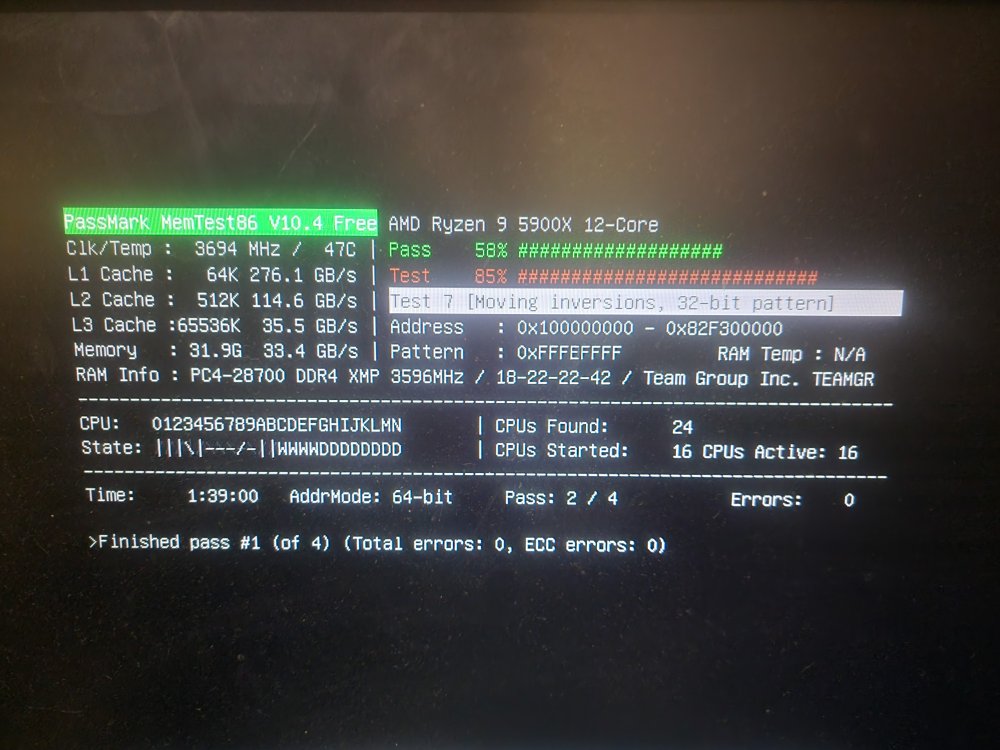
-
I attempted to start a memtest but soon as I execute the option on the unraid boot menu the server restarts itself. is there an alternative method to running the memtest via ssh or through the console?
-
Restarted again @ 2144hrs - 1hr 14 minutes since the last System logs showing the following error: Didnt run any containers this time.
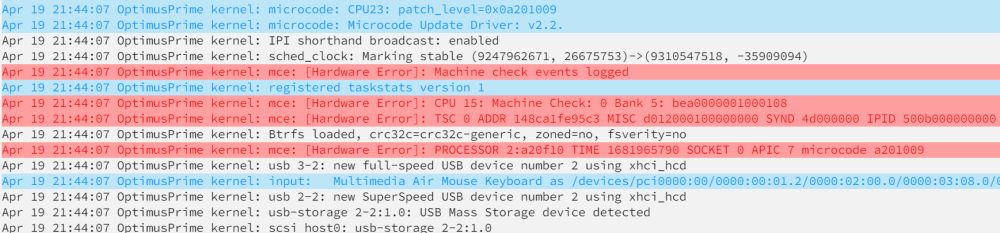
-
Random crash @ 2035hrs - 3hrs 14mins since the last. Systemlog shows no errors this time.. Ran the following docker containers for approximately 3 hours: NGINX Wireguard duckDNS Unifi Video Jellyfin Started the following docker containers @ 3hr mark: Radarr Sonarr Nzbget Server crashed approximately 12 minutes after..
-
Another random restart @ 1721hrs - 50 Minutes since the last Heres a broader look at the syslog surrounding the error: optimusprime-diagnostics-20230419-1729.zip
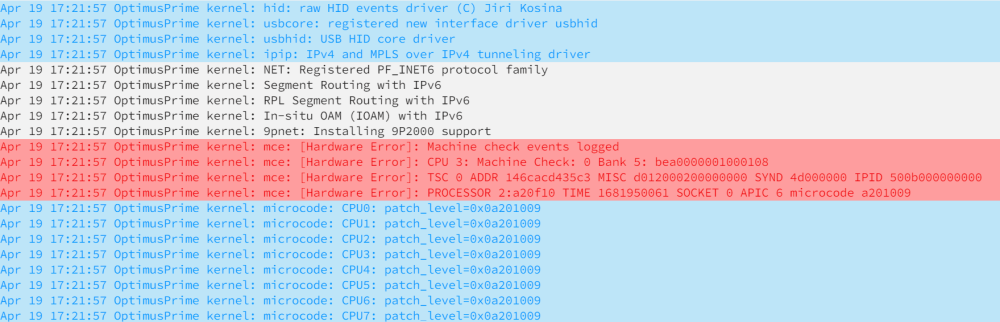
-
Hey Squid - Glad to see you! Another random restart - Here's the syslog. server restarted at 1631hrs - 34 minutes since the last See attached for diagnostics just ran it via SSH, as well as the current sysLog as of now optimusprime-diagnostics-20230419-1647.zip syslog

-
Another random restart: 15:57hrs - 37 minutes since the last This time heres what the Syslog shows for all errors / warnings..

-
Duration before self-restart. @ 1520hrs - 1hr 27min looking at the sys logs right after - this is what the error/warnings show.. any idea what this could be and if it may be related to the random restarts?

-
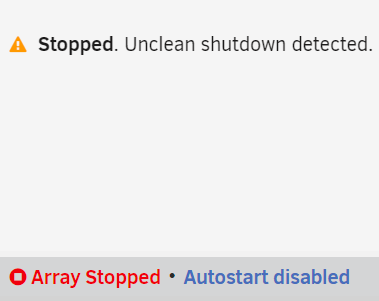
Hello, Now that I'm back into Unraid 6.11.5 on a fresh install - The server is constantly restarting / crashing resulting in unclean shutdowns. This will happen even if I don't start the array at all and let it sit after it restarts. It appears to be random, as it could happen back to back or in 5 minutes, or 10 etc In the hour or so minutes I've been troubleshooting its restarted around 5 times already, and out of 5 i've only started the array 1 time in the beginning to install the following apps: Community Apps Nvidia Driver Auto Turbo Write Mode GPU Statistics My Servers I've done a clean reboot in order to activate a clean system reset, with no resolve - server keeps randomly restarting.. Attached is the latest SysLog file from about 2:05PM - It's 2:15PM right now. Equipment / Setup Motorola DOCSIS 3.1 Cable Modem pfSense Router built box Version 2.60 Stable Netgear MS108EUP Managed Ultra60 PoE Multi-Gig Plus switch No parity drives 4x 10TB HDD's 1x 1TB SSD Cache drive 1x 1TB NVME Samsung 980 Pro Cache drive HBA Controller: LSI SAS 9300-8i 8-Port in IT mode GPU: Nvidia Quadro P4000 CPU: Ryzen 9 5900x 12-core 24-Thread Motherboard: ASRock X570 Pro 4 P3.10 RAM: TeamGroup T-Create 32GB DDR4 3600MHz PC4-28800 CL18 syslog
-
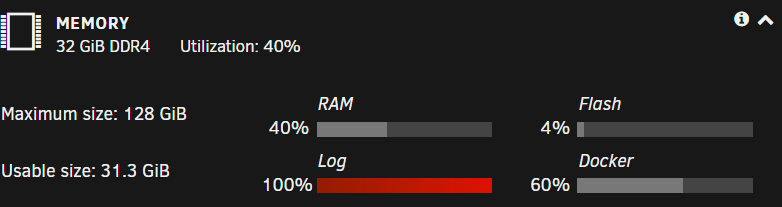
Posting diagnostic logs per recommendation from the "Fix Common Problems" plugin. - Logs typically do not fill up immediately after reboot but will do so after a couple days of runtime. **Update** Restarted server just now, logs cleared and now at 1%. will post second diagnostics with relevant and more current information when % increases again. diagnostics-20220809-1957.zip