





tjsyl
Members
-
Joined
-
Last visited
Everything posted by tjsyl
-
Found and read a 2020 topic about this but my situation is a bit different so I figured I would start a new topic. 2- 4TB parity drives, 5- 4TB in the array, 2- 8TB in a Mirror for all my Media. I have 4 "new" 8TB drives that I am preclearing on my test UR server at the moment. I am physically moving the drives from a Z820 to an entirely different PC but plan on just moving my flash drive over. I want to replace the parity drives (2x4TB) with 2 8TB drives. After booting up on the new hardware do I need to do both parity drives at the same time or one at a time? After the parity rebuild is done I will transfer the Media data off the Mirror array and rope those 2 8TB drives into the Unraid Array. I am going to add 2 of those 8TB drives to the "in case shit" box with the other spare 4TB spare drives I have.
-
Is this in the RC or 6.9.2?
-
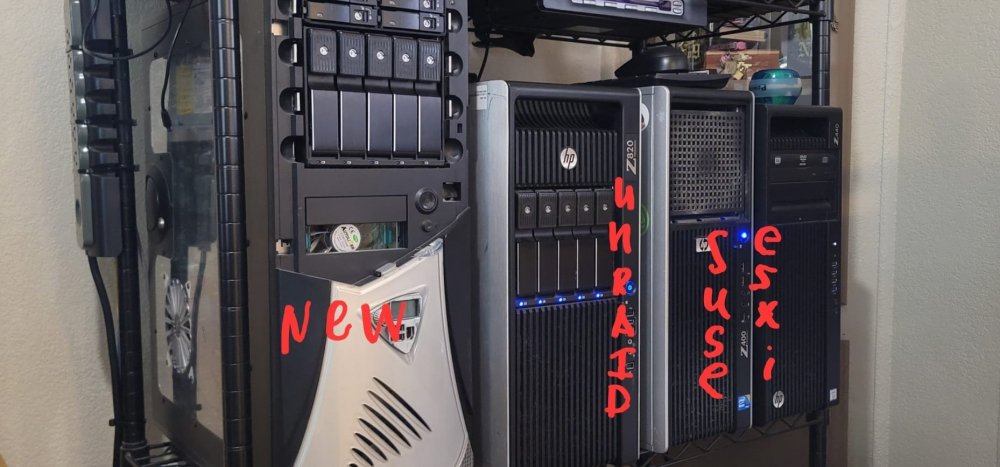
I would like to see multiple arrays and cache pools. I would like to keep my 5 3TB drives for media, 7 4TB for my main storage and my 3 8TB drives for backups and whatever temp storage. I currently have the 5 3TB drives in another machine running OpenSUSE but I just put together a system with a much larger case and would like to move it all to one and consolidate running Unraid.
-
Didn't notice the user shares, enabled it and started back up with success! Thank you.
-
Supermicro X8DTH-6F. When I first booted 6.9.2 it wouldn't recognize either NIC, tried 6.10-rc1 and she comes up just fine but... After assigning the drives (All SAS - 1- 1TB parity, 2- 1TB 4-600GB) it went through and formatted and shows correctly under MAIN but under shares I have disk1, disk2, disk3 through disk6 individually, it does not appear to be creating an array but just mounting the drives and doing whatever with the parity drive. Docker and VMS(libvirt) service fail to start. Settings shows "/mnt/user/xxxx" paths do not exist. I have gone through and started a "New Config" but end result is the same. Any help would be greatly apricated. If this is a rc1 bug and anyone has advice on getting the SMC NIC's recognized by 6.9.2 I am more than willing to reinstall. This is a second Unraid server with a trial license at this point, I have 6.9.2 running beautifully on my Z820 so I'm wanting to get this running more as a test box and maybe move away from ESXi running on my Z440. I have another 1TB SATA drive that's showing up as 3GB but that's the damn integrated SAS controller. Trying to figure out how the update that firmware, or putting a PCI-e SAS controller in that I already have laying around. supermicro-nas-diagnostics-20210909-2144.zip
