Funes
Members
-
Joined
-
Last visited
Everything posted by Funes
-
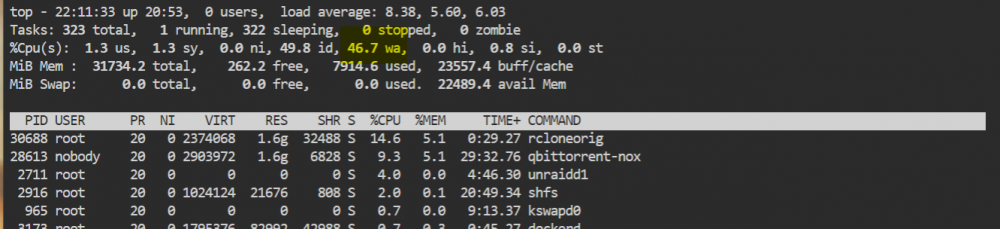
Hi, New unraid user here, two weeks fighting with it trying to solve this issue. I would like to bump this thread since this topic really looks like the issue I am experiencing. Every time I need to write or read from the array the CPU goes crazy and the IO Wait skyrockets. I have tried different things I have been collecting from different threads: 1. Download torrents to cache. That is ok, but my cache is 500Gb and I download that amount every day so I have qBitorrent move the files after downloading to the array, this causes the issue when the move happens. 2. Rclone uploads to the cloud, this would read a folder from the array and upload it to Google. Same issue, CPU and IO Waits go to the moon. I have scheduled the upload during the night. 3. I have changed the /config in docker from /mnt/user/appdata to /mnt/cache/appdata as suggested in other threads. Same result. 4. I have disabled the Tunable (enable Direct IO) under Global Share Settings as suggested in another thread. Same result. 5. Moved all the appdata share to cache with mover. Same result. 6. Changed my rclone upload script pointing to upload folder from /mnt/user/download to /mnt/disk1/download to try to bypass Unraid's SHFS. Same result, posting screenshot running rclone upload: 7. Folder caching plugging is not installed. 8. Cache filesystem and array filesystem matches (XFS). 9. My CPU governor is Performance. To be honest I am out of ideas and I don't know where else to look for information on how to solve this issue, but it really desperates me, as I can't use the server as a media center to serve content to my TV since the content freezes all the time (Freezes on TV match CPU spikes due to this issue) Any advise? EDIT: By the way this is on latest stable version 6.9.2