





Gaoxing
Members
-
Joined
-
Last visited
-
一样,我也是7.1.2升级到7.1.4,升级之后用显示器输出看过,是nginx报错,好像是ip的80端口占用导致nginx服务起不来,导致没有webui的,但是不知道咋解决,就回退了
-
有用!!!我的硬盘也修复了
-
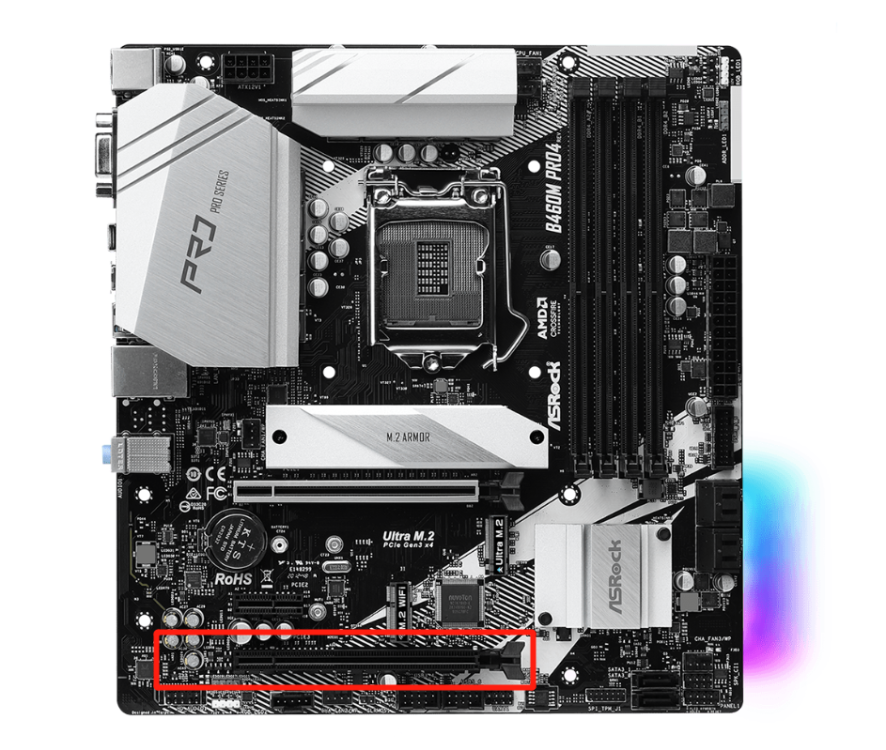
如题,请问目前版本(6.11.5)还需要打iommu网卡拆分补丁才能将pcie网卡拆分么(i350-t4)?我目前的版本是6.10.0,打了网卡拆分补丁才能拆分开我得i350-t4,升级到6.11.5版本还需要再重新打补丁么? 主板是 ASRock B460M Pro4 ,i350-t4插在了红色圈的这个槽。
-
蓝冰大神的补丁目前还没有针对6.10版本的吧,请问您哪里有吗,我找了一圈没找到,只有6.9.2的
-
好的,我试一下
-
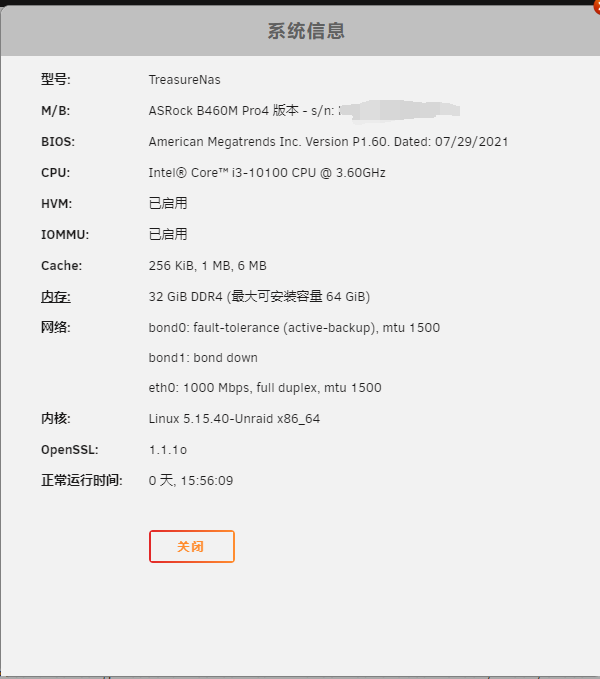
unraid 版本6.10.0 主板等信息如下图: 主板:华擎b460mpro4 CPU: Intel® Core™ i3-10100 CPU @ 3.60GHz HVM和iommu都显示已启用,但是i350-t4的4个网口一直在一个分组里面,不知道用什么办法可以让各个口分开 诊断信息包我也放上,有朋友遇到同样的问题吗? gx-unraid-diagnostics-20220529-1529.zip

-
thanks
-
Is there any way to divide these network ports into different groups?🤔
-
gx-unraid-diagnostics-20220527-1704.zip

-
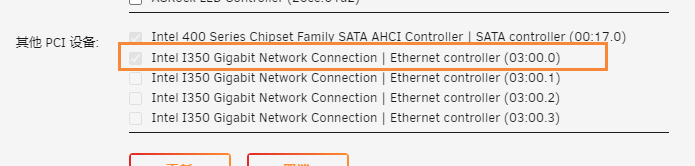
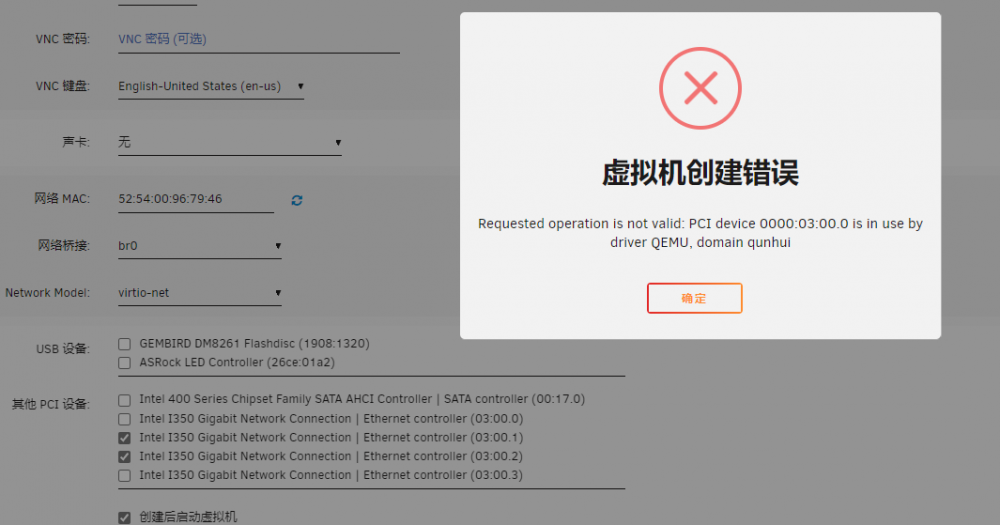
In a virtual machine, I have used a network port of i350-t4, but when I want to apply other ports to different virtual machines, it will prompt that this network card has been used by other virtual machines. The virtual machine configuration with the first port applied: I want to create another virtual machine to apply the second and third network ports of i350-t4:、
-
My I350-T4 network card has 4 network ports, but at present, 3 ports are directly connected, and the remaining one port is not displayed in the unraid network port. How can I cancel the pass-through network card?

-
thanks for your reply ill try it
-
Gaoxing changed their profile photo
-
The last network port of this I350-t4 network card is not set to pass-through, but it is not displayed on the unraid network port interface, how can i fix it? I350-t4 network port interface


-
I have My Servers plugin. thanks,i'll learn it
-
ok, i'll see it later thanks


