bradgoldring
Members
-
Joined
-
Last visited
-
That was a long week, but we got there. First re-sync, on day 3 within 12 hours of completion the power went out in that big snow storm we had for like 30 seconds and I had to restart it, this last time we made it through successfully this morning. Conclusion: the original cause of the issues/failure was the UPS' not functioning properly and still causing a power loss when there was a power sag. So the server stayed powered on (plugged directly into the wall), but the drive units powered off because of the UPS shutting down momentarily during the power sag. Time to get a much bigger UPS I guess! Thank you folks!

-
Glad I asked! Thank you both so much for your patience and guidance Hopefully I can report back with good news in a few days, but my preliminary inspection of Data Disk 1 there is no data loss or corruption.
-
Just for clarity and not wanting to screw anything up... Re-sync is clicking Check with "Write corrections to parity" checked?

-
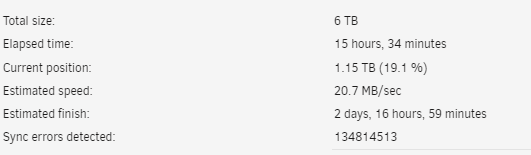
Current situation:
-
Ok, so sounds like there's no harm in starting it with Parity Valid checked, doing a check, and then if there's issues doing a full parity sync? Just want to be super sure before I click the button Thanks!
-
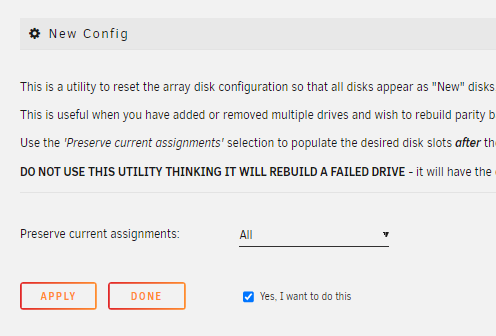
Just to confirm before I click "Apply" this is correct: Also Disk 1 was not being emulated by parity when I just had the array started, so I assume the Parity 1 disk is no good per that error count. Thanks!
-
Regarding a new config and rebuilding both parity disks, how do I go about that with the existing Disk 1 being unmountable? Regarding the 3 day rebuild: Is it because the three MD1200's are connected in series? The 9207-8e has 2 ports, I could connect one of the 3 drive units directly, would that benefit any? I have not done anything about this because I am not sure what is wrong here or which disks are affected.
-
New diags attached! Thanks tower-diagnostics-20240109-1321.zip
-
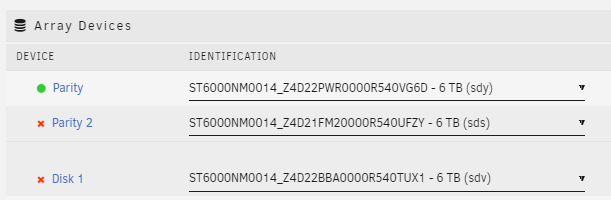
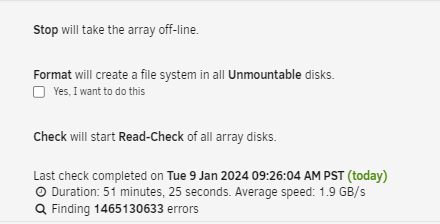
Normally it's 3 days for a full parity check. So, after this weird mini 1hr parity check just completed, parity disk 1 has come back online and appears fine, so I just have parity disk 2 and data disk 1 as disabled and contents emulated. I'm going to swap disk 1 for a new disk and start the glorious 3 day parity check once again, but without the UPS concerns we should be good, I hope. Any concerns or comments on that approach before I start it? The number of errors from this weird 1hr parity check is concerning though: Thank you again as well!!
-
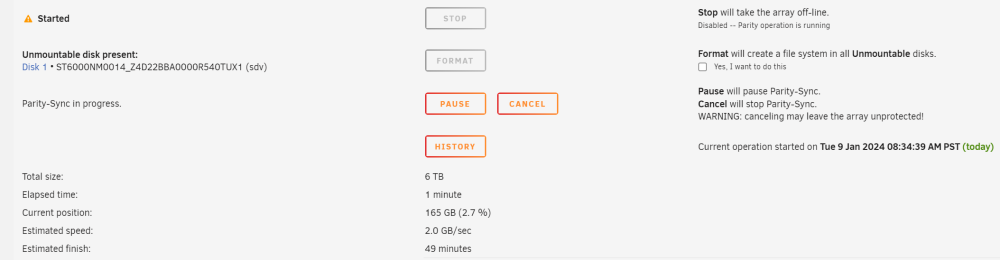
So, just started the array back up after removing the UPS' and restarting. It has started a parity sync it says will take an hour, but says disk 1 is unmountable and needs to be formatted. Edit: added diagnostics if of any use. tower-diagnostics-20240109-1137.zip

-
OK, looks like I'm going to have to take the UPS' out of the picture until I can get them figured out. Now, short term, are there any tips or tricks to bringing those 3 disks back online as I'm confident the disks are fine and have no data loss. Thanks!!
-
Ohhhh that's interesting. Which log/line indicates that? And no, the computer is direct wall power, and the MD1200s are on two Eaton UPS' which I have had some issues with on their consistency delivering power.
-
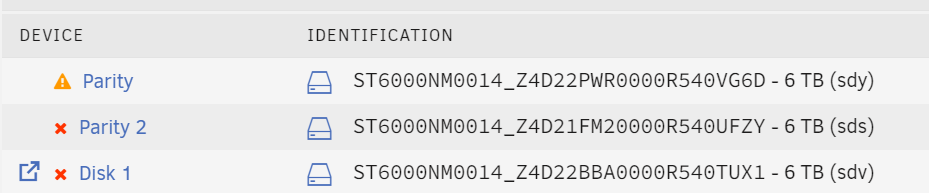
Hi all, I have a Dell PowerEdge 310 (Xeon X3440, 16GB ECC DDR3, 10Gb Asus Nic, 9207-8e SAS interface) connected to three Dell PowerVault MD1200 12 drive units in series, all with 6TB Seagate SAS drives. Everything has been running well the past 2 years on moderate load, recently I have started moving large amounts of data over the the main array. In the past 2 weeks, randomly one parity drive, and the first data drive would go invalid and cause me to have to rebuild. Then it would happen again few days later in the same locations. Then one time it was both parity drives. Note, I'm assigning in new disks each time, only once did I reuse them not fully understanding what was going on. Then today, the worst case scenario, while doing the parity rebuild (takes 3 days) I lost parity 1, 2 and the first data drive at 10% complete. 1) I'm not really sure what to do next to attempt to recover what I can from the first data disk. 2) Something is faulty/broken/etc causing this to happen so frequently. I know the SMART data on some of the disks is concerning, and I've pulled those out of rotation, but the with with an OK status are still causing this to happen as well. No other changes have been made other than I'm starting to put the system under more load as I migrate data over. But still, the amount and frequency I'm moving over is nothing insane. Diagnostics attached from after the 3 drives just failed recently during the parity rebuild (without have restart the system before exporting the data). Any ideas or advice are greatly appreciated. As well, let me know if any additional information could be helpful. Thanks. tower-diagnostics-20240108-2229.zip