Crazy_B
Members
-
Joined
-
Last visited
-
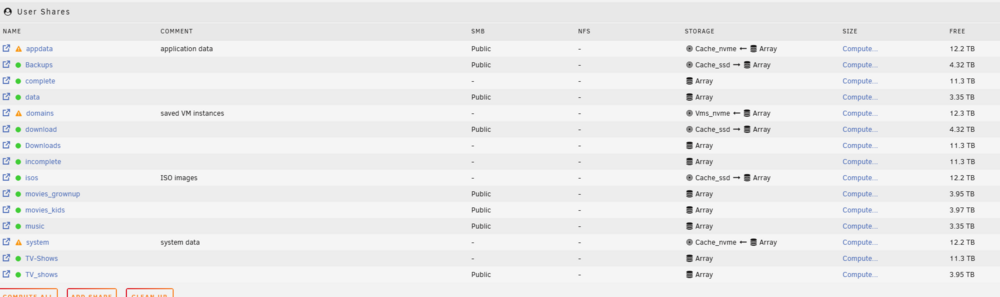
Thanks, Jorge, for the assistance. I got everything working. I can't seem to find an explanation for one last thing. As per the screenshot, it appears I have duplicate shares. The shares themselves work, but I'm not sure what to do with them.
-
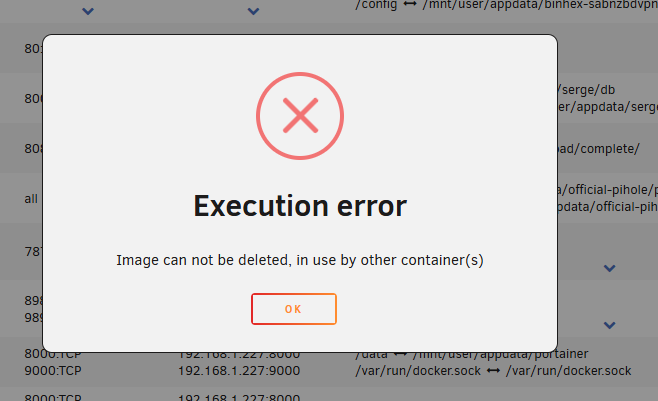
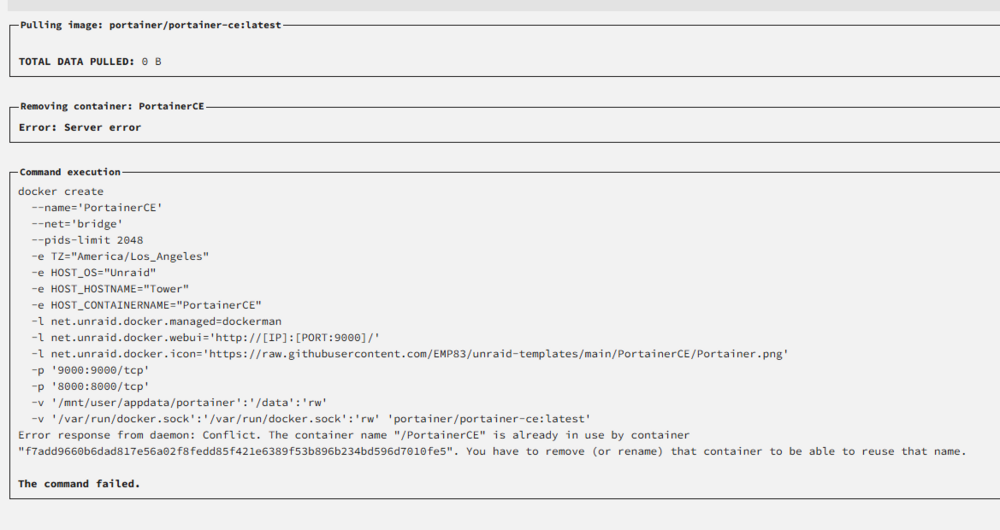
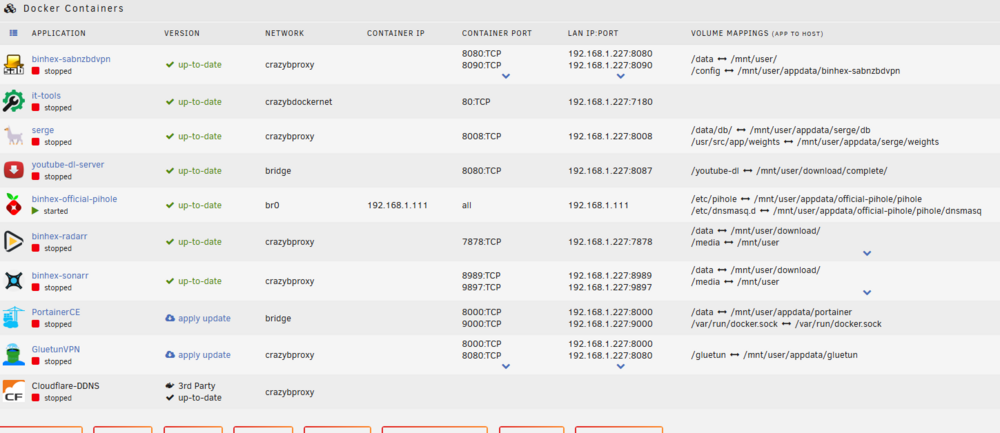
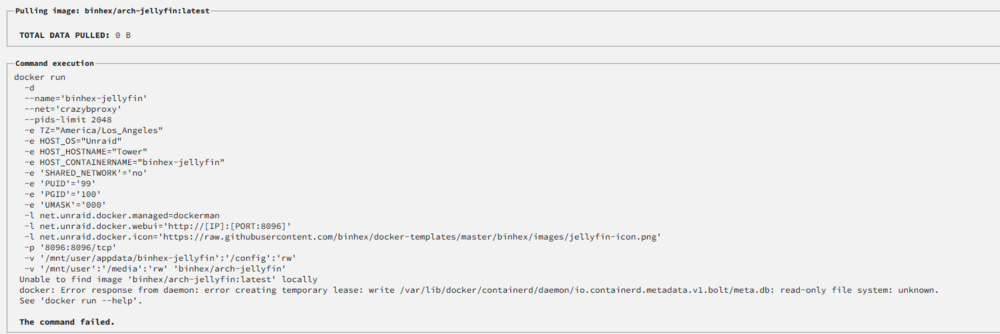
Thanks for the advice. I managed to get to Unraid 7 and fix the cache pool. Unfortunately, I cannot get the docker working. The containers are there, but I can't start them as it throws an execution error. If I try to update, it says server error. I deleted Jellyfin and tried reinstalling it, but it didn't work either. It says unable to find image locally. How can I get the docker working? tower-diagnostics-20250117-2038.zip
-
I will try it tonight. Thanks. If I still want to update to version 7, which I did initially and ran into the same issue, is there anything I could do?
-
Yes. I tried to update to 7 and couldn't get Docker containers to start. After several reboots, I couldn't log back into the server. Therefore, after reading a few community posts, I restored the flash drive and downgraded it to 6.12.14, hoping it would fix the issue. But it didn't, and I found this post.
-
Thanks for getting back. tower-diagnostics-20250116-2240.zip
-
Hi first-time poster and a noob. It seems since I tried to update to Unraid 7, I have had a similar problem to the above with my cache pool. I managed to downgrade and get the tower running. What should I do? Thanks in advance.....