





Godisme507
Members
-
Joined
-
Last visited
-
我也是,最近重装了,看来不止我一个,呵呵~~
-
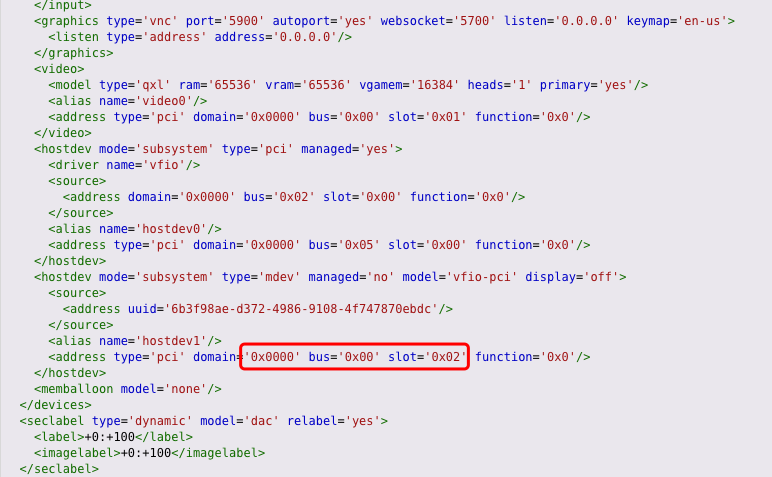
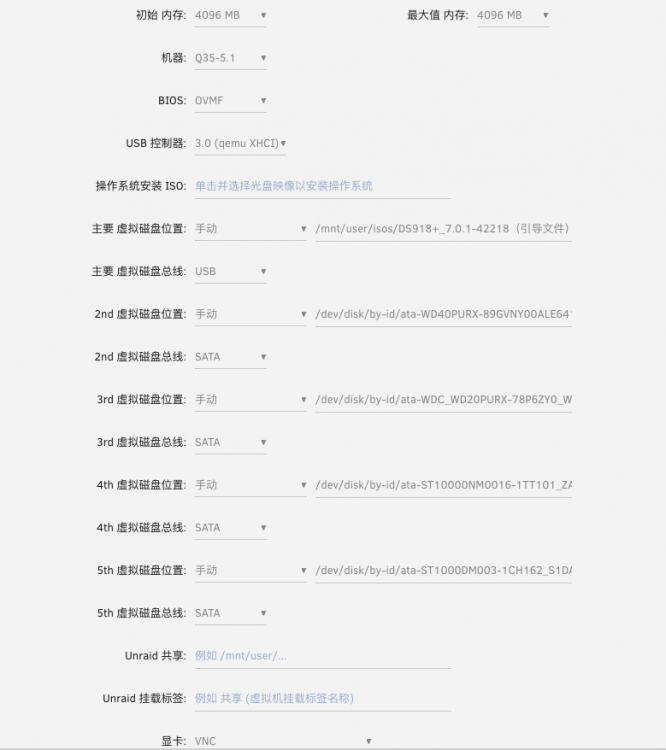
按照网上的教程改了总线位置,依旧职能软件解码,不知道哪里还出问题,望大佬指教? 后台日志显示某种功能无法支持? 目前黑群晖配置情况

-
停止docker和虚拟机后在网络设置里,网口选择绑定到哪个口,很简单。
-
是我win10的虚拟机,以及关掉了
-
-
更改网口顺序后,反馈一下目前情况:已运行一周,未掉IP了。 如果其他人有遇到类似情况,可以试一试这种办法。
-
那我回去试一试,换个网口看看
-
就是在路由器里都看不到unraid的IP了,虚拟机群晖等都丢失了,另外核显我已经直通给群晖,所以连上显示器也是黑屏。
-
同款机箱网友,我也遇到这问题,之前都好好的,最近频繁掉IP,只能强制重启,请问就是主板的板载网口和网卡网口互换一下就可以了?后续还出现过问题吗?
-
我也是前期怎么设置,改代码、打驱动都不行,后面一次启动进去突然就有了,43错误消失了
-
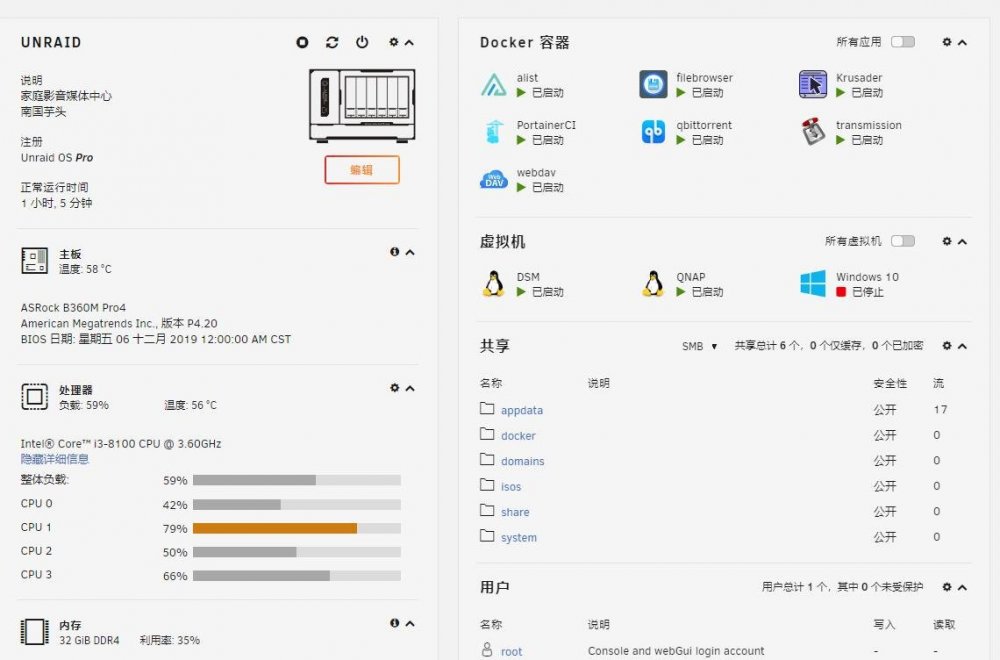
去年稳定一年多,今年4月开始频繁死机丢ip,装的也是常见的docker和虚拟机,请大佬帮忙看看是什么问题? unraid-diagnostics-20220629-2204.zip
-
同样使用过显卡虚拟化插件,也是这个问题,后面直接卸载了
-
楼主后面解决了吗?遇到同样问题
-
我好像解决了,删除libvirt这个虚拟存储文件就可以了,删除后虚拟机会全部丢失,重新建立就可以了,原来的数据都在,核显不会丢失。
-
我也是遇到这个问题,请问有解决不?感觉是inter GVT的缘故,还是不装了


