




Skip to content
View in the app

A better way to browse. Learn more.

Unraid

A full-screen app on your home screen with push notifications, badges and more.

To install this app on iOS and iPadOS
  1. Tap the Share icon in Safari
  2. Scroll the menu and tap Add to Home Screen.
  3. Tap Add in the top-right corner.
To install this app on Android
  1. Tap the 3-dot menu (⋮) in the top-right corner of the browser.
  2. Tap Add to Home screen or Install app.
  3. Confirm by tapping Install.

Ohiomike

Members
  • Joined

  • Last visited

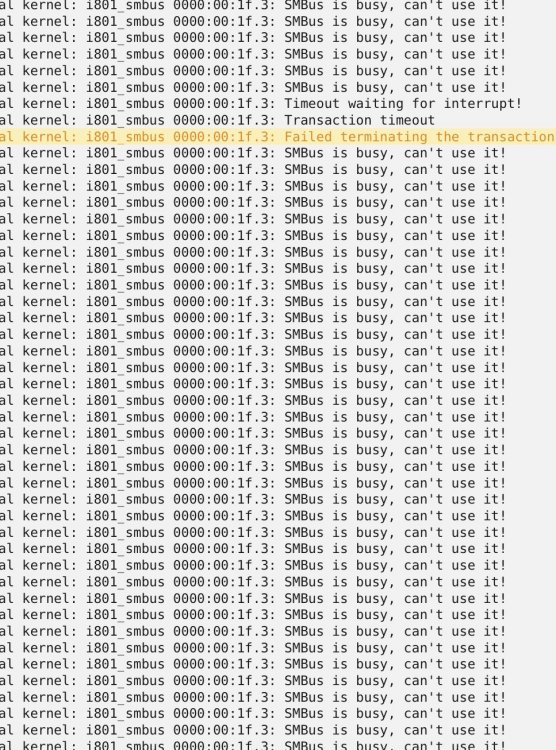
  1. Do we know what is causing this to occur? It’s happening to me also.
  2. I’m a moron thank u very much. Fixed
  3. I actually thought about that. Then I told myself why would it be off. So I am going to check now. I hope it isn’t that simple so I don’t look that dumb 😜
  4. Ohiomike joined the community
  5. I have a dual intel Xeon 2690 E5 v2 3.0 cpus containing 10 cores each with 20 threads each. For pinning purposes unraid is showing only 0-19 as single. Anyone explain if this is correct and why? Thanks guys.

Account

Navigation

Search

Search

Configure browser push notifications

Chrome (Android)
  1. Tap the lock icon next to the address bar.
  2. Tap Permissions → Notifications.
  3. Adjust your preference.
Chrome (Desktop)
  1. Click the padlock icon in the address bar.
  2. Select Site settings.
  3. Find Notifications and adjust your preference.