ElliotJMD
Members
-
Joined
-
Last visited
Everything posted by ElliotJMD
-
That's a screenshot of the lost+found compute, from what I can tell 99% of it is music I was ripping before the original drive died and the rest of it is some blender assets

-
redmatter-diagnostics-20220810-0158.zip These are the latest. Interestingly, the emulated drive is actually now showing again and is accessible and appears to be working, it didn't work when I rebooted the server about an hour ago and I haven't changed anything since.
-
So I've tried running -L and I don't think I got anything out of it, it spent about a minute writing to the parity drive at 50MB/s then stopped and it told me there was an error and to run the command again, the second time it finished but doesn't appear to have actually done anything other than the XFS file system corrupt message being gone in the Main tab. Unless there's another step I need to do? Or is this something that I need to actually put in a new HDD for it to rebuild onto?
-
Never really thought about that but that makes perfect sense
-
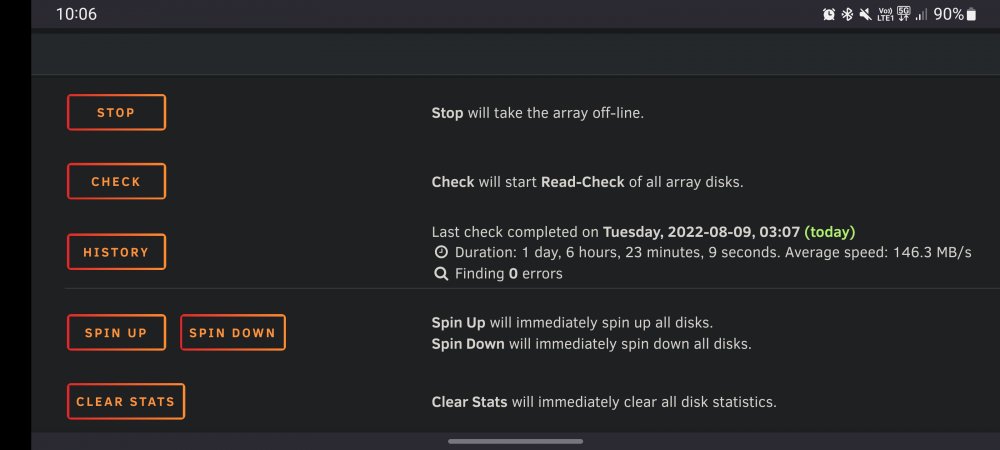
Iirc, last time it was slightly under 1.5 days. It starts off at somewhere around 200MB/s and by the end slows down to less than half of that (no idea if the slowing down thing is normal)
-
Do you reckon I should run the -L parameter as a kind of last ditch attempt?
-
I'll also create some copies of some of the files that are the most important to me
-
I did the check but I haven't done the repair yet, I wasn't exactly sure how to do it even reading the docs although I did get an error message that sounds somewhat useful to somebody that understands it ERROR: The filesystem has valuable metadata changes in a log which needs to be replayed. Mount the filesystem to replay the log, and unmount it before re-running xfs_repair. If you are unable to mount the filesystem, then use the -L option to destroy the log and attempt a repair. Note that destroying the log may cause corruption -- please attempt a mount of the filesystem before doing this.
-
Most of the data on the missing drive can be gotten again, I don't think there was any substantial data on the drive that was important. I mostly use it as a local repository of all my data. The rest of the array currently does not have any backup as I kept putting it off as I worked it out to take somewhere in excess of two years on my internet to backup all of my data, I do have a couple TBs of portable HDDs that I can copy super important info onto in the meantime if you believe it is worth it. If there is a chance of getting the data back it would be preferable even if it leaves me with a bunch of corrupted files, depending what is on the drive I would actually be perfectly contempt with only retrieving a table of contents. An additional, after a lot of effort with Amazon, I have a new HDD coming in two days so if this data is recovered then I won't be emulating the drive for very long.
-
redmatter-diagnostics-20220809-2104.zip That's the diagnostics after starting the array normally
-
Yes, I was fully aware I was running without protection. I have been missing the drive for approximately two weeks but I have only had the array online for a total of slightly less than two hours when I needed to access some files that I needed. Although you are correct with it not being necessarily a good idea, due to space and hardware constraints it is unfortunately the only possible way to go for me. I do not know what will happen if I try to write data to the array, as soon as I noticed the emulated disk missing I immediately stopped the array to prevent any further damage
-
Apologies, didn't realise there were two different check buttons. I ran the check filesystem one and this was the output of it, it's quite long so I've attached it as a text file Disk4 Check.txt
-
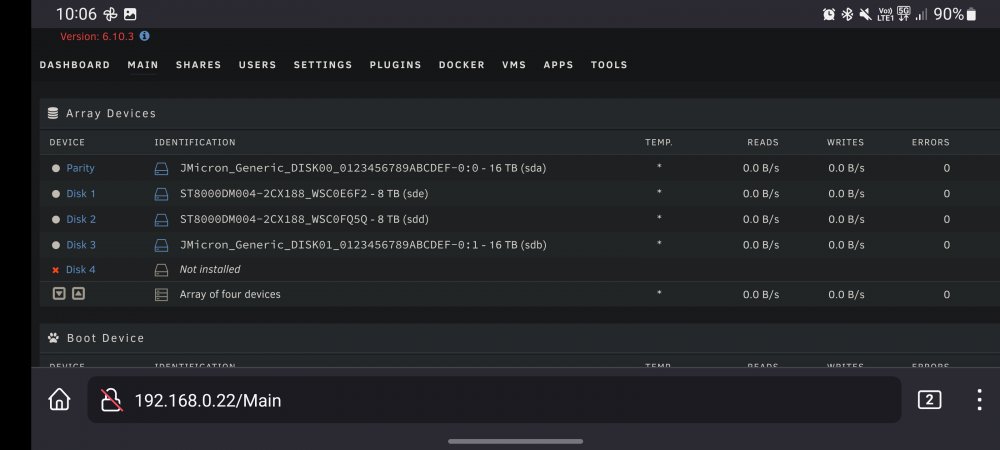
The check just finished this morning and it found no errors, there isn't a repair button on this page that I can find and the emulated drive still isn't showing up as storage in the array. I've attached some screenshots of the page again
-
Okay, thank you. I will start a check now
-
Thanks for the response, As I am currently without the drive do I still want to follow that and run a check even with it showing the emulated drive error?
-
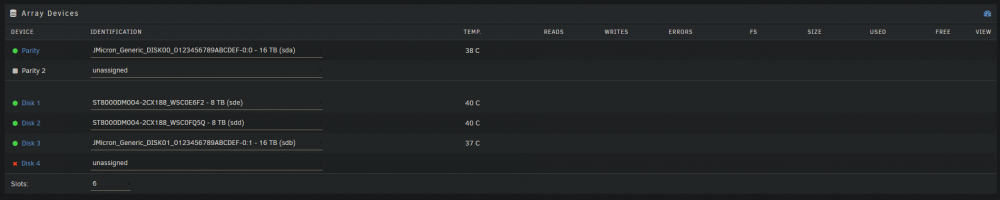
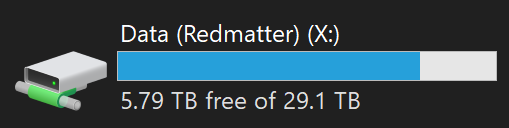
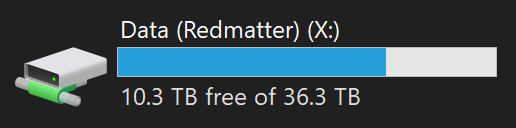
Hi Guys, I have a potentially quite severe problem with my Unraid array. It is a very specific series of events that have occurered that has led to this issue. To start, before this issue happened, I had an array that was built from five drives; 1x 16tb parity drive, 1x 16tb storage drive, and 3x 8tb storage drives. The array at this point was completely find and healthy with 40TB of usable space that showed correctly as 36.3TB in Windows. A couple of weeks ago I started noticing S.M.A.R.T errors coming from one of the 8tb storage drives, it was climbing rapidly with sector reallocations. As this drive was still fairly new I decided to send the drive back to Amazon for a refund. This left my array in a state where it listed; 1x healthy 16tb parity drive, 1x healthy 16tb storage drive, 2x healthy 8tb storage drive, and the recently 1x missing 8tb storage drive. This missing drive contained approximately 3tb of data but was being emulated by unraid perfectly for the times that I needed to access it. It still showed the correct 40TB of total space in the unraid control panel and 36.3TB in Windows and all my data, including for the emulated drive was still there and accessible. My specific setup I believe is very important to understanding the next part of this post. The 8tb drives are Seagate desktop drives that connect to the computer using usb. Each of these drives has its own cable connecting it to the computer. The two 16tb drives are Seagate Exos drives that are both in a five bay usb enclosure that I will refer to as the 'Yotto' for the rest of this post. This meant that two of the five slots in the Yotto were filled, with three spare slots for new drives when I slowly replaced the 8tb drives. This now brings me to today. I purchased a replacement drive that just arrived, a 16tb Toshiba enterprise drive. The plan was to install it into the Yotto and have unraid reconstruct the missing drive onto it - the way you would normally upgrade a drive if you have parity - but this is where the issue begins. Once powered up, the new drive did not sound particularly healthy. Once unraid had finished booting, all of the drives from the Yotto were missing, that being the two existing 16tb drives and the new drive. But more importantly, the missing drive from earlier did not show up as it has been for the past two weeks. Previously it has shown in the array as 'Missing' with the old drive's serial number underneath it. Unraid was showing the total amount of storage of 16tb, only the two remaining 8tb drives. Upon seeing that the entire Yotto was missing, I shut down unraid and removed the new toshiba drive which was making worse sounds by the second. Booting unraid back up, the seagate drives from the Yotto had returned but for a total capacity of only 32TB, the 8tb emulated drive was completely gone. Instead of the Identification dropdown saying 'missing' with the old drive serial underneath it, it now shows as unassigned. But, even stranger is that unraid still shows the slot the drive used to be in with a red cross that when hovering over it shows a tooltip reading the following: 'DEVICE IS MISSING (DISABLED), CONTENTS EMULATED'. After some poking around, I do know for certain that the data on this missing drive is not being emulated as some files are missing that would have been on it. Side note, the emulated disk has also disappeared from my Historical Devices panel at the bottom of the page. When starting the array in maintenance mode, the offending disk (labelled Disk 4) shows as 'Not installed' with a warning on the end of the line stating 'Unmountable: Wrong or no file system'. There is also the option at the bottom of the page stating that an unmountable disk is present and gives me the option to format it. This all leads to the question of what should I do? I have contacted Amazon for a replacement of the new drive which will happen... sometime? They have given me absolutely no timeframe on this other than more than a few days. I obviously can't be using the array in the state that it is currently in. The last thing I want to do is lose any of those files so if there is a chance of data recovery from the parity data then I would like to keep that option open, but if there is anything I can do in the meantime to get access to this data again then that would be fairly helpful as there is a decent bit of important data on that drive. By chance I have a couple of screenshots from before the issue which I have attached, I've also attached screenshots of anything after the issue that I think could be relevant but please ask for more if it could be useful. Thank you to anybody that has given the time to even bother reading this, any sensible suggestions would be greatly appreciated.