





.png.22c5323b9dadde3ded1cd5f749e7823c.png)
Fantucie
Community Developer
-
Joined
-
Last visited
Everything posted by Fantucie
-
I never get this, I have like 1T full on my FileRun with no problem with my docker.img this seem to be an error from you who change the path to a wrong one, maybe.
-
Yes I can see to fix that for sure, if you want to see the update in direct or know when it will be release, join the discord server to dont miss anything
-
Little edit, after have talk with squid, this Error will be fix in the past hours when your CA will be update, everything should be fine
-
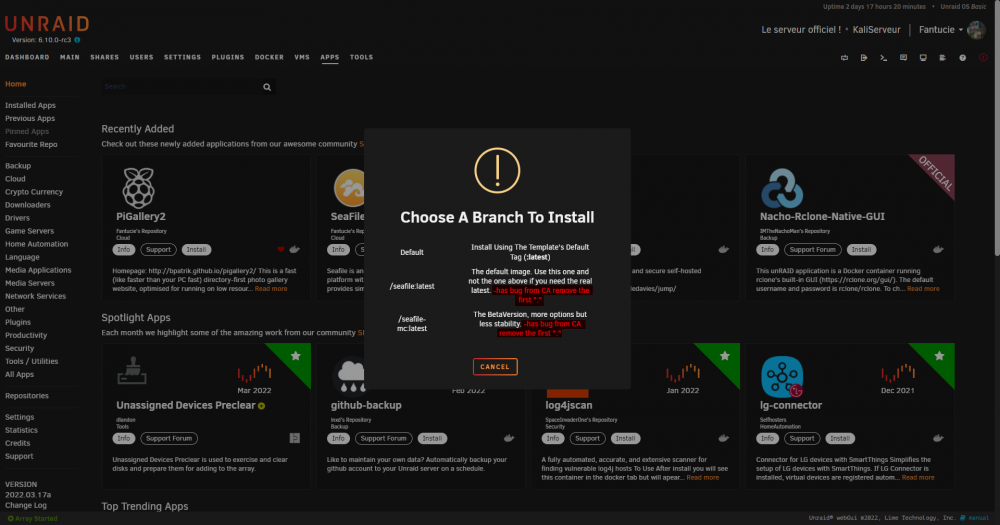
Yes aleadry know that but it's not from me but from CA, I aleadry report and asked to Squid how I can fix that + there is a Warnings about that when you select the version
-
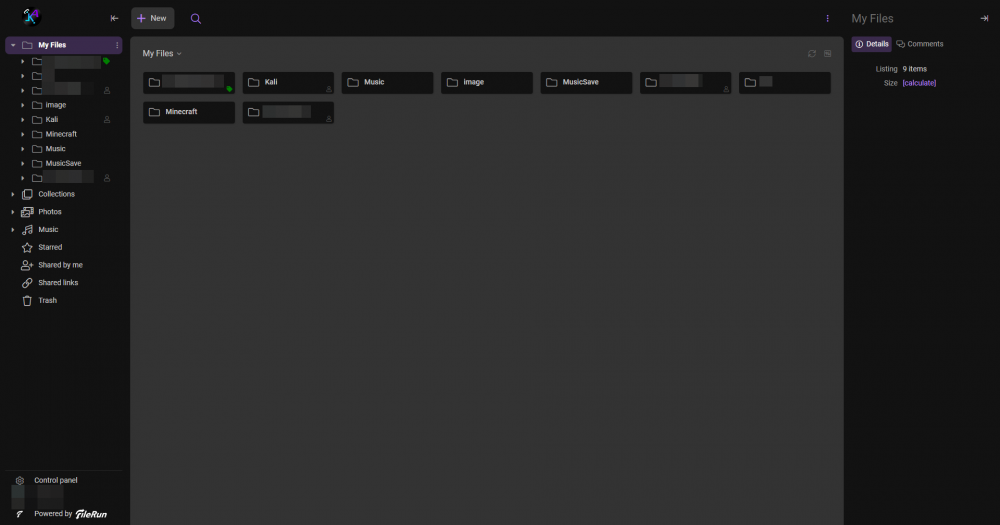
After, in the main folder you can make other folder has your wish or drop file directly in That's totally at your wish after all
-
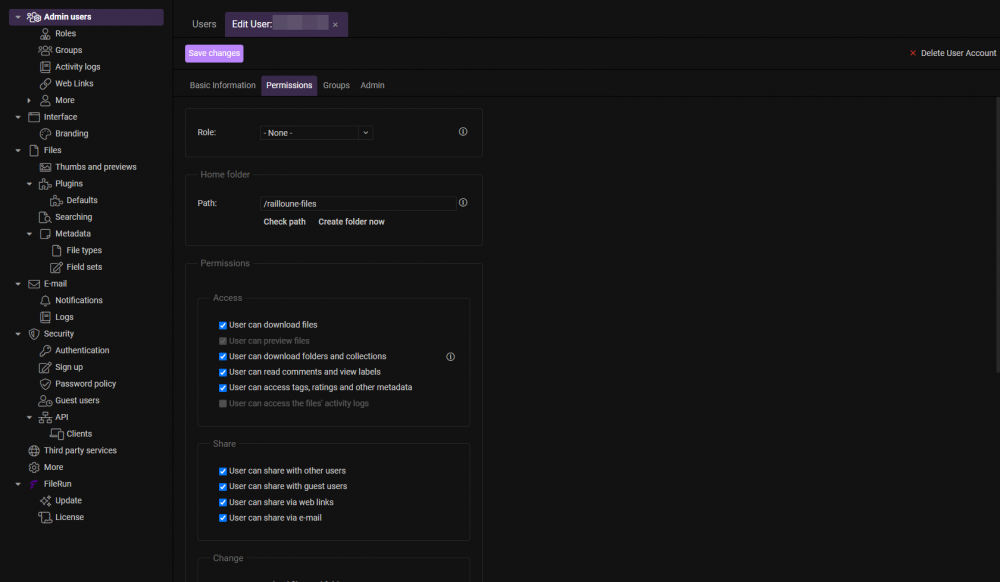
In the admin panel of FileRun you go to User and create a new (The FileRun system is One Path only for One User) And you put here the files you have setup in unraid (ContainerPath) Check path and everything is good
-
Heyn no it's same everything is good it's just that the path for FileRun is indivudual for user, you need (after save that) setup it in the admin panel of your FileRun
-
His/her version has no support, his/her version same to has missing thing in. (When I was trying to use it, it where just not working.)
-
Problem fix on Discord. the bonding option on unraid for docker wasn't on that was the problem
-
Just make a little patch on it for be fully compatible it was missing one variables now it's normally fully working !
-
Hello, I just put a patched version for the docker (remove the actual one you have) and wait 1-2hours untils the docker auto update, I just messed up a bit with one variables, but it's seems that there is a problem too with the AOUTH for the caster, aleadry make an report on the official waiting for fix .... sorry
-
Ah yes, I was pretty sure to ahave setup it on the description but same it's missing mhh ^^' I will fix that when I will be at home thanks for the report !
-
(Has i am not at home, i cant fully help you and I am sorry for that, I will be back home in one two hours ! If needed I will check time to time the discord and topics)
-
For the twitch bot username it's the BotToken to have go to https://phantombot.github.io/PhantomBot/oauth/ and connect yourself with the bot account he will give you the token for the bot that you need past in this variables and for the twitch user token it's the same but you have to connect with your twitch account, and for the last variable use your twitch account name
-
Hey 👋 Normally you have a little step to follow for have the good install has the docker are a bit messy with the paths. But normally you have to create a twitch account for your bot and get his key at the links say under the variables same for twitch user. And totally under the last should be your twitch username But like say, check the first page to look what configuration you need to do
-
And if you want I just release my DiscordSupportServer here the links if you need it !
-
Hello, first I have to ask what database are you using ? (MariaDB or other ?) And try with PhPMyAdmin to log into the database using what you have set for the panel ^^ - Edit The issues has been fixed on Discord
-
Yes I know this, and I was aleadry thinking of removed it personally, it's like I say only a habit from me on my test server that maybe why i dont care a lot but on official it could be problematic yes I will change it in the reposit, will be fix in the CA in 1hours/2hours normally
-
Technically the PANEL dont need privilege, I just have setup it like that like all my other docker (maybe an habit from me who know ?) but you can remove it if you dont want to let it
-
I didn't know him a lot or even a bit. And of what I have seen from his youtube channel, I dont think he will do something from my reposit sincerely but maybe with a bit of hope 😛
-
It seem I cannot add you to my friend. Come on my support discord still in work Link not available for now
-
There is no problem I am here to help you using my reposit. If you need something else or even more support. I will be here !
-
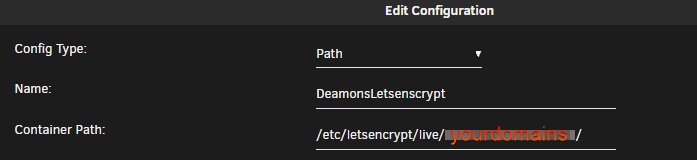
In the installation of the demons you need mount where is the key fullchain.pem and privkey.pem (they should be in a files namer /whereyoustockthem/YOURDOMAINSNAMES And you need in the docker install click edit and setup /etc/letsencrypt/live/YOURDOMAINSNAMES/
-
Okay I have re tested. the connection work without open ports, it's because you have a bad set for you config files. You have to set /mnt/user/appdata/pterodactyldeamons/lib/volumes has data and be sure to have set the connection to "Use HTTP Connection" and put the config.yml in the mnt/user/appdata/pterodactylderamons/etc (If you dont have change the path.)
-
You still have to open port even in lan I personally while testing wasn't able to connect on my deamons on lan without openned them. And for the path. It was saying above in the setup way for nodes ! Hope it will fix you error if not, I will try to be here for help (If I dont fall aslep has it's some late here in france)
.thumb.png.20a8d1f02be118ce461d83dd5ddea553.png)




