0plus6
Members
-
Joined
-
Last visited
-
I will give this a try. Thank you!
-
This has happened with 2 different Boot Devices. I thought the first was failing so I swapped out for a new and it keeps happening every time I add a Z Wave USB device. I've tried the Zooz and Aeotec. Both having the same effects.
-
Took a while, but finally went down again. Diagnostics attached. Thank you!diagnostics-20220118-0906.zip Edit: Also seeing errors on dashboard Warning: parse_ini_file(/boot/config/docker.cfg): failed to open stream: No such file or directory in /usr/local/emhttp/plugins/dynamix.docker.manager/include/DockerClient.php on line 50 Warning: array_replace_recursive(): Expected parameter 2 to be an array, bool given in /usr/local/emhttp/plugins/dynamix.docker.manager/include/DockerClient.php on line 50 Warning: parse_ini_file(/boot/config/domain.cfg): failed to open stream: No such file or directory in /usr/local/emhttp/plugins/dynamix.vm.manager/include/libvirt_helpers.php on line 478

-
I had to remove the Z Wave USB and reboot. Luckily everything came back up. I will plug it back in and grab the diagnostics once it errors out again. Additional: My flash boot device shows as it should in the main tab but when viewing files, there are no files. It does show size, used and free sizes unchanged however. Thank you
-
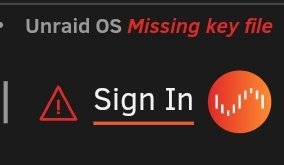
All working as should until I add a Z Wave USB and pass through to Home Assistant VM. After some time I am signed out and get a "missing key file" error. If I try and sign back in I get error "Failed to receive latest server info after successful key install. Please close this pop-up and refresh the webGUI." What am I missing? Any help would be appreciated. Thank you Unraid OS Pro Version 6.9.2