




Skip to content
View in the app

A better way to browse. Learn more.

Unraid

A full-screen app on your home screen with push notifications, badges and more.

To install this app on iOS and iPadOS
  1. Tap the Share icon in Safari
  2. Scroll the menu and tap Add to Home Screen.
  3. Tap Add in the top-right corner.
To install this app on Android
  1. Tap the 3-dot menu (⋮) in the top-right corner of the browser.
  2. Tap Add to Home screen or Install app.
  3. Confirm by tapping Install.

MonkMuli

Members
  • Joined

  • Last visited

  1. Thanks, after restarting the array it now works.
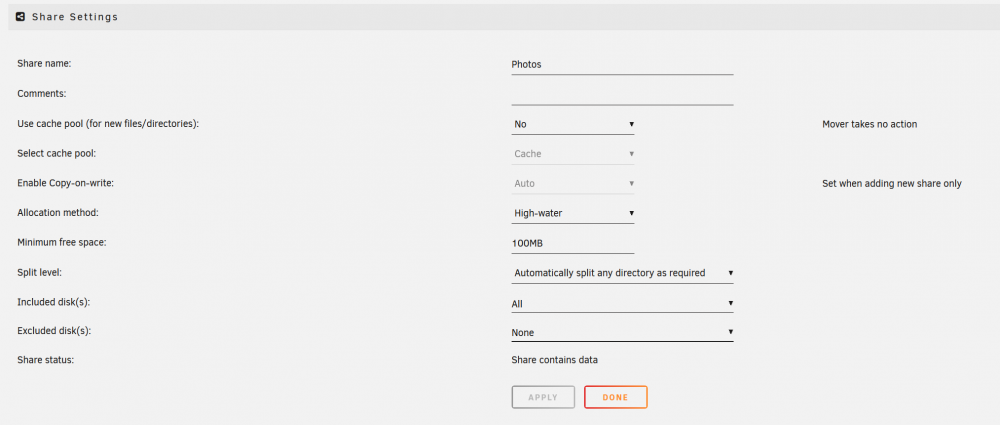
  2. Hi, I'm using unraid 6.10.0-rc2 and maybe I'm misunderstanding something but the cache pool settings for my shares are getting ignored, meaning I created a share initially with the cache pool setting to 'yes' but since I want to copy a large amount to the share and my SSD fills up, I set the cache pool setting to 'No'. But when copying to the share it still uses the SSD cache pool (event after running the mover and moving all the files off the SSD). Is this a bug or am I missing something?
Account

Navigation

Search

Search

Configure browser push notifications

Chrome (Android)
  1. Tap the lock icon next to the address bar.
  2. Tap Permissions → Notifications.
  3. Adjust your preference.
Chrome (Desktop)
  1. Click the padlock icon in the address bar.
  2. Select Site settings.
  3. Find Notifications and adjust your preference.