rwdesigner
Members
-
Joined
-
Last visited
-
Well, I have good news to report. After purchasing some ram (Corsair Dominator Platinum 16GB (2x8GB) DDR4 Gen6 3200MHz) off the motherboard's QVL list, the parity check completed successfully! No crashing. No reboots. Just started Dockers and... I'll report back, but it seems that: SOLUTION: Install RAM which is listed on the motherboard's QVL
-
Since the ram is older/used, I decided to order some ram off the motherboard's QVL list and see if that resolves the issue. Thank you.
-
I know how to run tests for the HDDs, RAM, and CPU, but I have no idea how to run any motherboard tests. And if the system is fully functional under windows, perhaps that indicates a compatibility issue between Unraid and this hardware. Which is very frustrating because Unraid has a reputation for not caring about what hardware it is running on. The long generic HDD test has been running for almost 24 hours. I don't see any issues reported yet. I just bought all of this new hardware and damn is this disheartening... I guess I'll try setting up a new unraid install with different HDDs and see if this piece of junk continues to crash. Maybe it's something corrupt with the Unraid files/config.... I would pay for help at this point...
-
Installed Win10 on a SATA SSD & updated windows Downloaded & Installed SeaTools for Windows SMART test - both drives passed Short DST - both drives passed Short Generic Read Test - both drives passed Long Generic Read Test - both drives passed
-
Updated to v6.10-rc2. Rebooted. Crashed again while doing a parity check... Humm..
-
I feel like I'm in crazy land here... When trying to update, I see two lines -- one with the current installed (6.9.2) version and one with 6.9.1.... I click " Branch - Next " (that line disappears and all I see is 6.9.1 with the Restore option) - then after I click " Check for Updates " - the popup window appears and in the background I see v6.10-rc2 and under Status, I see the Install button, but when I close the popup window, that changes back to "6.9.2 - Up to Date" - I tried this with both the array started and stopped. Okay after trying the same procedure about 10 times, after I close the popup window, the Install button persisted... weird weird weird... I'll report back upgrading helps. Thank you
-
is there any chance this is related to the system time?
-
Less than an hour later... Kernel panic - not syncing : Fatal exception in interrupt If this is not a software issue with unraid, jeez, I don't even know where to start. Try a bootable usb with Seatools and try to run SMART check there? if that crashes... it's the CPU/MB/RAM/HDD right? The CPU, MB, and PSU are new. The HDDs are about a year old. The RAM is used, but it passed a couple hours of memtest. Thank you for the help
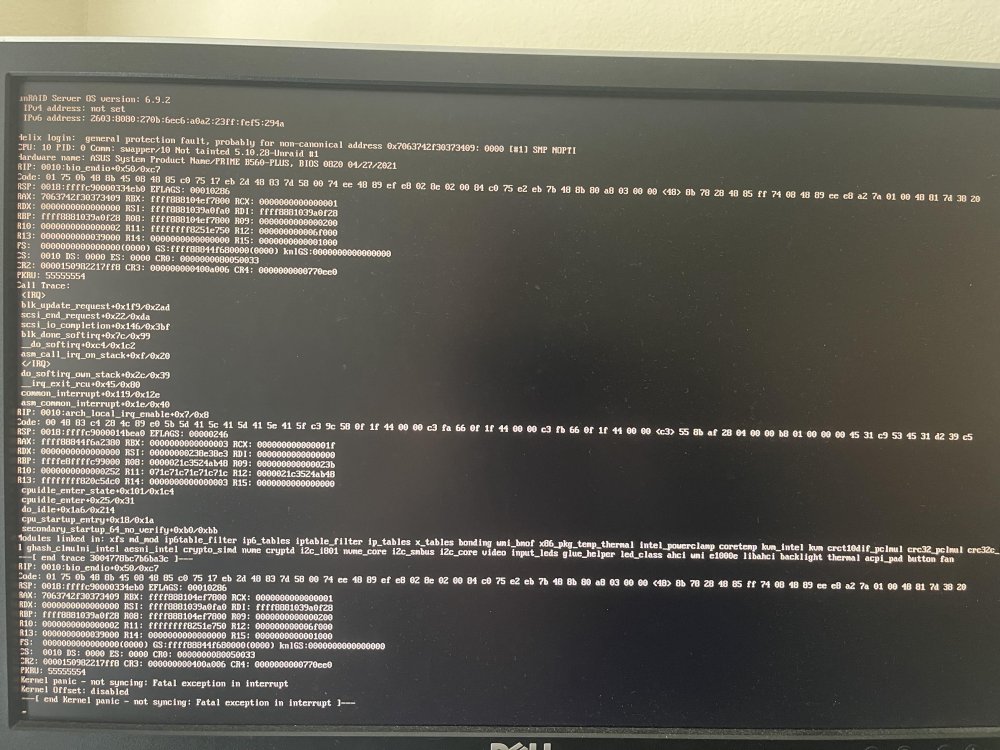
-
Thank you, Jorge. The system has been up for 3 days with no dockers/VMs running. But if I try to just do a parity check, I know it will crash. I'll try doing a parity check in safe mode and see what happens...
-
If anyone has any suggestions, I sure would appreciate it. Thank you
-
Well, I guess it crashed and rebooted because the uptime is only 2 hours... Looks like logging worked... thank you syslog-192.168.10.7.log
-
Thank you. I had the remote server field blank... Local Server - Enabled - UDP - 514 Local Syslog Folder - syslogdata Rotation - Disabled Remote syslog server - (ip of unraid machine) - UDP - 514 Mirror to flash - No Ok, running a parity check - I'll see if any logs make it to the syslogdata share. Thank you again
-
Thank you for the reply! Syslog server is enabled. I created a new share named syslogdata which is only on the cache and is public. However, the share is still empty, so it seems like the syslog server is not writing to the share, so I'm not getting any logs...
-
helix-diagnostics-20211226-1643.zip
-
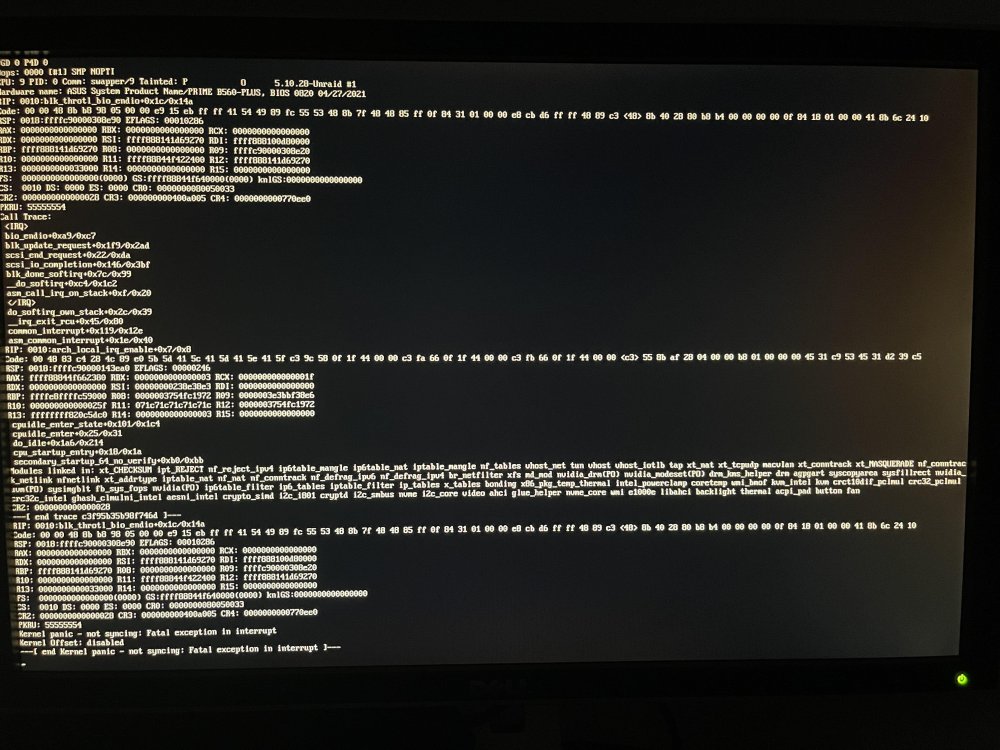
Howdy! I've really been enjoying unraid, and have recently migrated my install to new hardware. Previously, I was using a Supermicro board with dual xeons, and it was working pretty well, with the occasional freezeup. I was trying to use the unraid server for many things, but with the occasional freezups, I started removing tasks, drives, and hardware to get down to just: -Quadro P2000, -400GB PCIe NVMe (cache), and two 16TB HDDs. Software was all Dockers: PLEX, Tautulli, and Pihole. I wanted to move to a board with a newer generation processor with quicksync, a m.2 ssd, and also something that was quieter. So, I upgraded to: Intel Core i7-11700K ASUS PRIME B560-PLUS 16GB DDR4 2133Mhz 4Gx4 Noctua NHU-9S SAMSUNG 980 PRO M.2 2280 2TB PCIe Gen 4.0 x4, NVMe (cache) Quadro P2000 (still installed) The hardware upgrade came with some issues - the old motherboard had IPMI and I had setup nerdtools to check it for stats and report to the dashboard. Well, the new MB doesn't have IPMI and the log file was filling up with IPMI failures to connect or something like that. So, I removed the IPMI tool.... And I successfully migrated the cache drive from the 400GB PCIe NVMe to a SAMSUNG 980 PRO M.2 2280 2TB PCIe Gen 4.0. Unfortunately, I'm still having issues where the system will abruptly reboot. The last time I was just running a parity check and dockers were disabled. To troubleshoot, I've: Run MEMTEST86 - 2 passes - 0 errors (2hrs) Replaced SATA cables to HDDS Removed all other SATA SSDs the only drives connected are: USB (unraid), m.2 cache drive, 2x 16TB HDDs Some of my research pointed toward "dockers using custom br0 network interface can cause kernel panics" so I disabled PiHole Yesterday I was trying to get OpenVPN working and I enabled IPv6 (previously was disabled... maybe due to previous troubleshooting with this issue?) Currently: removed USB wireless keyboard (maybe this was causing the kernel panic when it went into sleep mode?), attached PS/2 keyboard. Dockers disabled. Running a parity check. ..... and it crashed/rebooted again with no dockers running and it was just running a parity check.... I really feel like just starting over and seeing if that fixes anything... maybe just get a new test unraid usb going with some test HDDs and see if that configuration crashes.... TLDR: Unraid system randomly kernel panics. Please and Thank you for the help. I'm at my wit's end here =\