




Skip to content
View in the app

A better way to browse. Learn more.

Unraid

A full-screen app on your home screen with push notifications, badges and more.

To install this app on iOS and iPadOS
  1. Tap the Share icon in Safari
  2. Scroll the menu and tap Add to Home Screen.
  3. Tap Add in the top-right corner.
To install this app on Android
  1. Tap the 3-dot menu (⋮) in the top-right corner of the browser.
  2. Tap Add to Home screen or Install app.
  3. Confirm by tapping Install.

Tomas Tomljanovic

Members
  • Joined

  • Last visited

  1. @JorgeB appreciate the help. Everything is working now after the changes and update. Thanks mate
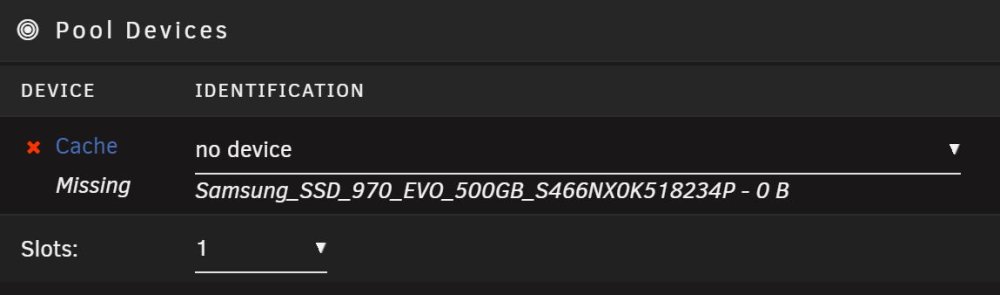
  2. Hi All, After some assistance please, when I update from 6.10.3 to any newer version my cache drive shows as missing. When I restore back to 6.10.3 everything works as normal. I am wondering whether a quirk needs to be added to the next version of Unraid for my particular nvme ssd model so it is recognised properly? Attached are diagnostics on both versions. Thank you tower-diagnostics-20221126-1316 6.10.3.zip tower-diagnostics-20221126-1257 6.11.5.zip

Account

Navigation

Search

Search

Configure browser push notifications

Chrome (Android)
  1. Tap the lock icon next to the address bar.
  2. Tap Permissions → Notifications.
  3. Adjust your preference.
Chrome (Desktop)
  1. Click the padlock icon in the address bar.
  2. Select Site settings.
  3. Find Notifications and adjust your preference.
