Skip to content
View in the app

A better way to browse. Learn more.

Unraid

A full-screen app on your home screen with push notifications, badges and more.

To install this app on iOS and iPadOS
  1. Tap the Share icon in Safari
  2. Scroll the menu and tap Add to Home Screen.
  3. Tap Add in the top-right corner.
To install this app on Android
  1. Tap the 3-dot menu (⋮) in the top-right corner of the browser.
  2. Tap Add to Home screen or Install app.
  3. Confirm by tapping Install.

MrZhu

Members
  • Joined

  • Last visited

Everything posted by MrZhu

  1. 好的 多谢🙏 ,我再试试吧,麻烦您了
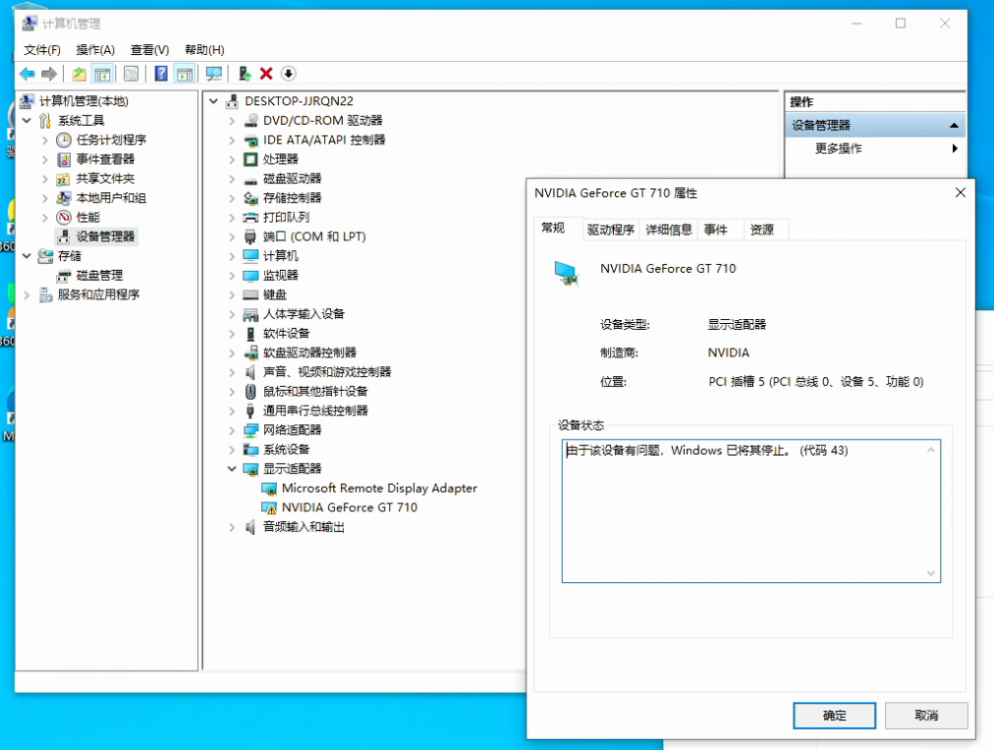
  2. 麻烦您最后再给看看吧,目前还是代码43 ,主板是华硕B560M
  3. 抱歉,我已经搜索过很多论坛的帖子了,基本上都是这么设置的,但是我这就是不好使。所以才提出疑问,希望各位能帮忙看一下问题出在哪里
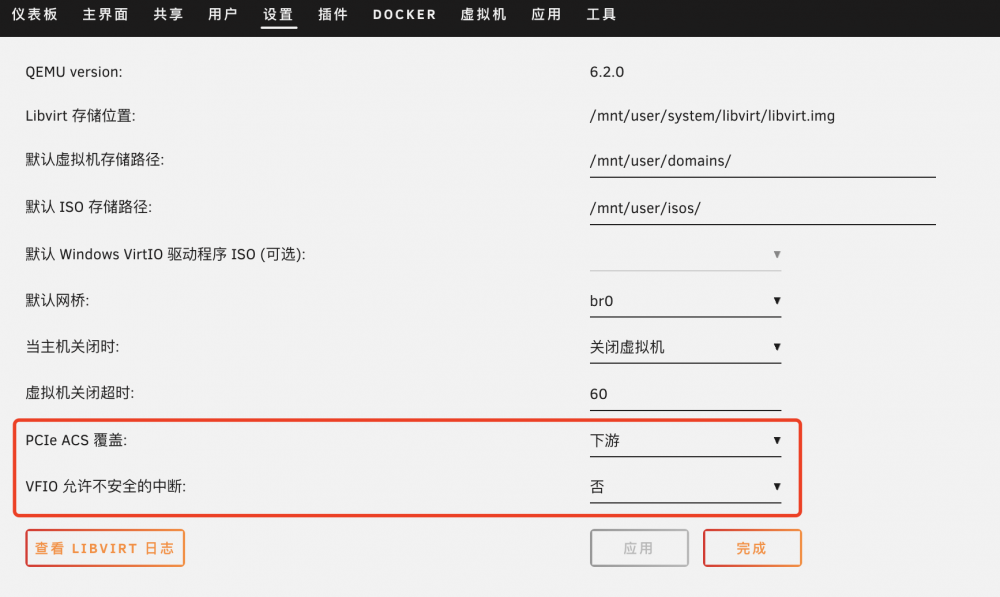
  4. pcie acs 改成“下游”之后目前还是代码43
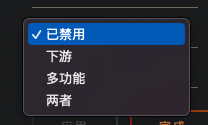
  5. pcie acs已选择下游(CPU:i3 10100T)
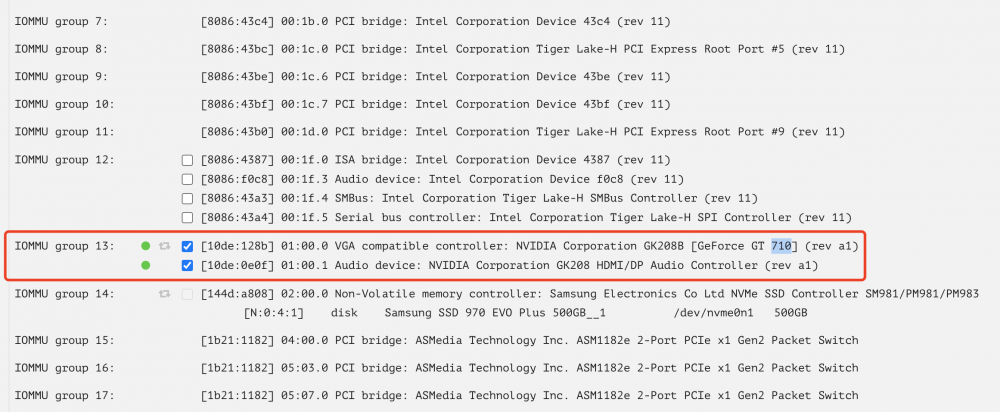
  6. 您好 ,麻烦看一下这个显卡的分组有问题吗?
  7. 显卡是主 pcie x16 插槽,请问分组独立应该怎么设置?
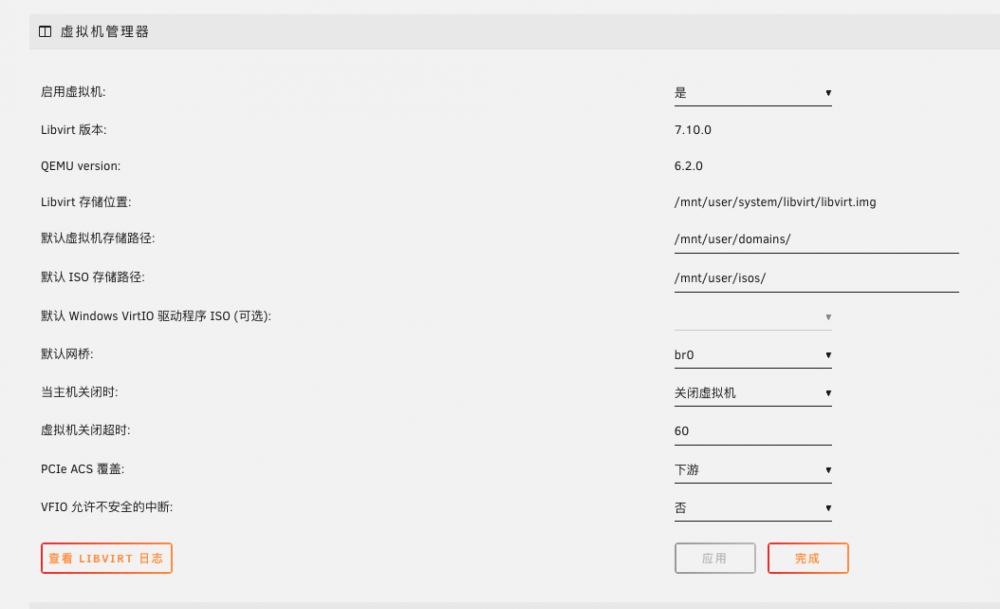
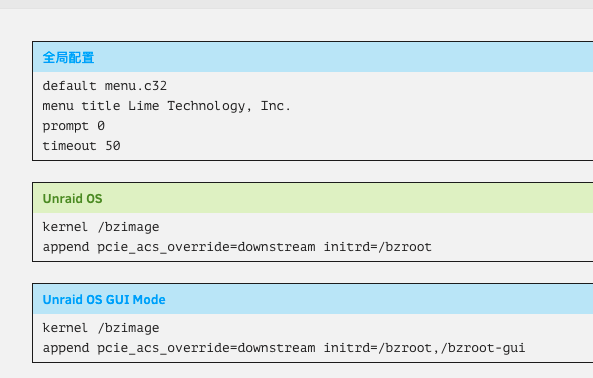
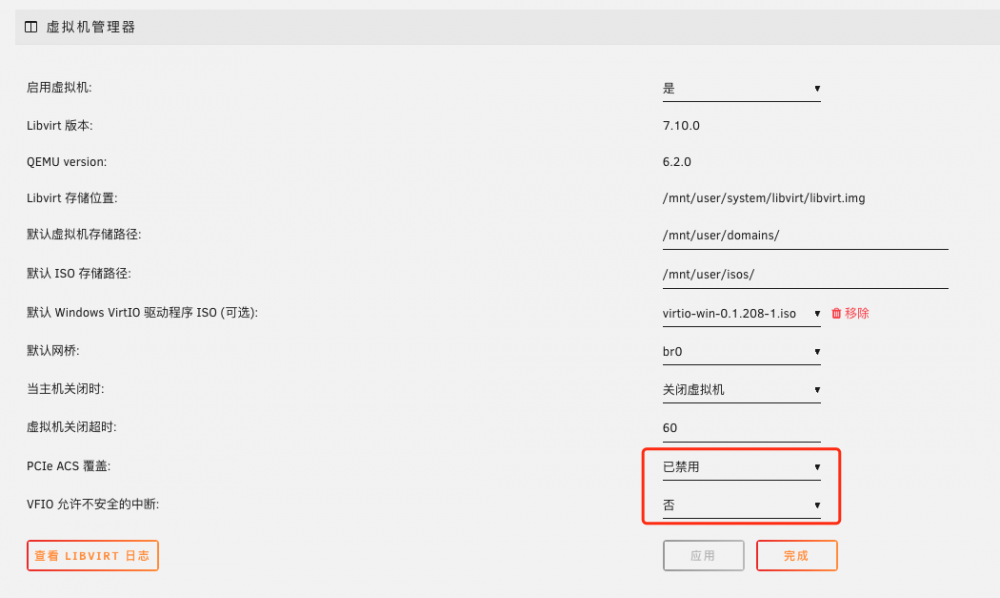
  8. pcie acs 应该是啥?
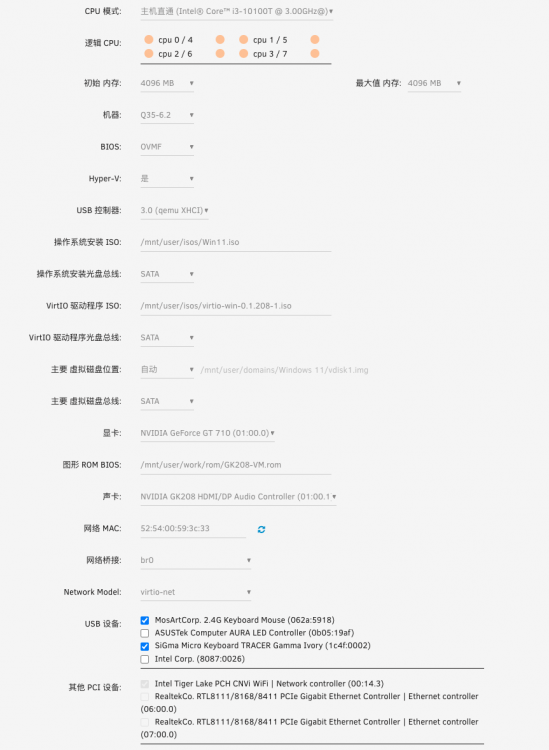
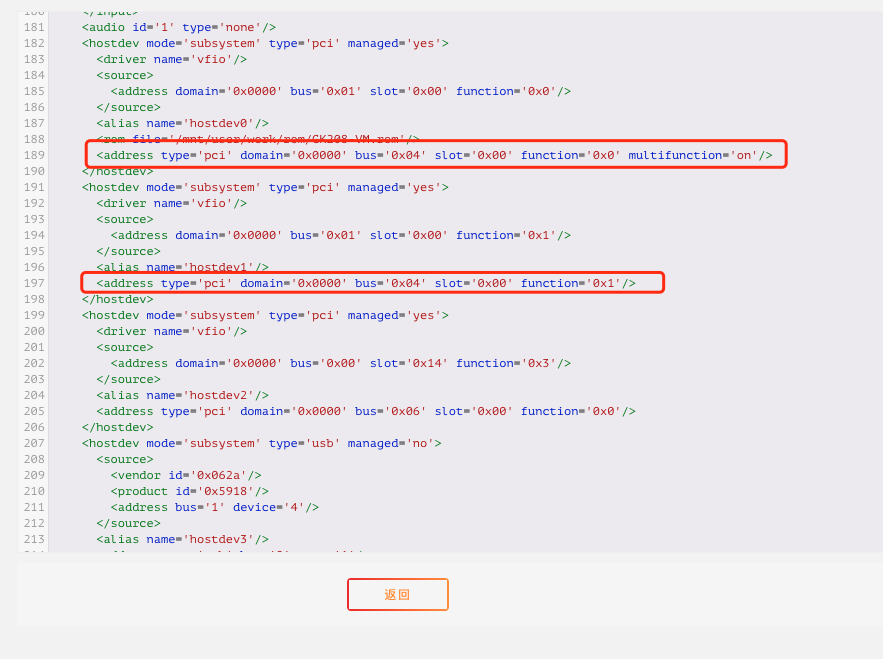
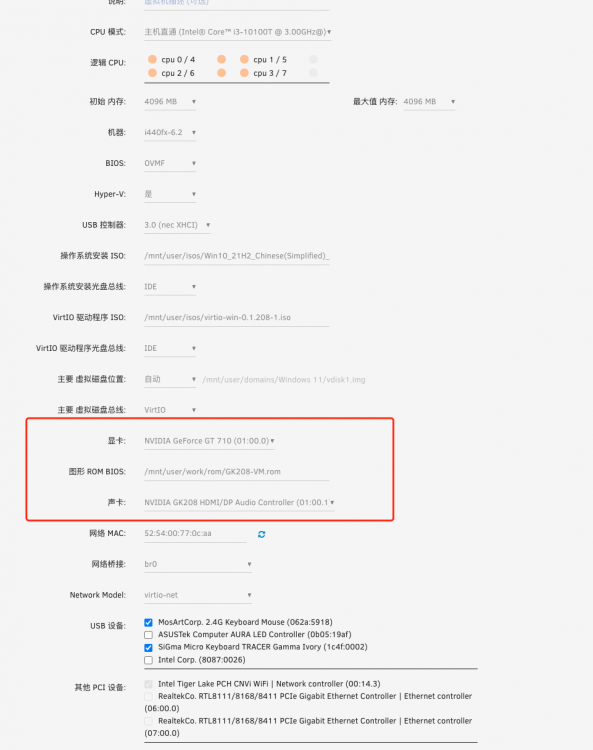
  9. GK208-VM.rom这是rom bios 文件,求帮看一下为啥
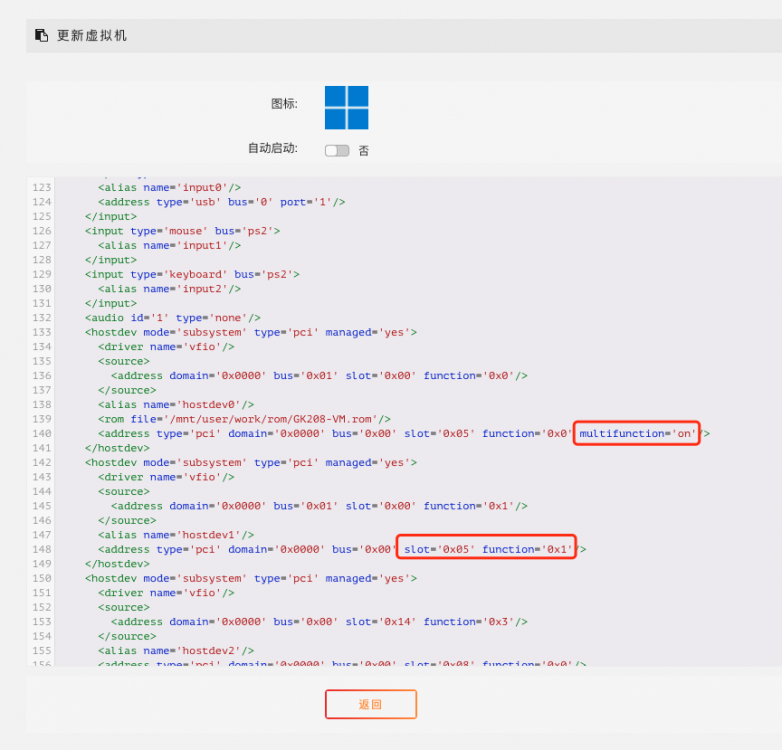
  10. 驱动也打了,红圈是修改的地方,折腾好几天了,就是不知道为啥
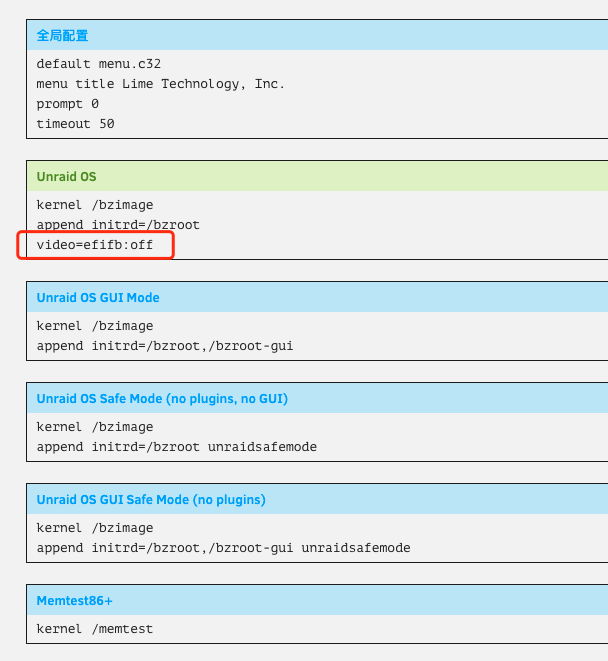
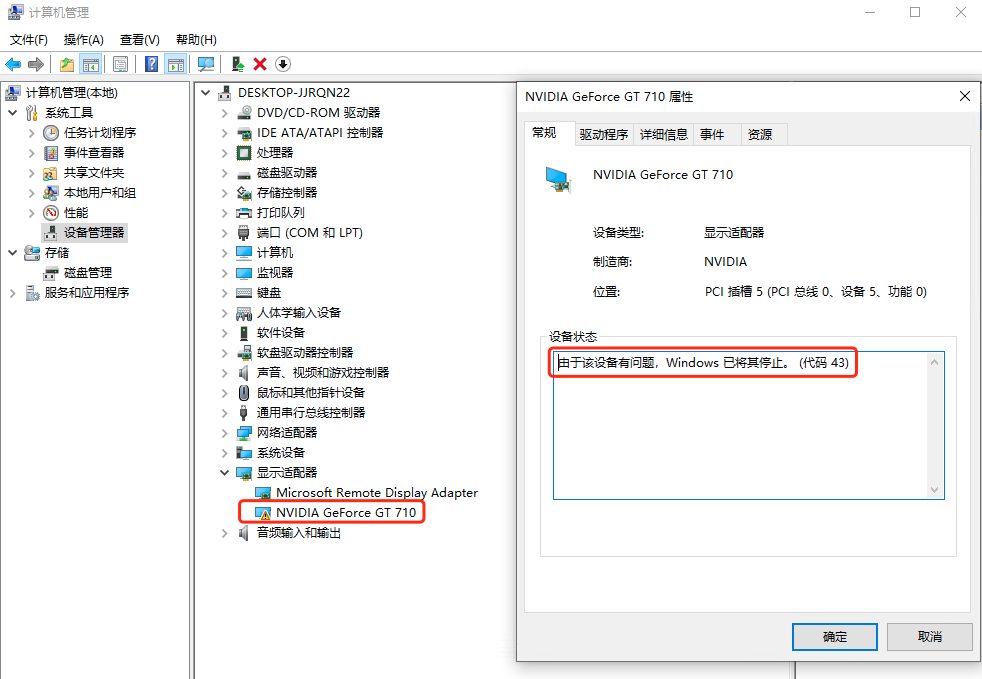
  11. 虚拟机配置如下 虚拟机设置如下 unraid系统设置 问题:在windows代码43 求解惑
Account

Navigation

Search

Search

Configure browser push notifications

Chrome (Android)
  1. Tap the lock icon next to the address bar.
  2. Tap Permissions → Notifications.
  3. Adjust your preference.
Chrome (Desktop)
  1. Click the padlock icon in the address bar.
  2. Select Site settings.
  3. Find Notifications and adjust your preference.