alpha-basis
Members
-
Joined
-
Last visited
-
Sure its a sheduled task with user scripts. Im already start and stop the container with some scripts and tabs are all closed after this. With su ${USER} i can start the process but its always open as new window. Is there a way to got into same process to open a tab?
-
Hey there, using your firefox image since a while now. I tried to open some specific urls while running the container automaticly via user scripts ~ bash script but had no success so far. I tried some bashing in container like: root@b00badeec0eb:/firefox# export DISPLAY=:99 root@b00badeec0eb:/firefox# ./firefox --new-tab --url "https://google.de" No protocol specified Unable to init server: Could not connect: Connection refused Error: cannot open display: :99 root@b00badeec0eb:/firefox# ./firefox --display=:99 --new-tab --url "https://google.de" No protocol specified Unable to init server: Could not connect: Connection refused Error: cannot open display: :99 Do you have some hints for me?
-
Thanks for the tip but i got the same error with this rule. I also tried with a dockerized nfs server (https://hub.docker.com/r/erichough/nfs-server) There i got the same result with my or your rule. Next thought of mine: Could it be a problem with the xfs filesystem used in my unraid?
-
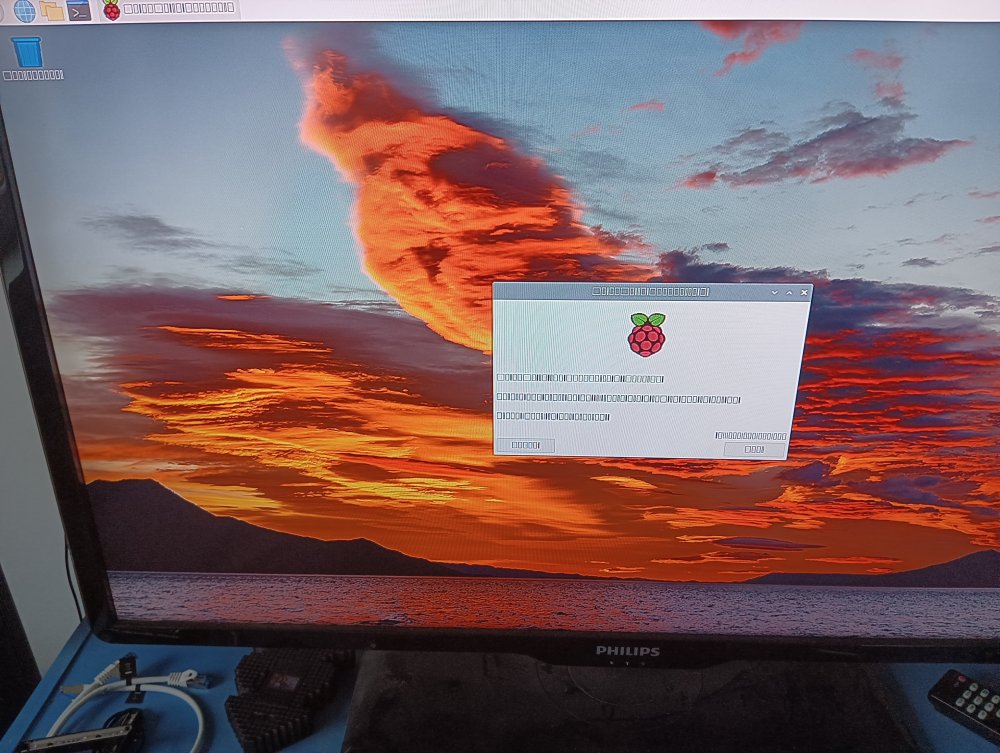
Hi togheter, i've tried for days now using the nfs server of unraid to netboot some of my raspberry pis. As you can see in the attached image it's kind of working, but after first boot no font is visible. Also after reboot the pi hangs on some jobs and doesn't boot back to desktop. As it was working to netboot the pi from another pi i think it should be an error in the nfs rules. Maybe someone have already done it or could direct me in the right direction? Network and machine info: Running Unraid 6.9.2 TFTP Server via Pihole Docker Image (Dnsmasq) Raspberry Pi 4b all running in /24 home lan NFS settings: NFSv3 (cause in v4 is just enabled in Unraid 6.10?) Export: Yes Safety: Privat Rule: *(rw,sync,no_subtree_check,no_root_squash) Also tried with *(rw,fsid=0,sync,no_subtree_check,no_auth_nlm,insecure,no_root_squash) and some other variations etc/exports: "/mnt/user/4df8dafb" -async,no_subtree_check,fsid=108 *(rw,sync,no_subtree_check,no_root_squash) "/mnt/user/69bfaec2" -async,no_subtree_check,fsid=109 *(rw,fsid=0,sync,no_subtree_check,no_auth_nlm,insecure,no_root_squash) "/mnt/user/rpis" -async,no_subtree_check,fsid=102 *(rw,sync,no_subtree_check,no_root_squash) "4df8dafb" is the serial of the used raspberry, here used as rootfs partition of the pi "rpis" folder is holding the boot files for raspberries used in TFTP Server. The folders were newly created and the files are copied with rsync directly from the mounted partitions of the image. Tried with different images already. Thanks for your help.